shadcn.io is an independent project built on shadcn/ui
Installation
Overview
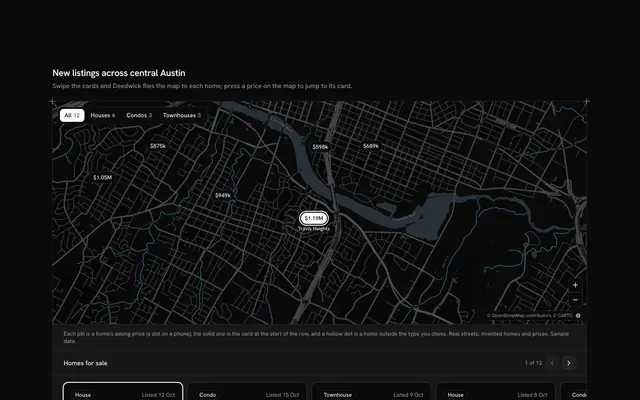
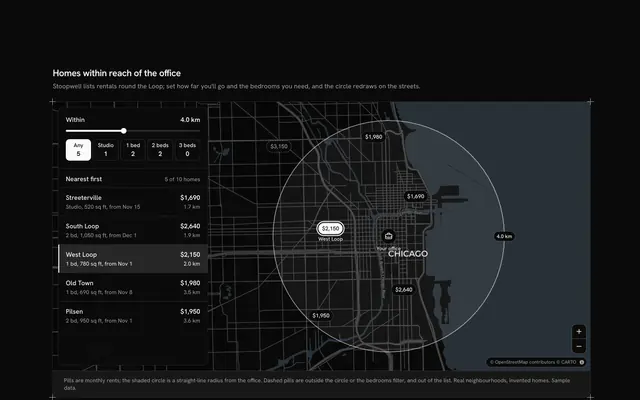
Narrow a map of homes for sale without leaving it, with this property search filters map for React with Base UI. Hearthfind, a property portal, shows twelve homes across Portland's east side, from Humboldt and Alberta Arts to Woodstock, as price pills at their neighbourhoods' real places on a live Map that follows your theme, light or dark. A filters card floats over the map's start: a two-thumb price Slider, a bedrooms Toggle Group and three property types as Checkbox rows. As on a portal's phone app, the filters are a draft: every change recounts the Shine Button at the card's foot ("Show 8 homes"), and pressing it puts only the matching homes on the map and in the card's list, cheapest first, and frames them. Choosing a home, in the list or on the map, flies the camera to its street; the frame button frames every match again. On phones the card sits under the map. Built from Map, Slider, Toggle Group, Checkbox, Shine Button, Button and Guides. For property portals, estate agents and relocation services.
FAQ
Why do the filters wait for the Show button?
So the map stays still while you set them. The card keeps two copies of the filters, the draft you're editing and the ones last applied; matchesOf(draft) counts the button's label as you go, and pressing it copies the draft over, puts the matching homes on the map and in the list and aims the camera at them. Reset puts the draft back to the starting filters. When nothing matches, the button says so and does nothing.
How does a home pass the filters?
passes keeps a home whose asking price is inside the slider's range, whose bedrooms are at least the chosen number (Any is zero) and whose type is ticked. Prices are whole dollars in the data and thousands on the slider, which runs from $300k to $1.3M in steps of $25k.
How does the map frame the results?
The block keeps one aim: the applied matches, framed from the corners of their places, or the chosen home at street level. MapCamera frames the aim at the start and flies to each new one, quickly or not at all when reduced motion is on, leaving room on wide screens for the card floating at the map's start. Pan and zoom freely in between.
Is anything searched or sent?
No. The homes are typed in the block and filtering happens in the page; nothing is searched, saved or sent. The neighbourhoods are real, but Hearthfind, the homes and their prices are invented sample data and no real address is used. The map tiles are the one thing loaded, from CARTO's basemaps over OpenStreetMap data, with their credit kept in the corner.
Can I use it without a mouse?
Yes. The slider's thumbs move with the arrow keys, the bedrooms are a toggle group, the types are checkboxes and the Show and Reset buttons are buttons; every home in the list is a button with a pressed state that does what pressing its pill does. A polite message says how many homes are showing after Show, and which home you chose.
How does it look on a phone?
The map comes first at a fixed height, then the filters card and the list of homes under it, the full width of the screen; on wider screens the card floats over the map and its list scrolls inside it. Changing a filter only changes the button's count, so nothing moves until you press Show.