shadcn.io is an independent project built on shadcn/ui
Installation
Overview
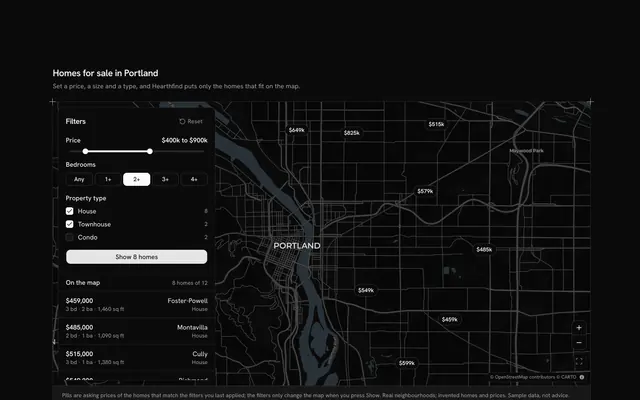
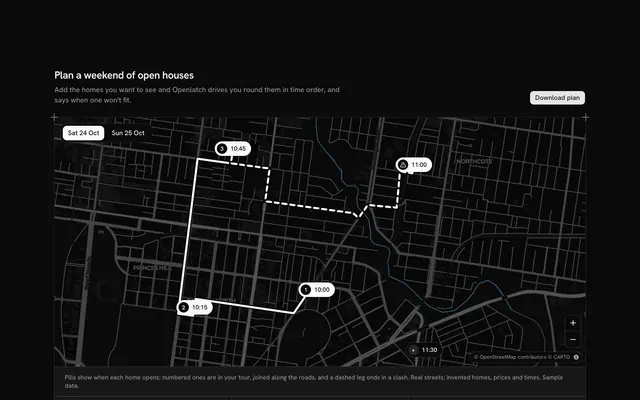
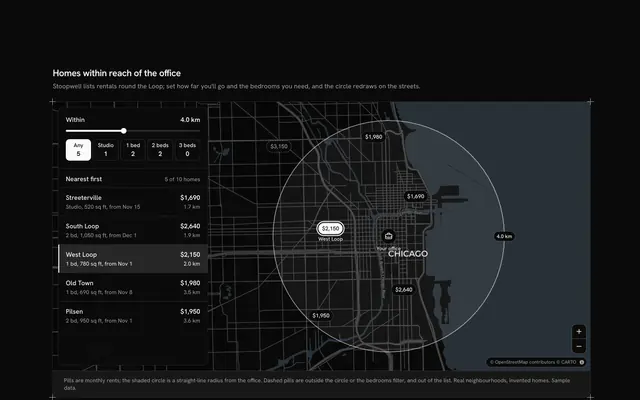
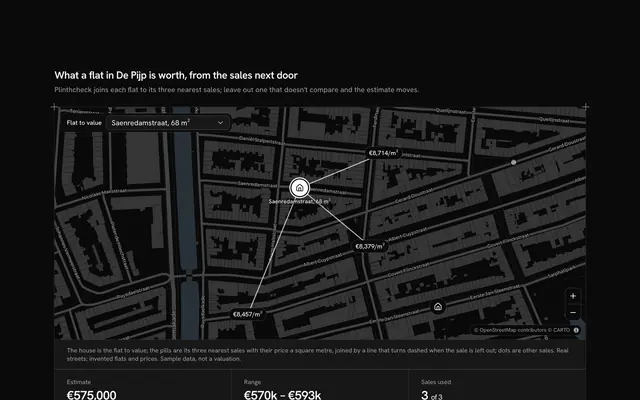
Keep the map and the listings in step, with this real estate listings map for React with Base UI. Deedwick, a home listings site, shows twelve homes for sale across central Austin, Texas, from Travis Heights to Mueller, as price pills at their real streets on a live Map that follows your theme, light or dark. Under the map a row of listing cards scrolls and snaps one card at a time, and the card at the start of the row is the one the map marks: its pill turns solid with its neighbourhood under it as you scroll, and once the row settles the camera flies to that home. Pressing a pill scrolls the row to its card, and Previous and Next step through the cards. A Toggle Group floating over the map (All, Houses, Condos, Townhouses, with their counts) filters the cards and turns the homes it leaves out into hollow dots. A card gives the type as a Badge, the price, the neighbourhood, bedrooms, bathrooms, floor area and the day it was listed. The row is a plain scroll-snap list that scrolls its own box and never the page. Built from Map, Toggle Group, Badge, Button and Guides. For home listings, lettings and new-build sites.
FAQ
How does the map know which card is showing?
The row reports its scroll position. On every scroll the block finds the card whose start edge is nearest the row's start edge (and the last card once the row reaches its end) and marks that card's pill at once; it works in a right-to-left page too, because the distance is measured from the row's own start. Pressing a pill does the reverse: it scrolls the row with scrollBy so the card sits at the start, and never calls scrollIntoView, which would move the page.
Why does the map wait before it flies?
The camera aims at the marked home only once the row has stood still for half a second, so a fast swipe past six cards makes one flight, not six. MapCamera holds that aim at a fixed street zoom (a step further out on a phone's narrower map) and flies there, or jumps when reduced motion is on; pan and zoom freely in between, and the next card aims it again.
What happens to the homes a filter leaves out?
Their cards leave the row, the row returns to its first card, and their pills shrink to hollow dots that stay at their places and ignore the pointer, so you can still see where the other homes are. The counts in the toggle come from the same list as the cards, so they always match.
Can I use it without a mouse?
Yes. The type filter is a toggle group, the row is a focusable scroll region that the arrow keys scroll, each card is a button that marks its home, and Previous and Next are named buttons that stay in the tab order at the ends. The pills are a pointer shortcut to the same cards. A polite message names the home and its price once the row settles.
Is the data real, and what stays local?
The streets and neighbourhoods are real; the homes, the prices, the dates and Deedwick are invented, and a card names the neighbourhood, never a street address. Nothing is fetched but the map tiles (CARTO's basemaps over OpenStreetMap data, credited in the corner), and nothing is saved or sent. In your app feed LISTINGS from your search and keep each card's id equal to its pin's.
How does it look on a phone?
The map comes first with the filter over it, a step further out so the neighbours stay in view; the other homes shrink to dots so the marked pill and its name stay readable. The cards are 15 rem wide, so the next one always peeks in from the end of the row, and swiping the row scrolls the row while the page keeps scrolling over the map.