shadcn.io is an independent project built on shadcn/ui
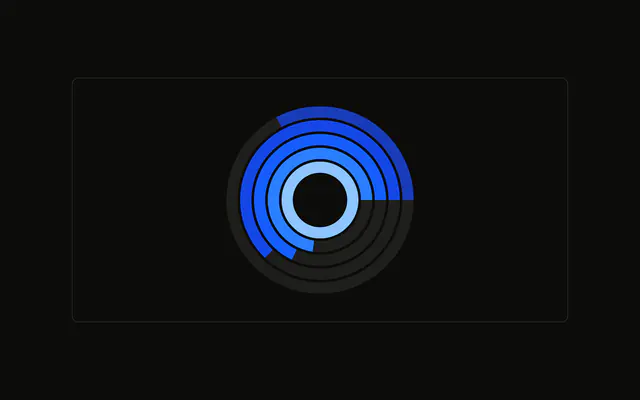
Browser rings over circular grid lines, spokes included, so you can judge how far each arc goes. The tooltip names the browser and its count.
Use the grid when people should estimate a ring against a scale. Drop it if the arcs are labeled. A Table gives the counts without estimating. In React, Base UI does not add the circular grid. You pass the rings.
Installation
Anatomy

Usage
<div className="w-full max-w-xl rounded-md border bg-background p-4">
  <ChartContainer
    className="mx-auto aspect-square max-h-[250px]"
    config={chartConfig}
  >
    <RadialBarChart data={chartData} innerRadius={30} outerRadius={100}>
      <ChartTooltip
        content={<ChartTooltipContent hideLabel nameKey="browser" />}
        cursor={false}
      />
      <PolarGrid gridType="circle" />
      <RadialBar dataKey="visitors" />
    </RadialBarChart>
  </ChartContainer>
</div>
FAQ
How do I add circular grid lines?
PolarGrid sets gridType="circle", so the grid is circles. It sits behind one RadialBar with dataKey="visitors". This file doesn't set background on that bar, so there is no full-circle track behind each arc.
Why are there spokes as well as circles?
PolarGrid leaves radialLines at its default, which is on, so the spokes still render. Set radialLines={false} on that same PolarGrid when you want only the circles.
How thick are the rings?
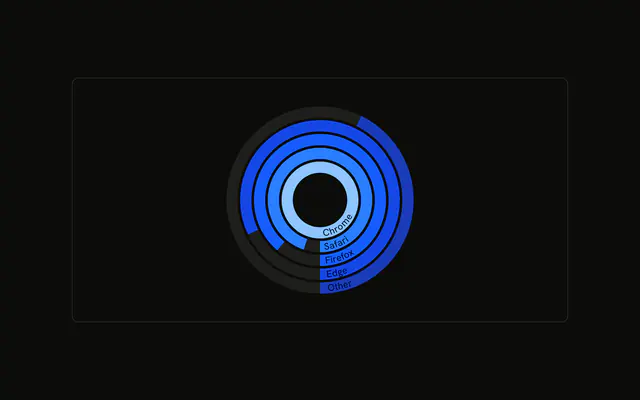
RadialBarChart sets innerRadius={30} and outerRadius={100}. The five browser rows share that band, and each row's visitors value sets how far its arc runs.
How does the tooltip name each browser?
ChartTooltipContent sets hideLabel and nameKey="browser". hideLabel hides the title. nameKey looks up the row's browser field in config, so the row reads Chrome, Safari, Firefox, Edge, or Other. cursor={false} turns the hover cursor off.
API Reference
Chart
Sets config={chartConfig}, hideLabel and nameKey="browser". The rest is on the Chart page.