shadcn.io is an independent project built on shadcn/ui
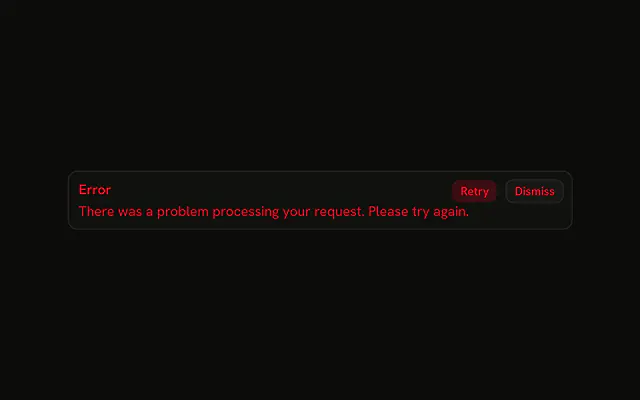
A circled X, the title Error, and a line that the request failed and to try again later. Retry is filled and destructive. Dismiss is outlined. Neither button does anything yet.
Use it when a failure needs the reason and a way to try again. If it should vanish on its own, use a Sonner toast. In React, Base UI does not run Retry or hide the alert.
Installation
Anatomy

Usage
<Alert className="max-w-lg" variant="destructive">
  <CircleXIcon aria-hidden="true" />
  <AlertTitle>Error</AlertTitle>
  <AlertDescription>
    There was a problem processing your request. Please try again later.
  </AlertDescription>
  <AlertAction className="flex gap-2">
    <Button size="xs" variant="destructive">
      Retry
    </Button>
    <Button size="xs" variant="outline">
      Dismiss
    </Button>
  </AlertAction>
</Alert>
FAQ
When should error alerts include icons?
When the alert has to stand out among other content, such as at the top of a page or in a dashboard. An icon helps readers sort alerts at a glance: a circled X for errors, a triangle for warnings, an i for information. Inline next to a field that's already marked invalid, it adds little.
What color is the icon?
The variant's: with variant="destructive" the icon takes the destructive color along with the text. You don't set its color or size; the alert sizes an unsized icon and colors it for every variant.
How does the icon line up with the title?
The alert places a direct svg child in a first column that spans the title and description rows, and aligns it with the title's first line. Put the icon first, before AlertTitle, and the layout does the rest.
Does the icon need aria-hidden?
Here, yes: the title already says Error, so the icon is decorative and the demo sets aria-hidden="true" on it. If the icon were the only sign of severity, give the title that word instead of exposing the icon.
Should error icons be left or right of content?
At the start of the reading direction, where the eye lands first: left in English, right in Arabic or Hebrew. The alert's icon column follows the page's direction, so you don't change anything for right-to-left. Controls such as the buttons go at the end.
API Reference
Alert
Sets variant="destructive". The rest is on the Alert page.
Button
Sets size="xs", variant="destructive" and variant="outline". The rest is on the Button page.