shadcn.io is an independent project built on shadcn/ui
One email field, a note that the address is not shared, and Subscribe. An address that fails shows Please enter a valid email address.
Use it for a newsletter or a waitlist. A page that also needs a name should add another Input. In React, Ark UI does not check the address. Zod does.
Installation
Usage
<form className="w-full max-w-md" onSubmit={form.handleSubmit(onSubmit)}>
  <FieldGroup>
    <Controller
      control={form.control}
      name="email"
      render={({ field, fieldState }) => (
        <Field invalid={fieldState.invalid}>
          <FieldLabel>Email</FieldLabel>
          <Input {...field} placeholder="you@example.com" type="email" />
          <FieldDescription>
            We'll never share your email with anyone.
          </FieldDescription>
          <FieldError>{fieldState.error?.message}</FieldError>
        </Field>
      )}
    />
    <Field orientation="horizontal">
      <Button type="submit">Subscribe</Button>
    </Field>
  </FieldGroup>
</form>
FAQ
What does the email schema check?
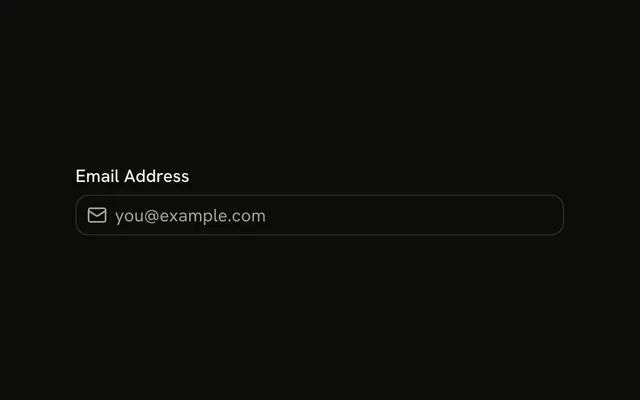
email is z.email("Please enter a valid email address."). When it fails, the Field gets invalid and FieldError shows the message. you@example.com is only the placeholder, not a value.
Why is the input type email?
type="email" shows the email keyboard on phones, and the browser also checks the format when the form submits: a malformed address gets the browser's own hint before Zod runs. Add noValidate to the form if you want only the Zod message.
Where is the privacy sentence defined?
FieldDescription renders "We'll never share your email with anyone." It stays visible whether the field is empty, filled or invalid, with the FieldError below it.
How does Subscribe get the address?
The Controller for name="email" spreads field onto the Input, so its value, change, blur and ref go through React Hook Form. Field links FieldLabel to the input. Subscribe is a type="submit" button, and form.handleSubmit(onSubmit) calls onSubmit with the parsed values.
API Reference
Field
Sets invalid={fieldState.invalid} and orientation="horizontal". The rest is on the Field page.
Input
Sets field, placeholder="you@example.com" and type="email". The rest is on the Input page.
Button
Sets type="submit". The rest is on the Button page.