shadcn.io is an independent project built on shadcn/ui
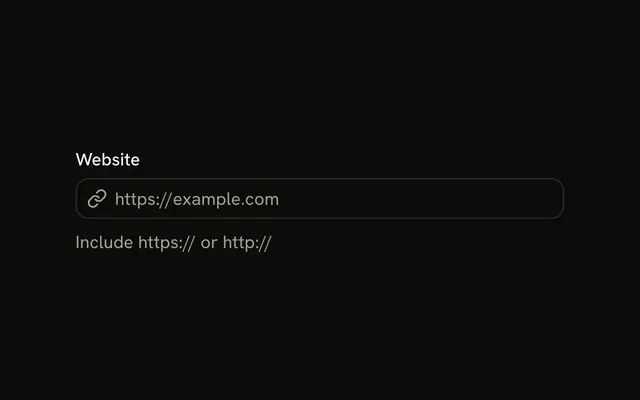
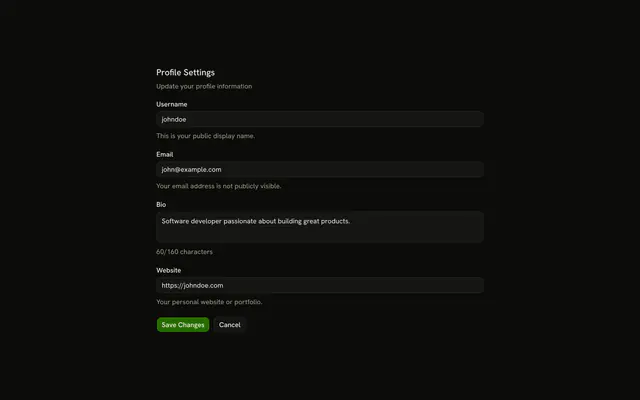
Website starts empty, with a note about a portfolio URL. example.com without a scheme fails with Please enter a valid URL. Save submits only a URL that passes.
Use it for a profile or social link. A name for the site belongs in a second Input. In React, Ark UI does not check the URL.
Installation
Usage
<form className="w-full max-w-md" onSubmit={form.handleSubmit(onSubmit)}>
  <FieldGroup>
    <Controller
      control={form.control}
      name="website"
      render={({ field, fieldState }) => (
        <Field invalid={fieldState.invalid}>
          <FieldLabel>Website</FieldLabel>
          <Input {...field} placeholder="https://example.com" type="url" />
          <FieldDescription>
            Enter your website or portfolio URL.
          </FieldDescription>
          <FieldError>{fieldState.error?.message}</FieldError>
        </Field>
      )}
    />
    <Field orientation="horizontal">
      <Button type="submit">Save</Button>
    </Field>
  </FieldGroup>
</form>
FAQ
What does the URL check require?
website is z.url("Please enter a valid URL."). https://example.com passes. example.com, with no scheme, fails. To allow only https, pass protocol: /^https$/ in the options.
What is type url doing on the input?
type="url" changes the mobile keyboard, and the browser also checks the format on submit: a value without a scheme gets the browser's own hint before Zod runs. Add noValidate to the form to leave the check to Zod.
Where do the hint and the error live?
FieldDescription says "Enter your website or portfolio URL." FieldError shows "Please enter a valid URL." The placeholder is https://example.com.
How is the website field registered?
The Controller has name="website" and control={form.control}, and spreads field onto the Input. defaultValues sets website to "", which fails z.url() on submit.
API Reference
Field
Sets invalid={fieldState.invalid} and orientation="horizontal". The rest is on the Field page.
Input
Sets field, placeholder="https://example.com" and type="url". The rest is on the Input page.
Button
Sets type="submit". The rest is on the Button page.