shadcn.io is an independent project built on shadcn/ui
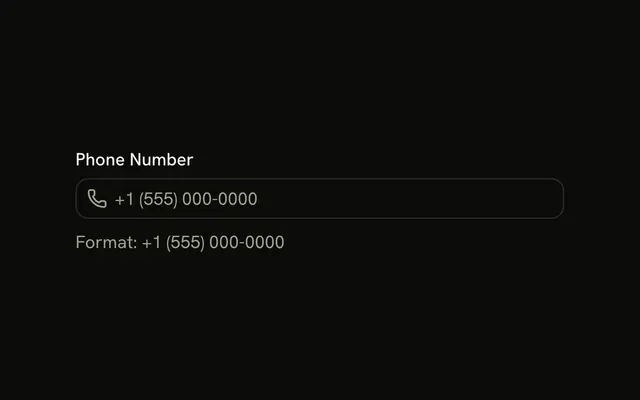
Phone uses the telephone keyboard. The note asks for a country code. The check wants digits and an optional leading plus, such as +15551234567, not spaces or brackets.
Use it for a mobile number on its own. A fuller contact form should add name and email as Input fields. In React, Ark UI does not parse the phone number.
Installation
Usage
<form className="w-full max-w-md" onSubmit={form.handleSubmit(onSubmit)}>
  <FieldGroup>
    <Controller
      control={form.control}
      name="phone"
      render={({ field, fieldState }) => (
        <Field invalid={fieldState.invalid}>
          <FieldLabel>Phone Number</FieldLabel>
          <Input {...field} placeholder="+1 (555) 123-4567" type="tel" />
          <FieldDescription>
            Include country code for international numbers.
          </FieldDescription>
          <FieldError>{fieldState.error?.message}</FieldError>
        </Field>
      )}
    />
    <Field orientation="horizontal">
      <Button type="submit">Verify</Button>
    </Field>
  </FieldGroup>
</form>
FAQ
Which phone numbers pass the regex?
phone is z.string().regex(PHONE_PATTERN, "Please enter a valid phone number."), where the pattern is an optional +, a first digit from 1 to 9, then 1 to 14 more digits. Spaces, dashes, parentheses and a leading 0 fail.
Why doesn't the placeholder pass validation?
The placeholder is +1 (555) 123-4567, with spaces and punctuation. The regex only accepts digits with an optional leading +, such as +15551234567. Strip formatting before you validate, or change the placeholder, if you want them to match.
What does type tel change here?
type="tel" shows the phone keypad on mobile. It doesn't validate anything: the value is still the string Zod checks. FieldDescription says "Include country code for international numbers."
How is the phone field connected?
The Controller has name="phone" and spreads field onto the Input, and defaultValues starts phone at "". Field links FieldLabel to the input. Verify is a type="submit" button.
API Reference
Field
Sets invalid={fieldState.invalid} and orientation="horizontal". The rest is on the Field page.
Input
Sets field, placeholder="+1 (555) 123-4567" and type="tel". The rest is on the Input page.
Button
Sets type="submit". The rest is on the Button page.