shadcn.io is an independent project built on shadcn/ui
A bell icon, the title No notifications, and a line that you are all caught up. There is no button.
Use it when an empty activity list is good news. If the feed failed to load, use an Alert and offer a retry. In React, Ark UI does not decide the list is empty.
Installation
Anatomy
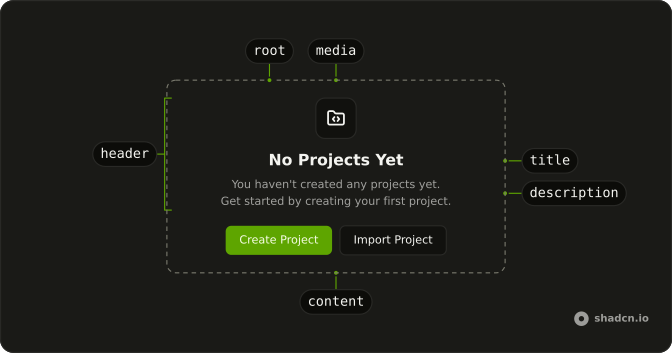
Usage
<Empty>
  <EmptyHeader>
    <EmptyMedia variant="icon">
      <BellIcon aria-hidden="true" />
    </EmptyMedia>
    <EmptyTitle>No notifications</EmptyTitle>
    <EmptyDescription>
      You're all caught up! We'll notify you when something new happens.
    </EmptyDescription>
  </EmptyHeader>
</Empty>
FAQ
What does the empty notification list say?
EmptyTitle is "No notifications". EmptyDescription is "You're all caught up! We'll notify you when something new happens."
How is the bell shown?
BellIcon is inside EmptyMedia with variant="icon". There is no class on the icon itself, so the icon tile sizes it.
Where is the action?
There is no EmptyContent and no button. The block is EmptyHeader only: media, title, and description.
How do I add a settings link?
Add EmptyContent after the header and put a Button or an anchor in it. This file leaves that part out.
API Reference
Empty
Sets variant="icon". The rest is on the Empty page.