shadcn.io is an independent project built on shadcn/ui
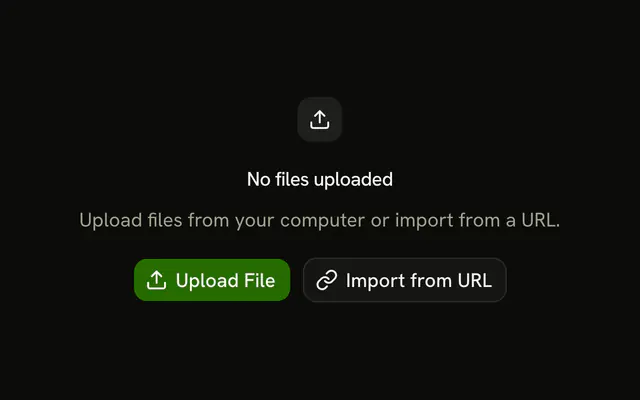
A file icon, the title No files uploaded, and a line that the folder is empty. Upload Files and Create Document sit under the message.
Use it in a file manager when the folder is truly empty. While files are still loading, show a Skeleton. In React, Ark UI does not upload the file.
Installation
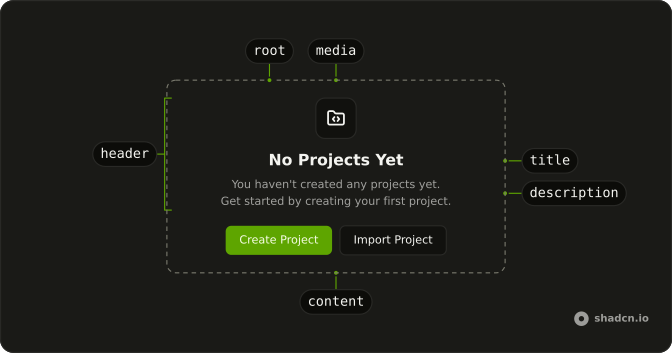
Anatomy
Usage
<Empty>
  <EmptyHeader>
    <EmptyMedia variant="icon">
      <FileTextIcon aria-hidden="true" />
    </EmptyMedia>
    <EmptyTitle>No files uploaded</EmptyTitle>
    <EmptyDescription>
      This folder is empty. Upload files or create new documents to get
      started.
    </EmptyDescription>
  </EmptyHeader>
  <EmptyContent>
    <div className="flex gap-2">
      <Button>
        <UploadIcon aria-hidden="true" data-icon="inline-start" />
        Upload Files
      </Button>
      <Button variant="outline">
        <PlusIcon aria-hidden="true" data-icon="inline-start" />
        Create Document
      </Button>
    </div>
  </EmptyContent>
</Empty>
FAQ
What are the two actions?
Upload Files is a default Button with an UploadIcon icon. Create Document is variant="outline" with a PlusIcon icon. Both sit in a div with flex gap-2 inside EmptyContent.
What icon is in the header?
FileTextIcon is inside EmptyMedia with variant="icon". The icons on the buttons are separate from that tile.
What does the empty folder say?
EmptyTitle is "No files uploaded". EmptyDescription says the folder is empty and to upload files or create documents to get started.
Which button comes first?
Upload Files is first in the row, then Create Document. The row uses gap-2, so the gap follows the inline direction.
API Reference
Empty
Sets variant="icon". The rest is on the Empty page.
Button
Sets variant="outline". The rest is on the Button page.