shadcn.io is an independent project built on shadcn/ui
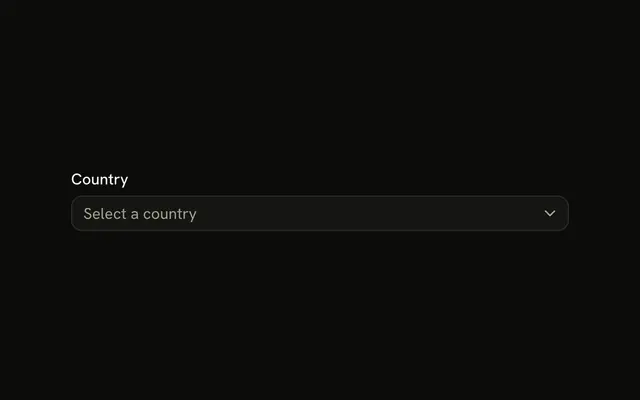
Country starts on Select a country, with the note Select your country of residence. Continue shows Please select a country until one of the six countries is picked.
Use it for a short closed list in a form. If people know the name and the list is long, a Combobox is faster. In React, Base UI does not require a selection.
Installation
Usage
<form className="w-full max-w-md" onSubmit={form.handleSubmit(onSubmit)}>
  <FieldGroup>
    <Controller
      control={form.control}
      name="country"
      render={({ field, fieldState }) => (
        <Field invalid={fieldState.invalid}>
          <FieldLabel htmlFor="form-with-select-country">
            Country
          </FieldLabel>
          <Select
            items={countries}
            name={field.name}
            onValueChange={(next) => field.onChange(next ?? "")}
            value={field.value || null}
          >
            <SelectTrigger className="w-full" id="form-with-select-country">
              <SelectValue placeholder="Select a country" />
            </SelectTrigger>
            <SelectContent>
              {countries.map((item) => (
                <SelectItem key={item.value} value={item.value}>
                  {item.label}
                </SelectItem>
              ))}
            </SelectContent>
          </Select>
          <FieldDescription>
            Select your country of residence.
          </FieldDescription>
          <FieldError>{fieldState.error?.message}</FieldError>
{/* The rest of the file is under Installation. */}
FAQ
How does the country select update the form?
A Controller named country renders the Select. Select takes items, value={field.value || null}, and onValueChange stores the next value or "".
What are the option values?
us, uk, ca, au, de and fr, labeled United States, United Kingdom, Canada, Australia, Germany and France. The form stores the value, not the label.
What appears if no country is chosen?
country starts as "" and must pass .min(1, "Please select a country."). Continue without a choice marks the Field invalid and shows that message in its FieldError.
What is the text under the trigger?
A FieldDescription: "Select your country of residence." Until a country is picked, the trigger shows the placeholder "Select a country".
API Reference
Field
Sets invalid={fieldState.invalid}, htmlFor="form-with-select-country" and orientation="horizontal". The rest is on the Field page.
Select
Sets items={countries}, name={field.name}, onValueChange, next, id="form-with-select-country" and placeholder="Select a country". The rest is on the Select page.
Button
Sets type="submit". The rest is on the Button page.