shadcn.io is an independent project built on shadcn/ui
Marketing emails starts off, security alerts starts on, and the terms box starts off. Terms must be checked, or the form shows You must accept the terms and conditions.
Use it for opt-ins that need a sentence of explanation. A single on or off setting is a Switch. In React, Base UI does not require the terms box. The schema does.
Installation
Usage
<form className="w-full max-w-md" onSubmit={form.handleSubmit(onSubmit)}>
  <FieldGroup>
    {options.map((option) => (
      <Controller
        control={form.control}
        key={option.name}
        name={option.name}
        render={({ field, fieldState }) => (
          <Field invalid={fieldState.invalid} orientation="horizontal">
            <Checkbox
              checked={field.value}
              id={`form-with-checkbox-${option.name}`}
              name={field.name}
              onCheckedChange={field.onChange}
            />
            <FieldContent>
              <FieldLabel htmlFor={`form-with-checkbox-${option.name}`}>
                {option.label}
              </FieldLabel>
              <FieldDescription>{option.description}</FieldDescription>
              <FieldError>{fieldState.error?.message}</FieldError>
            </FieldContent>
          </Field>
        )}
      />
    ))}
    <Field orientation="horizontal">
      <Button type="submit">Submit</Button>
    </Field>
  </FieldGroup>
</form>
FAQ
How is the terms checkbox required?
terms is z.boolean().refine((value) => value, …) with the message "You must accept the terms and conditions." While the box is unchecked, submit fails, the row's Field gets invalid and its FieldError shows the message under the description.
Do the other two boxes have to be checked?
No. marketing and security are plain z.boolean(), so either value submits. Their FieldError stays empty.
Which boxes start checked?
defaultValues sets marketing to false, security to true and terms to false. Each Checkbox is controlled by its field's value: checked={field.value} and onCheckedChange={field.onChange}.
How is each row laid out?
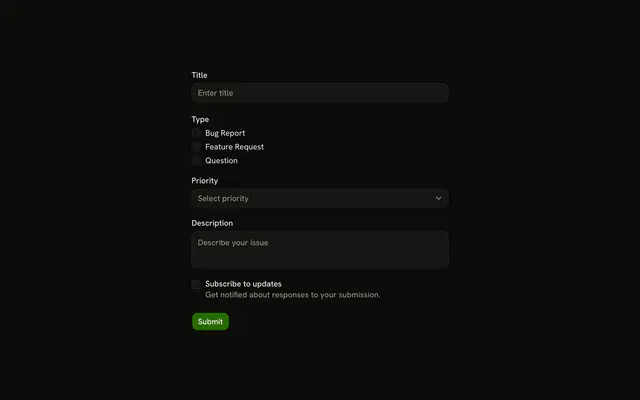
The three rows come from one options array mapped to a Controller each. A row is Field orientation="horizontal" with the Checkbox, then FieldContent with the FieldLabel, the FieldDescription and the FieldError. The label's htmlFor matches the checkbox's id, such as form-with-checkbox-terms.
API Reference
Field
Sets invalid={fieldState.invalid}, orientation="horizontal", htmlFor, form-with-checkbox-, option and name. The rest is on the Field page.
Checkbox
Sets checked={field.value}, id, form-with-checkbox-, option, name and name={field.name}. The rest is on the Checkbox page.
Button
Sets type="submit". The rest is on the Button page.