shadcn.io is an independent project built on shadcn/ui
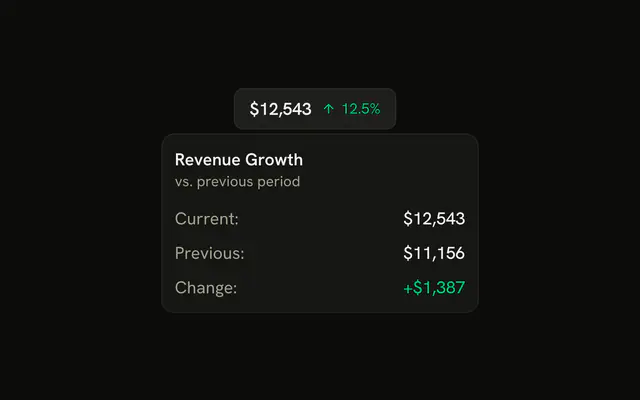
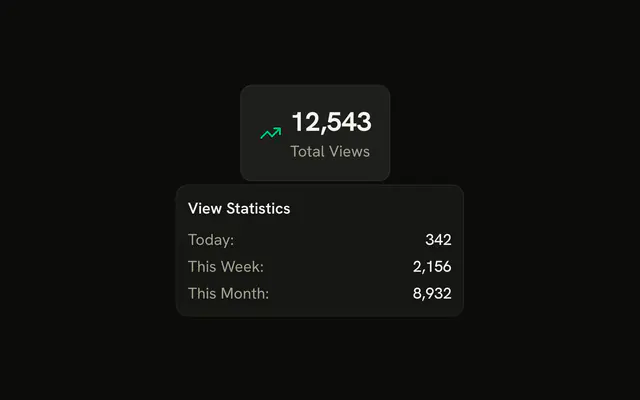
The tile shows a dollar icon, $45.2k, and Monthly Revenue. The card is titled Revenue Breakdown: income $52.8k, expenses $7.6k, net profit $45.2k, and +18.2% vs. last month.
Reach for it on a dashboard when a headline number needs its parts. A tap should open a Popover instead. In React, Base UI does not calculate these figures. They are written in the demo.
Installation
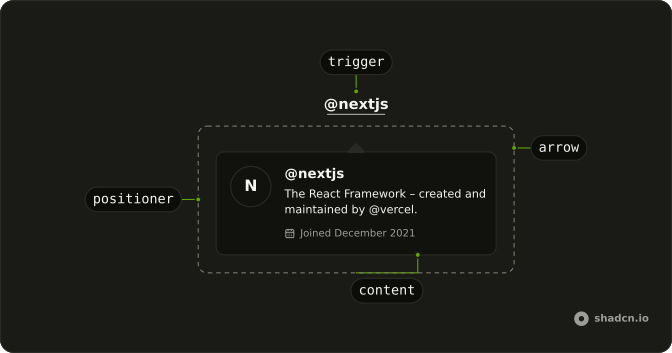
Anatomy
Usage
<HoverCard>
  <HoverCardTrigger
    closeDelay={100}
    delay={10}
    render={
      <button
        className="flex items-center gap-2 rounded-lg border bg-card p-4 text-start hover:bg-accent"
        type="button"
      />
    }
  >
    <DollarSignIcon aria-hidden="true" className="size-5 text-success" />
    <div>
      <div className="font-bold text-2xl">$45.2k</div>
      <div className="text-muted-foreground text-sm">Monthly Revenue</div>
    </div>
  </HoverCardTrigger>
  <HoverCardContent className="w-80 max-w-full">
    <div className="flex flex-col gap-3">
      <h4 className="font-semibold text-sm">Revenue Breakdown</h4>
      <div className="flex flex-col gap-2 text-sm">
        <div className="flex items-center justify-between rounded-md bg-muted p-2">
          <div className="flex items-center gap-2">
            <ArrowUpIcon aria-hidden="true" className="size-4 text-success" />
            <span className="text-muted-foreground">Income</span>
          </div>
          <span className="font-medium">$52.8k</span>
        </div>
        <div className="flex items-center justify-between rounded-md bg-muted p-2">
          <div className="flex items-center gap-2">
            <ArrowDownIcon
{/* The rest of the file is under Installation. */}
FAQ
What is in the card?
Revenue Breakdown, Income $52.8k with an up arrow, Expenses $7.6k with a down arrow, Net Profit $45.2k in large text, and +18.2% vs. last month.
How is the stat tile made the trigger?
HoverCardTrigger takes the stat tile through render, a button with its classes.
How are gains and losses colored?
With tokens: text-success for the up arrow and the net profit, text-destructive for the down arrow. The arrows also carry the meaning, so color isn't the only cue.
How wide is the card?
w-80 on the card, for the extra content.
The class is on HoverCardContent.
max-w-full keeps it inside narrow screens.
How do I change how fast the card opens and closes?
The card opens a moment after the pointer rests on the trigger and stays up long enough for the pointer to move into it. Both delays are in milliseconds.
The demo sets delay 10 and closeDelay 100 on HoverCardTrigger. side and align on HoverCardContent place it.
Does the card open from the keyboard and on touch screens?
Focusing the tile opens the card, moving focus away or pressing Escape closes it. Touch screens have no hover, so keep what matters reachable elsewhere, or use a Popover when the card has to open on a tap.
API Reference
Hover Card
No extra props in this demo. The rest is on the Hover Card page.