shadcn.io is an independent project built on shadcn/ui
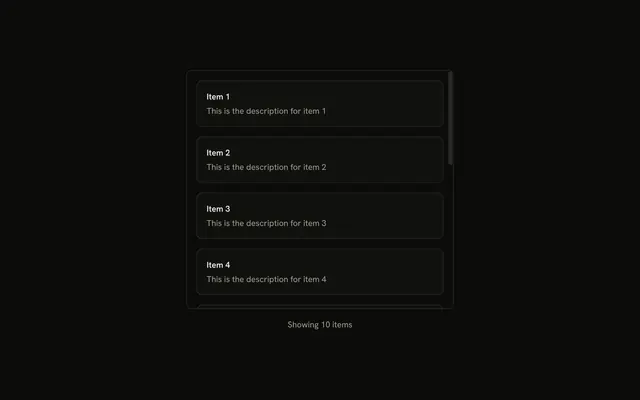
Notifications heads a bordered panel 200 pixels tall. Inside are ten rows, Notification 1 onward, each with a number, a message and a relative time.
Fix the height when a list should not push the page down, such as a notification tray. A Popover can hold the same list off to the side. Base UI in React does not choose that height.
Installation
Anatomy
Usage
<div className="flex w-full max-w-md flex-col gap-2">
  <h3 className="font-semibold text-sm">Notifications</h3>
  <ScrollArea className="h-[200px] rounded-md border bg-background">
    <div className="flex flex-col gap-4 p-4">
      {notifications.map((notification) => (
        <div className="flex items-start gap-3" key={notification.id}>
          <div className="flex size-8 shrink-0 items-center justify-center rounded-full bg-primary/10">
            <span className="font-medium text-primary text-xs">
              {notification.id}
            </span>
          </div>
          <div className="flex flex-1 flex-col gap-1">
            <p className="font-medium text-sm leading-none">
              {notification.title}
            </p>
            <p className="text-muted-foreground text-sm">
              {notification.message}
            </p>
            <p className="text-muted-foreground text-xs">
              {notification.time}
            </p>
          </div>
        </div>
      ))}
    </div>
  </ScrollArea>
</div>
FAQ
What keeps the panel the same height?
ScrollArea has h-[200px], so ten notifications scroll inside that box. The list can grow and the panel stays 200px. The heading "Notifications" is outside the area, so it does not scroll.
What are the frame classes?
rounded-md border bg-background on ScrollArea. The inner wrapper is flex flex-col gap-4 p-4, so the gap and the padding scroll with the rows.
How is one notification laid out?
A row with flex items-start gap-3. The mark is a size-8 shrink-0 circle, rounded-full bg-primary/10, with the id in text-xs text-primary. The title, message, and time stack in flex-1 with gap-1.
What type size is the time?
The title is text-sm and font-medium. The message is text-sm text-muted-foreground. The time is text-xs text-muted-foreground, and it reads "1 minutes ago" through "10 minutes ago" from the item index.
API Reference
Scroll Area
No extra props in this demo. The rest is on the Scroll Area page.