shadcn.io is an independent project built on shadcn/ui
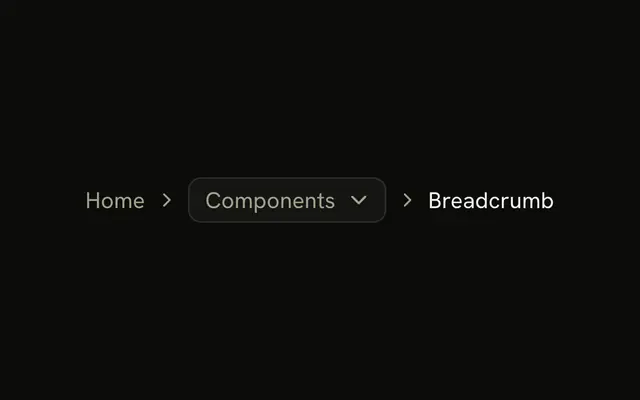
The root is a home icon, named Home for screen readers. A select lists Documentation, Components, and Themes, and it starts on Components. Breadcrumb is the current page. Choosing an option does not change the page.
Use it when the root is an icon and a sibling section should switch in place. Send people onward yourself if the option is a URL. A menu of links fits a Dropdown Menu. In Svelte, Ark UI does not change the page.
Installation
Anatomy
Usage
<Breadcrumb><BreadcrumbList><BreadcrumbItem><BreadcrumbLink>{#snippet asChild(props)}<a {...props({ "aria-label": "Home", href: "/" })}><HomeIcon aria-hidden="true" class="size-4" /></a>{/snippet}</BreadcrumbLink></BreadcrumbItem><BreadcrumbSeparator /><BreadcrumbItem><Select collection={collection} defaultValue={["components"]}><SelectTrigger aria-label="Section" class="w-auto" size="sm"><SelectValue /></SelectTrigger><SelectContent><SelectGroup>{#each collection.items as item (item.value)}<SelectItem item={item}>{item.label}</SelectItem>{/each}</SelectGroup></SelectContent></Select></BreadcrumbItem><BreadcrumbSeparator /><BreadcrumbItem><BreadcrumbPage>Breadcrumb</BreadcrumbPage></BreadcrumbItem></BreadcrumbList></Breadcrumb>FAQ
How does the select start on Components?
The options come from createListCollection, passed as collection, and defaultValue is ["components"]: the value is an array.
How does the select fit in the line?
SelectTrigger takes size="sm", and the trigger is only as wide as its value, so it sits in the trail like a crumb.
How is the select named?
It has no visible label, so it carries aria-label="Section" and is announced as the Section select with its value.
Does picking an option change the page?
Not in the demo: the select is uncontrolled and nothing listens.
Read details.value in onValueChange and navigate there.
API Reference
Breadcrumb
No extra props in this demo. The rest is on the Breadcrumb page.
Select
Sets collection={collection}, defaultValue={["components"]}, aria-label="Section", size="sm" and item={item}. The rest is on the Select page.