shadcn.io is an independent project built on shadcn/ui
A small round ghost button shows an info icon and no visible label. Its tooltip reads More information.
Use an icon button plus a tooltip when there is no room for a word. A visible label on a Button needs no tooltip. On React, Base UI does not name the button from the icon.
Installation
Anatomy
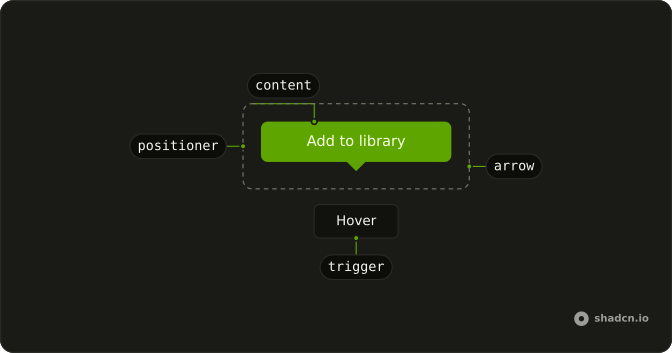
Usage
<TooltipProvider>
  <Tooltip>
    <TooltipTrigger
      render={
        <Button
          aria-label="More information"
          pill
          size="icon-sm"
          variant="ghost"
        />
      }
    >
      <InfoIcon aria-hidden="true" className="text-muted-foreground" />
    </TooltipTrigger>
    <TooltipContent>
      <p>More information</p>
    </TooltipContent>
  </Tooltip>
</TooltipProvider>
FAQ
When should I use an icon tooltip?
For a short hint on a control that has no room for a label. This demo is an info icon on a round ghost button, and the tooltip repeats More information.
Why is the trigger a round ghost button?
pill makes the Button round. variant="ghost" draws no border or fill until hover, and size="icon-sm" sets a size-8 square.
How big is the info icon?
InfoIcon has no size class, so the button draws it at size-4. text-muted-foreground is the only color on the glyph.
Does an icon-only trigger need an accessible name?
Yes. The icon is aria-hidden="true", so the Button carries aria-label="More information". The tooltip shows that same sentence.
API Reference
Tooltip
No extra props in this demo. The rest is on the Tooltip page.
Button
Sets aria-label="More information", pill, size="icon-sm" and variant="ghost". The rest is on the Button page.