shadcn.io is an independent project built on shadcn/ui
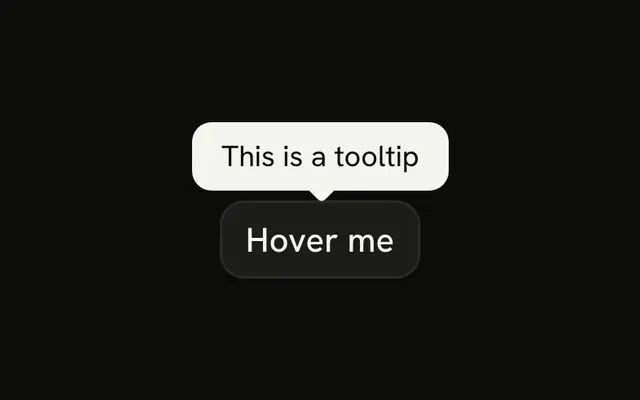
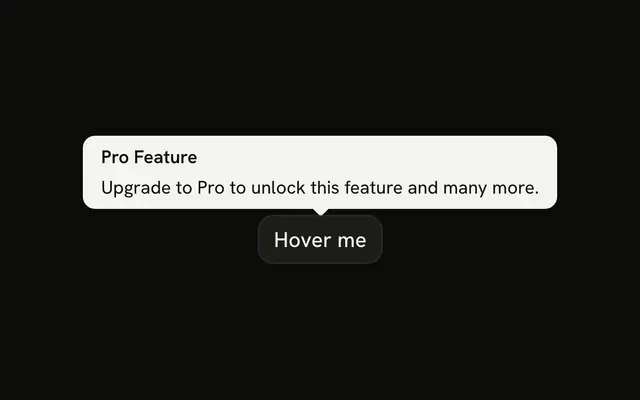
An outline button says Hover for more info. Its tooltip is two sentences about a longer message, and the text wraps onto several lines.
Let a tooltip wrap when one line cannot carry the note. If it should stay open, use a Popover. Base UI in React does not choose the width.
Installation
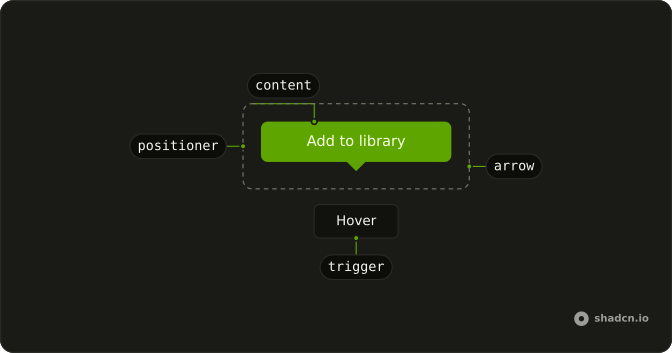
Anatomy
Usage
<TooltipProvider>
  <Tooltip>
    <TooltipTrigger render={<Button variant="outline" />}>
      Hover for more info
    </TooltipTrigger>
    <TooltipContent>
      <p>
        This is a longer tooltip message that provides more detailed
        information to the user. It wraps to multiple lines when needed.
      </p>
    </TooltipContent>
  </Tooltip>
</TooltipProvider>
FAQ
When should I use longer multi-line tooltips?
When a control needs a sentence or two of explanation that would clutter the page if it were always visible. Past two or three sentences, use a Popover, which opens on click and stays open while people read.
Why use max-w-xs for longer tooltip text?
It is built in: the tooltip content has max-w-xs (320px), about 50 to 60 characters per line, so you don't add anything to make text wrap. Pass another max-w-* class to the content to change it.
How do I ensure longer tooltips remain readable?
Keep sentences short and plain, lead with the point and leave out jargon. If it takes more than a few seconds to read, it is too long for a Tooltip.
Should I use popovers instead of longer tooltips?
Yes, when the content has links, buttons, inputs or formatting, or when people need to keep it open while they work. A Tooltip is read once and disappears; a Popover is opened on purpose and closed when people are done.
API Reference
Tooltip
No extra props in this demo. The rest is on the Tooltip page.
Button
Sets variant="outline". The rest is on the Button page.