shadcn.io is an independent project built on shadcn/ui
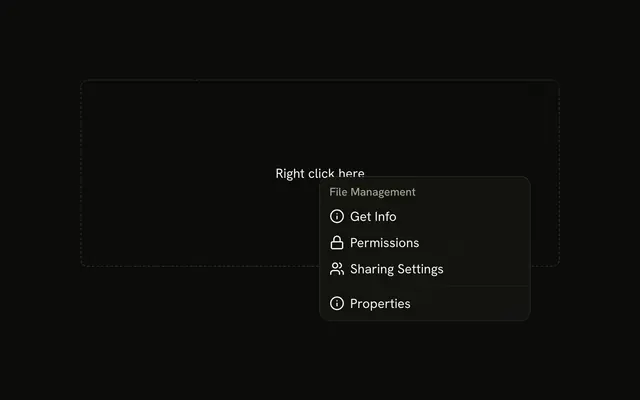
The dashed area reads Right click here. My Account holds Profile and Settings. Support holds Help Center. Log Out is last and uses the destructive color.
Use labels when a longer menu should be scanned by section. Log Out can confirm in an Alert Dialog before the session ends. In Vue, Ark UI does not sign anyone out.
Installation
Anatomy
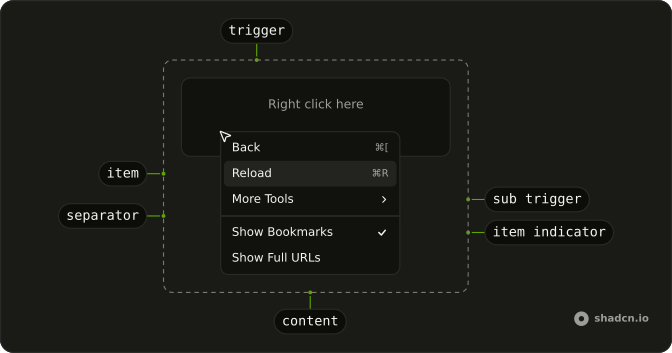
Usage
<ContextMenu>
  <ContextMenuTrigger class="flex h-[200px] w-full max-w-lg items-center justify-center rounded-md border border-dashed text-sm">
    <span class="pointer-fine:inline-block hidden">Right click here</span>
    <span class="pointer-coarse:inline-block hidden">Long press here</span>
  </ContextMenuTrigger>
  <ContextMenuContent class="w-56">
    <ContextMenuGroup>
      <ContextMenuGroupLabel>My Account</ContextMenuGroupLabel>
      <ContextMenuItem value="profile">
        <UserIcon aria-hidden="true" />Profile
      </ContextMenuItem>
      <ContextMenuItem value="settings">
        <SettingsIcon aria-hidden="true" />Settings
      </ContextMenuItem>
    </ContextMenuGroup>
    <ContextMenuSeparator />
    <ContextMenuGroup>
      <ContextMenuGroupLabel>Support</ContextMenuGroupLabel>
      <ContextMenuItem value="help-center">
        <CircleHelpIcon aria-hidden="true" />Help Center
      </ContextMenuItem>
    </ContextMenuGroup>
    <ContextMenuSeparator />
    <ContextMenuGroup>
      <ContextMenuItem value="log-out" variant="destructive">
        <LogOutIcon aria-hidden="true" />Log Out
      </ContextMenuItem>
    </ContextMenuGroup>
  </ContextMenuContent>
</ContextMenu>
FAQ
How are the section labels added?
Each label is a ContextMenuGroupLabel at the top of a ContextMenuGroup with the items it names. The label isn't selectable; screen readers announce it as the group's name.
Where do the separators go?
Between the sections and before Log Out, each a ContextMenuSeparator outside the groups.
How is the destructive item styled?
variant="destructive" on ContextMenuItem colors it with the destructive token, icon included. Keep it last, after a separator, and confirm with an Alert Dialog when it can't be undone.
How are the icons added?
A Lucide icon as the first child of each item, hidden from assistive tech since the label names the action. The menu styles size and space it.
API Reference
Context Menu
Sets value="profile", value="settings", value="help-center", value="log-out" and variant="destructive". The rest is on the Context Menu page.