shadcn.io is an independent project built on shadcn/ui
Feedback opens a panel titled Send Feedback, with the line We'd love to hear your thoughts! A message box and a full-width Submit Feedback button sit under it. Submit closes the panel.
Use it to collect a comment without leaving the page. Submit does not send the text until you handle it. A longer form belongs in a Dialog. In Vue, Ark UI does not deliver the feedback.
Installation
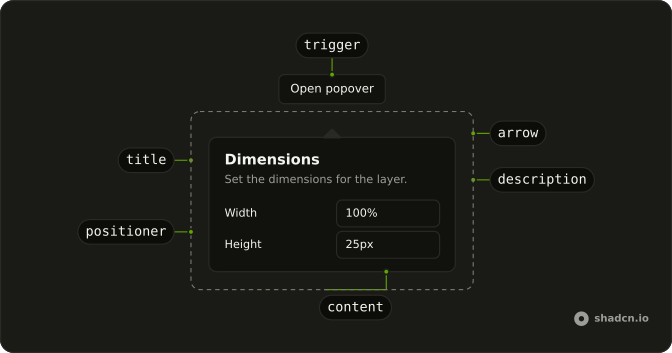
Anatomy
Usage
<Popover>
  <PopoverTrigger :asChild="true">
    <Button variant="outline">
      <MessageSquareIcon aria-hidden="true" data-icon="inline-start" />Feedback
    </Button>
  </PopoverTrigger>
  <PopoverContent class="w-80 max-w-full">
    <PopoverHeader>
      <PopoverTitle>Send Feedback</PopoverTitle>
      <PopoverDescription>We'd love to hear your thoughts!</PopoverDescription>
    </PopoverHeader>
    <Textarea aria-label="Feedback" class="min-h-24" placeholder="Share your feedback..." />
    <PopoverClose :asChild="true">
      <Button class="w-full">Submit Feedback</Button>
    </PopoverClose>
  </PopoverContent>
</Popover>
FAQ
How is the feedback field set up?
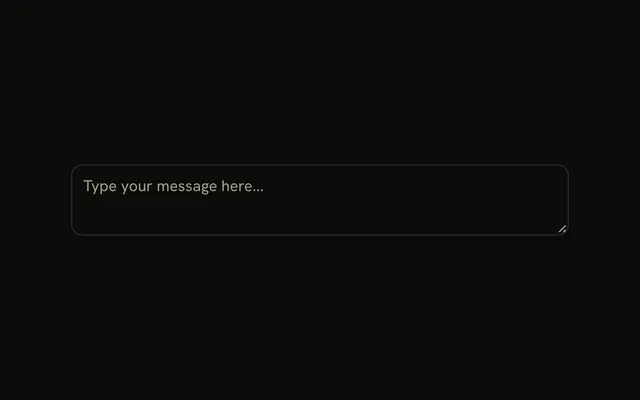
The Textarea has aria-label="Feedback", placeholder="Share your feedback...", and className="min-h-24". It leaves value and onChange unset. PopoverContent is w-80 max-w-full.
How do I close this panel from code?
Submit Feedback closes the panel.
Here each button sits in PopoverClose, which closes the panel without any state. To close it from your own code, control the open state on Popover.
Bind v-model:open on Popover.
What is the heading on the feedback panel?
PopoverHeader wraps PopoverTitle reading Send Feedback and PopoverDescription reading We'd love to hear your thoughts! The textarea and the full-width Submit Feedback button follow.
How does the Feedback button become the trigger?
The trigger is a Button with variant="outline". MessageSquareIcon has aria-hidden="true" and data-icon="inline-start", and the label is Feedback.
Set asChild on PopoverTrigger and pass that one button. PopoverContent is the panel.
API Reference
Popover
Sets asChild. The rest is on the Popover page.
Button
Sets variant="outline". The rest is on the Button page.
Textarea
Sets aria-label="Feedback" and placeholder="Share your feedback...". The rest is on the Textarea page.