shadcn.io is an independent project built on shadcn/ui
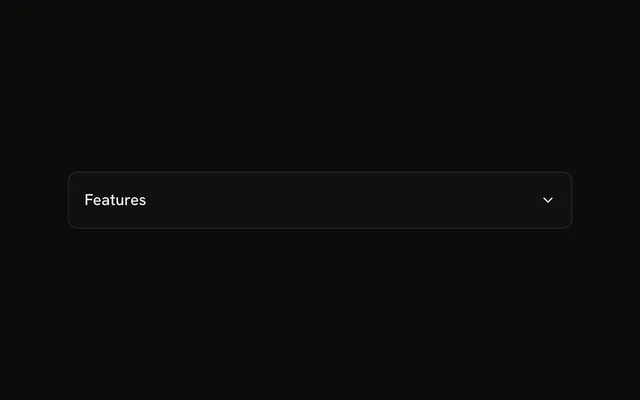
System Information sits in a thick outline, with a chevron. It opens to Version 2.1.0, Status Active, and Last Updated 2 hours ago.
Use it on an about or support panel. If these facts should always show, put them in a Card. In Vue, Ark UI does not remember that the outline was open.
Installation
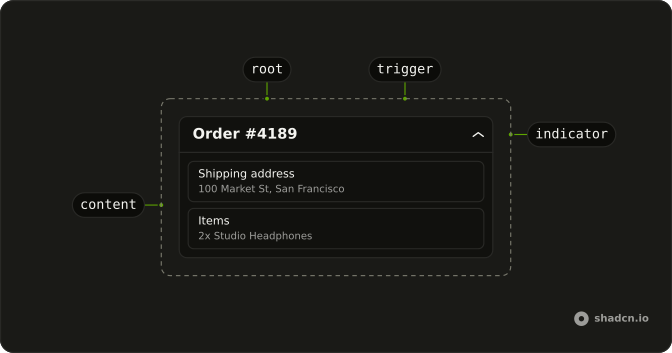
Anatomy
Usage
<Collapsible class="w-full max-w-lg rounded-md border-2">
  <CollapsibleTrigger class="group flex w-full items-center justify-between p-4 font-medium">
    System Information<ChevronDownIcon aria-hidden="true" class="size-4 transition-transform duration-200 group-aria-expanded:rotate-180" />
  </CollapsibleTrigger>
  <CollapsibleContent class="border-t-2">
    <div class="flex flex-col gap-2 p-4 text-muted-foreground text-sm">
      <div v-for="item in info" :key="item.label">
        <span class="font-medium">{{ item.label }}:</span> {{ item.value }}
      </div>
    </div>
  </CollapsibleContent>
</Collapsible>
FAQ
Where does the thick border sit?
Collapsible has rounded-md border-2, and CollapsibleContent has border-t-2, so the divider matches the outline's weight.
How are Version, Status, and Last Updated written?
They come from the info list at the top of the file, in a flex flex-col gap-2 column. Each row is a bold label with a colon, then its value in the muted color.
Does the chevron rotate?
Yes. The trigger has the group class and sets aria-expanded while open, so group-aria-expanded:rotate-180 on ChevronDownIcon turns it, eased by transition-transform duration-200.
API Reference
Collapsible
No extra props in this demo. The rest is on the Collapsible page.