Skip to content

shadcn.io is an independent project built on shadcn/ui

In Navigation Separator for Vue

Vertical lines between the links Home, Products, and About in a short navigation row of fixed height.

UI library: Ark UI

Home, Products, and About sit in a short row. A vertical line stands between the links, and the row is only as tall as the text.

Use the lines when header links should stay in one row without boxes. A Breadcrumb fits a path, where order matters more than a flat list. In Vue, Ark UI draws the line and not the space around it.

Preview

Preview width

Installation

MCP · Pro
Make your AI a shadcn expert
Your agent installs components, builds pages and restyles your app from one prompt, in Claude Code, Cursor or VS Code.
Part of Pro

Anatomy

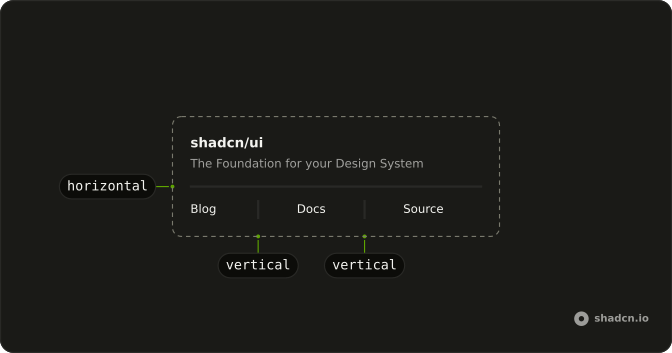
Separator anatomy: horizontal, vertical

Usage

<nav aria-label="Primary" class="flex h-5 items-center gap-2 text-sm">
  <a class="hover:underline" href="#home">Home</a>
  <Separator orientation="vertical" />
  <a class="hover:underline" href="#products">Products</a>
  <Separator orientation="vertical" />
  <a class="hover:underline" href="#about">About</a>
</nav>

FAQ

Why set the height on the row instead of each separator?

A vertical Separator stretches to the height of its parent, so one h-5 on the nav sizes every line at once, and they always match the row. A height on each separator works too, but has to be repeated and kept in sync.

How much space belongs between links and separators?

gap-2 (8 pixels) keeps a compact header; gap-4 suits sparse utility links. Use flex gap rather than space-x-*: it spaces the links and the lines evenly, with no margins to fight.

When should nav use separators instead of borders or spacing?

When several inline links start to blur together and you want a lighter cue than button borders. Breadcrumbs usually take a chevron, not a line, and stacked mobile menus don't need vertical separators at all.

Should the separator change when a link is hovered?

No. The line is structure and the link is the target: hover and focus styles stay on the links.

Should these separators show on mobile?

While the links stay in a row, yes. When the menu stacks into full-width items, hide the separators: a vertical line between stacked items is noise.

Are nav separators accessible?

The links sit in a nav landmark with an aria-label, and the separators never take focus, so keyboard users move from link to link. The lines are exposed as separators and can be announced between links; if that's noise for your users, a border on each link is quieter.

API Reference

Separator

Sets orientation="vertical". The rest is on the Separator page.