Skip to content

shadcn.io is an independent project built on shadcn/ui

Menu Separator for Vue

Vertical lines between Settings, Account, and Help, each with a title and a short description.

UI library: Ark UI

Settings and Account sit in a row, each with a title and a muted line: Manage preferences, and Profile & security. A vertical line stands between them. On a wide screen, Help joins the row.

Use this for a compact summary in a toolbar. A Menubar fits when those words should be commands, not labels. In Vue, Ark UI leaves the gap to the parent.

Preview

Preview width

Installation

MCP · Pro
Make your AI a shadcn expert
Your agent installs components, builds pages and restyles your app from one prompt, in Claude Code, Cursor or VS Code.
Part of Pro

Anatomy

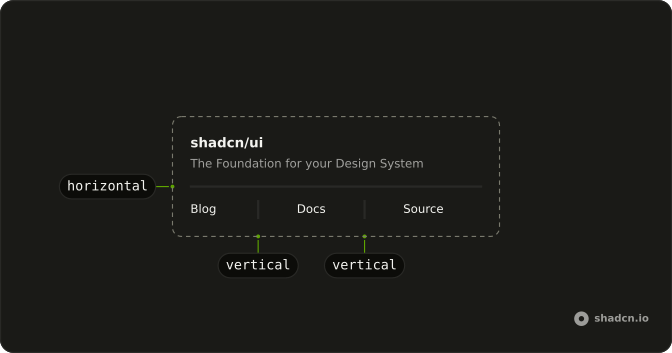
Separator anatomy: horizontal, vertical

Usage

<div class="flex items-center gap-2 text-sm md:gap-4">
  <div class="flex flex-col gap-1">
    <span class="font-medium">Settings</span>
    <span class="text-muted-foreground text-xs">Manage preferences</span>
  </div>
  <Separator orientation="vertical" />
  <div class="flex flex-col gap-1">
    <span class="font-medium">Account</span>
    <span class="text-muted-foreground text-xs">Profile &amp; security</span>
  </div>
  <Separator class="hidden md:block" orientation="vertical" />
  <div class="hidden flex-col gap-1 md:flex">
    <span class="font-medium">Help</span>
    <span class="text-muted-foreground text-xs">Support &amp; docs</span>
  </div>
</div>

FAQ

When should I use this menu row instead of a nav of links?

When each item has a title and a supporting line, such as Settings with Manage preferences. A plain row of links, as in the In Navigation example, is enough when the label says it all.

How does the vertical line get its height?

The row is a flex container with items-center, and a vertical Separator stretches to the row's height, which is set by the two-line items. Don't give the Separator a fixed height; let the content decide.

Why hide the last item on small screens?

Three labeled columns overflow a 320 pixel screen. The Help item and the line before it are hidden below md, so the first two items and their line still read as a split row.

What gap should I use between items?

gap-2 on small screens and md:gap-4 once there's room, as here, so the line never sits against the text.

Do I need orientation vertical on every separator?

Yes. The default is horizontal, which would draw a full-width line between the columns. Set orientation="vertical" on each separator in a row.

Should these menu separators be announced?

The titles carry the meaning; the lines are visual. If the items are destinations, wrap them in a nav; if they're static text, a plain div is enough. The lines are exposed as separators; use a border on the items instead if you don't want them announced.

API Reference

Separator

Sets orientation="vertical". The rest is on the Separator page.