Remove a color from a JPG.
Make any color in a JPG transparent, a green screen, a blue backdrop or any solid color, with a tolerance and a mask preview. The removal happens in your browser; nothing is uploaded.
Remove a color from a JPG.
Need the UI around it? With Pro, your AI agent builds the form, the result card and the rest of the page from a prompt.
Get ProHow it works
4 steps, no account. It runs in your browser and nothing is uploaded.
Drop a photo
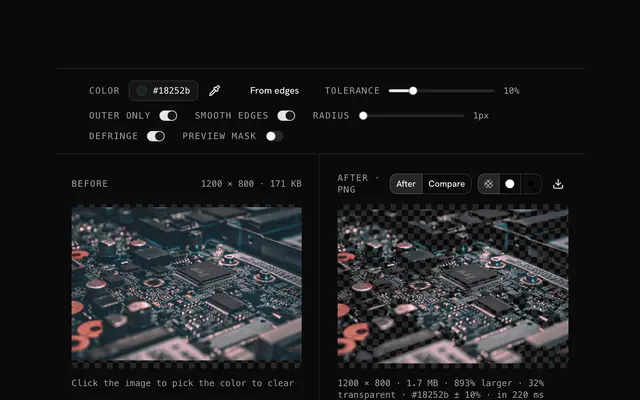
Drop a JPG onto the pane; the background color is proposed from the corners.
Pick the color and tolerance
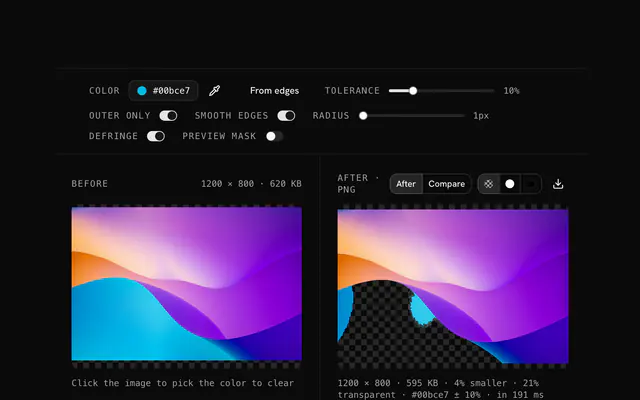
Click the photo or type a hex code to change the color, and raise the tolerance until the whole backdrop is caught.
Outer pixels only, smooth edges
Keep same-colored details inside the subject, soften the boundary, and check the mask preview.
Download the PNG
Download the transparent PNG; JPG itself cannot hold transparency.
Related tools
More JPG tools. Every one free, in the browser.
Pricing
Build it with Pro
The tool is free. Pro adds 6,000+ blocks, premium templates and the MCP server, so your AI editor builds the product around it.
4.9/5 out of 5 · 150+ reviewsfrom 150+ founders and developers.
- Secure checkout via Stripe
- Code lives in your repo
- Keep what you've shipped if you cancel
- License terms
Questions and answers
Before you trust the result: what to know about the format, the limits, your data and the tools next to it.
Drop the JPG, click the color in the photo or type its hex code, set the tolerance to catch its shades, download. That color is transparent in the PNG.
Yes. Pick the green, raise the tolerance until every shade of the screen is caught, and download a transparent PNG. Smooth edges handles the fringe around hair.
The same way: pick the blue, widen the tolerance for its variations, download.
Color removal is exact for a solid background and gives you the control; AI removal is better for busy, multi-colored backgrounds. For a green screen or a backdrop, this tool is the precise one.
One per pass. Remove the first, download the PNG, drop it again and remove the next.
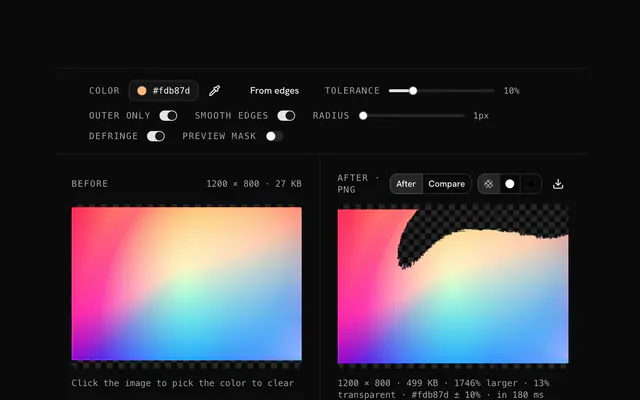
10 to 15 percent for a solid color; more for a photographed backdrop with folds and shadows. The mask preview shows what will go before you download.
The tool reads the corners and proposes the background color; click anywhere on the photo, or type a hex code, to choose another. Tolerance widens the match to nearby shades: 5 to 10 percent for a clean white, 10 to 20 for off-white, cream or a photographed backdrop, more for a gradient.
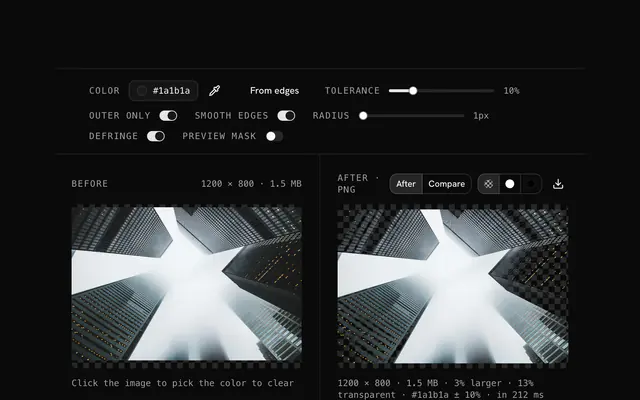
Turn on Outer pixels only: then only the color connected to the edges of the frame is removed, and the same color inside the subject, white text on a white-background logo for instance, stays put. Smooth edges turns the half-and-half pixels along the boundary partly transparent, which removes the pale fringe JPEG leaves there.
No. The file is decoded, drawn and re-encoded by your browser's canvas, and the page makes no request with it. You can load the page, go offline and keep working; nothing is stored either.
No. The "Remove a color from a JPG" tool is free and opens without a sign-in, an account or an install.
Up to 100 MB per file, the limit the tool states under its drop area. A larger file is refused with a plain message instead of being decoded.
The edit is written as a PNG because PNG stores every pixel exactly, with a full alpha channel, so the result can be edited again without a second round of loss.
No. The browser decodes the image and the tool writes a new file from its pixels, so camera EXIF, GPS position and text chunks in the original are not copied into the result. Keep the original file if you need them.
No. The result has the same width and height in pixels as the source.
Closest to the "Remove a color from a JPG" tool: JPG background remover, Remove a color from an image, Color correction, JPG transparency creator. Each opens on its own page, free and in the browser.
The "Remove a color from a JPG" tool is one of 44 in its group. The group's page, /tools/jpg, lists them all.
The tool is free. Its interface is built from shadcn.io's own components (Button, Input, Slider and the rest of the registry under /ui), which come in React, Vue, Svelte and Solid. Pro adds the blocks and templates for the product around it.
4.9 out of 5 from 150+ developers


Build the product around it
Every block, template and icon, installed by your AI agent in your theme. The tools stay free.
Get Pro