shadcn.io is an independent project built on shadcn/ui
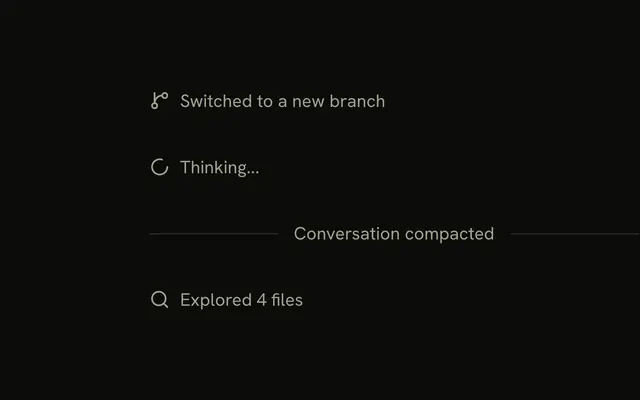
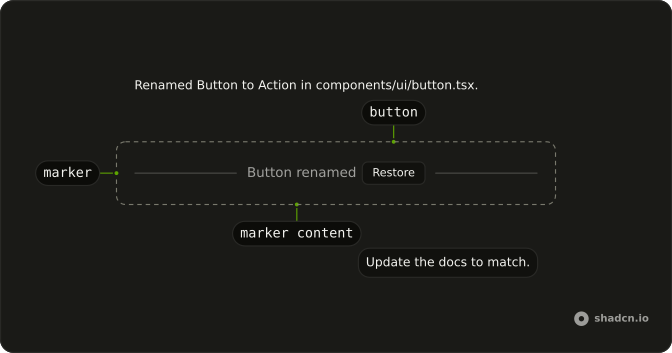
A checkpoint is a labeled rule after one of the agent's turns, such as Button renamed, with a Restore button that takes the thread back to that point. Put one after a turn the reader may want to undo, like a rename or a refactor.
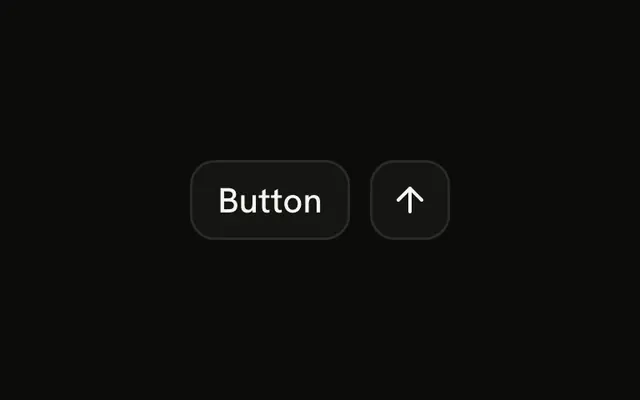
There is no Checkpoint component to install: the row is a Marker with a Button in its label, so it is your code to change. For a note between turns with nothing to restore, use the Marker alone.
Installation
Checkpoint is a pattern. The command adds the parts it's built from, Marker and Button, and the code to copy is the demo's.
Anatomy
Usage
import { Button } from "@/components/ui/button";
import { Marker, MarkerContent } from "@/components/ui/marker";
export function Checkpoint(props: { label: string; onRestore: () => void }) {
return (
<Marker variant="separator">
<MarkerContent className="inline-flex items-center gap-2">
{props.label}
<Button
aria-label={`Restore to ${props.label}`}
onClick={props.onRestore}
size="xs"
variant="outline"
>
Restore
</Button>
</MarkerContent>
</Marker>
);
}Render it after the message it marks. The rule on either side of the label is Marker's separator variant, and MarkerContent lines the label and the button up in one row. React Aria's Button takes onClick as an alias of onPress, its own event, which the demo uses.
Accessibility
Marker is a plain div with no role, so a screen reader reads the label as text where it sits, between two messages, and never hears the rules, which are drawn in CSS. Restore is a native <button>. Every checkpoint's button says the same word, so give each an aria-label that names its checkpoint, Restore to Button renamed, as the demo does. The demo hides Restore once nothing comes after its turn, which takes the focused button away, so it then moves focus to Continue, where your app would focus its message input.
- Tab
- Moves focus to the next Restore button, or to the next focusable element.
- Shift+Tab
- Moves focus to the previous focusable element.
- Enter
- When focus is on Restore, restores the thread to that checkpoint.
- Space
- When focus is on Restore, restores the thread to that checkpoint.
AI SDK
Restore replaces the thread with the messages up to and including the turn the checkpoint follows, and every later message goes. The reader's next message continues from there.
import { useChat } from "@ai-sdk/react";

const { messages, setMessages } = useChat();

function restore(messageId: string) {
  const index = messages.findIndex((message) => message.id === messageId);
  setMessages(messages.slice(0, index + 1));
}
The checkpoint itself comes from the agent, as a data part on its turn. The AI SDK replaces a data part when another arrives with the same type and id, so reuse an id only to update that checkpoint's label.
const stream = createUIMessageStream({
  execute: async ({ writer }) => {
    writer.write({
      type: "data-checkpoint",
      id: "rename",
      data: { label: "Button renamed" },
    });
  },
});
const checkpoint = message.parts.find(
(part) => part.type === "data-checkpoint"
);Migrating from AI SDK Elements
If you added Checkpoint from AI SDK Elements (opens in a new tab), your project has a components/ai-elements/checkpoint.tsx wrapper. Paste this prompt into your coding agent to rebuild it on Marker and Button. Every export keeps its name and props, so the code that uses it keeps working.
Migrate components/ai-elements/checkpoint.tsx from AI SDK Elements to the shadcn.io Marker and Button components.

Keep every export, with the same name and props, so the code that imports it keeps working. Only change how each part renders.

1. Read https://www.shadcn.io/ui/aria/checkpoint.md and build Checkpoint the same way. If the project hasn't got Marker and Button, run the command in its Installation section.
2. Rebuild each part:
   - Checkpoint renders a Marker with variant="separator" and a MarkerContent, instead of a Separator.
   - CheckpointIcon renders a MarkerIcon.
   - CheckpointTrigger renders a Button with size="xs" and variant="outline", like "Restore". Keep its tooltip prop on the Tooltip, and its onClick, called from the Button's onPress.
3. Remove the imports the file no longer uses.
4. Run the type checker and fix any errors.
FAQ
What does restoring a checkpoint undo in an AI chat?
Only the thread. Restore keeps the turn the checkpoint follows and removes every message after it, so the reader's next message continues from that point.
Files, commits and anything else the agent changed stay as they are. If a turn wrote to disk, pair the checkpoint with your own undo, a git reset or a saved snapshot, or word the label so the reader knows Restore won't roll those back.
Why does the Restore button disappear after I restore a checkpoint?
Restoring again would drop nothing, because no turn comes after the checkpoint any more. The demo shows Restore only while a later message exists and keeps the label to mark the point.
Press Continue in the demo and the button comes back as soon as the next turn follows. Do the same in your chat: hide Restore on the last turn, and show it again once the thread moves on.
How do I add checkpoints to an AI SDK chat?
The agent writes it as a data part on its turn, with a short label such as Button renamed, and you render a checkpoint after any message that carries one. The AI SDK section shows the route writing it and the client finding it in message.parts.
Give each checkpoint its own id. Writing the same id again replaces that part's data, which is how the agent renames a checkpoint without adding a second one.
Does restoring a checkpoint delete messages on the server?
Not by itself. Restore changes the messages the client holds, and the AI SDK's default transport sends that whole list with the next request, so a route that reads the history from the request continues from the restored point.
If you save chats on the server and load the history from there, delete the later messages in your database too. Otherwise the next reply is written against the turns the reader removed.
Can the reader restore a checkpoint while a reply is streaming?
Yes, and the demo keeps Restore on screen while a reply streams, but stop the stream before you cut the thread. Left running, the AI SDK's chat writes the next chunk of the reply back at the end of the cut thread, after the checkpoint, with the question it answered gone.
With the AI SDK, call stop and then set the messages. In the demo, pressing Restore while the second reply streams ends that reply at once and removes it with the turns after the checkpoint.
How do screen readers tell one checkpoint's Restore button from another?
Through an aria-label on each button that names its checkpoint, such as Restore to Button renamed. Without it, every checkpoint's button is announced as Restore, and a list of the page's buttons can't say which point each one returns to.
The label itself is read as plain text where the rule sits. The lines on either side are drawn in CSS, so a screen reader doesn't hear them at all.
Is this the same as the AI SDK Elements Checkpoint?
It does the same job without a wrapper. The Elements Checkpoint was a Separator with an icon and a trigger, and here it is Marker's separator variant with a plain Button in its label.
The Migrating from AI SDK Elements section has a prompt that rebuilds the old file on these parts and keeps its exports, so the code that imports it keeps working.
API Reference
Checkpoint has no props of its own. The row is a Marker with variant set to separator and a MarkerContent, and Restore is a Button with size set to xs and variant set to outline.