shadcn.io is an independent project built on shadcn/ui
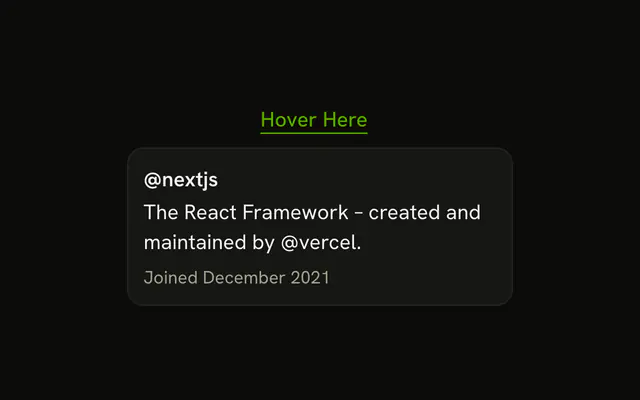
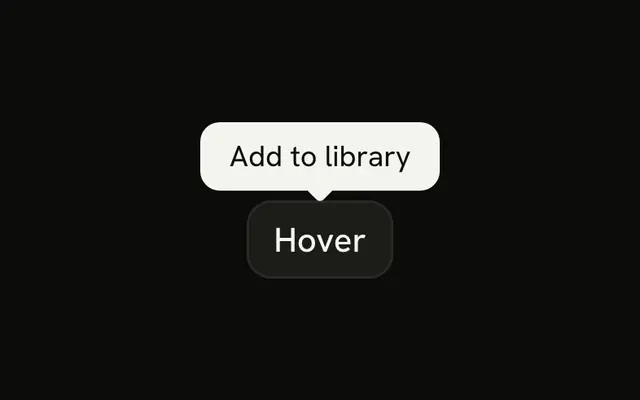
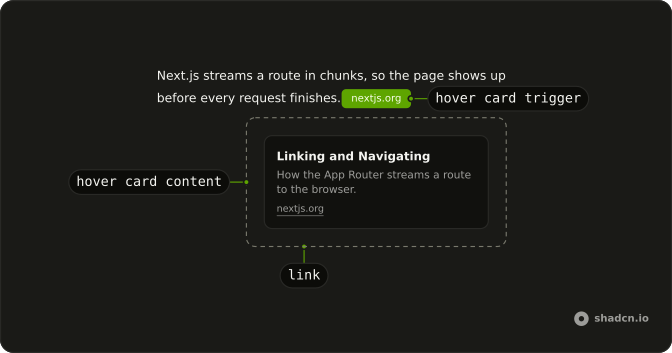
An inline citation is a small chip at the end of a sentence in an AI answer, naming the site that backs it, such as react.dev. The chip links to that page, and pointing at it or focusing it opens a card with the page's title and a line about it.
It is a pattern: a link with the look of a Button that previews its page in a Hover Card. To list every page the agent read under the reply instead, use Sources.
Installation
Inline Citation is a pattern. The command adds the parts it's built from, Hover Card and Button, and the code to copy is the demo's.
Anatomy
Usage
import { Button } from "@/components/ui/button";
import {
  HoverCard, HoverCardTrigger,
} from "@/components/ui/hover-card";
interface Source {
description: string;
title: string;
url: string;
}
const sources = {
chunked: {
description: "Send a response as a series of chunks.",
title: "Transfer-Encoding",
url: "https://developer.mozilla.org/en-US/docs/Web/HTTP/Reference/Headers/Transfer-Encoding",
},
loading: {
description: "Show an instant loading state for a route segment.",
title: "loading.js",
url: "https://nextjs.org/docs/app/api-reference/file-conventions/loading",
},
serverComponents: {
description: "Components that render ahead of time, on the server.",
title: "Server Components",
url: "https://react.dev/reference/rsc/server-components",
},
streaming: {
description: "How the App Router streams a route to the browser.",
title: "Linking and Navigating",
url: "https://nextjs.org/docs/app/getting-started/linking-and-navigating#streaming",
},
suspense: {
description: "Display a fallback until its children have finished loading.",
title: "<Suspense>",
url: "https://react.dev/reference/react/Suspense",
},
} satisfies Record<string, Source>;
const WWW = /^www\./;
function hostname(url: string) {
return new URL(url).hostname.replace(WWW, "");
}
function Citation({ source }: { source: Source }) {
const host = hostname(source.url);
return (
<HoverCardTrigger closeDelay={100} delay={10}>
{/* The chip is the link, so Enter or a tap opens the page, and a long
press or hover opens the card as a preview. */}
<Button
href={source.url}
rel="noreferrer"
size="xs"
target="_blank"
variant="secondary"
>
{host}
<span className="sr-only"> (opens in a new tab)</span>
</Button>
{/* React Aria makes the card a dialog, which needs a name. */}
<HoverCard aria-label={source.title} className="flex w-64 flex-col gap-1">
<div className="font-medium">{source.title}</div>
<p className="text-muted-foreground">{source.description}</p>
<a
className="text-muted-foreground text-xs underline-offset-4 hover:underline"
href={source.url}
rel="noreferrer"
target="_blank"
>
{host}
<span className="sr-only"> (opens in a new tab)</span>
</a>
</HoverCard>
</HoverCardTrigger>
);
}
export function InlineCitationDemo() {
return (
<div className="mx-auto flex max-w-sm flex-col gap-3 py-6 text-sm leading-relaxed">
<p>
Next.js streams a route in chunks, so the page shows up before every
request finishes. <Citation source={sources.streaming} />
</p>
<p>
Wrap a slow part of the page in a Suspense boundary and React sends the
fallback first. When the data resolves, the finished HTML streams into
the same response and replaces the fallback, with no extra request from
the browser. <Citation source={sources.suspense} /> Server Components
help here, because their code never ships to the browser.{" "}
<Citation source={sources.serverComponents} />
</p>
<p>
A loading.tsx file does the same for a whole route segment.{" "}
<Citation source={sources.loading} /> It all runs over chunked transfer
encoding, so there is nothing extra to set up.{" "}
<Citation source={sources.chunked} />
</p>
</div>
);
}
Accessibility
The chip is a link to the source, and React Aria's preview trigger gives it aria-haspopup, aria-expanded and, while the card is open, an aria-describedby that points at the card, so a screen reader reads the title and description after the hostname. The card is a dialog, which the demo names with the source's title through aria-label. It opens on keyboard focus after the trigger's delay, Tab moves into it, and Escape closes it and puts focus back on the chip. On a touch screen a tap opens the page, and a long press opens the card.
- Tab
- On a chip whose card is open, moves focus into the card, to its link. Otherwise moves focus to the next citation, whose card then opens.
- Shift+Tab
- Moves focus to the previous citation, whose card then opens.
- Enter
- On a chip or on the card's link, opens the page in a new tab.
- Escape
- Closes the card and returns focus to the chip.
AI SDK
With the AI SDK, a source reaches the client as a source-url part of the message, with a sourceId, a url and an optional title. The route sends those parts only when you pass sendSources: true to toUIMessageStreamResponse, or you can write one yourself from a custom stream.
const stream = createUIMessageStream({
  execute: ({ writer }) => {
    writer.write({
      type: "source-url",
      sourceId: "react-suspense",
      url: "https://react.dev/reference/react/Suspense",
      title: "<Suspense>",
    });
  },
});
const sources = message.parts.filter((part) => part.type === "source-url");A part says nothing about where in the text it belongs, so placing each chip is up to you, as the FAQ explains. When title is missing, show the hostname of the url.
Migrating from AI SDK Elements
If you added Inline Citation from AI SDK Elements (opens in a new tab), your project has a components/ai-elements/inline-citation.tsx wrapper. Paste this prompt into your coding agent to rebuild it on Hover Card and Button. Every export keeps its name and props, so the code that uses it keeps working.
Migrate components/ai-elements/inline-citation.tsx from AI SDK Elements to the shadcn.io Hover Card and Button components.

Keep every export, with the same name and props, so the code that imports it keeps working. Only change how each part renders.

1. Read https://www.shadcn.io/ui/aria/inline-citation.md and build Inline Citation the same way. If the project hasn't got Hover Card and Button, run the command in its Installation section.
2. Rebuild each part:
   - InlineCitationCard renders a HoverCardTrigger with delay and closeDelay.
   - InlineCitationCardTrigger renders a Button instead of a Badge, with href set to the first source's URL, target="_blank", rel="noreferrer", variant="secondary", size="xs" and "(opens in a new tab)" in an sr-only span, so it is a link keyboard and touch users can follow.
   - InlineCitationCardBody renders a HoverCard with an aria-label, next to the Button inside the HoverCardTrigger.
   - InlineCitationSource renders the title and a link to the URL that opens in a new tab, with "(opens in a new tab)" in an sr-only span.
   - Keep InlineCitation, InlineCitationText, InlineCitationQuote and the carousel parts as they are.
3. Remove the imports the file no longer uses.
4. Run the type checker and fix any errors.
FAQ
How do I put an Inline Citation next to the sentence it supports?
Have the model mark its claims, because the AI SDK doesn't say where a source belongs. A source-url part carries a sourceId, a url and an optional title, and nothing about its place in the text.
Ask in the system prompt for the source's number in brackets after each claim it backs, such as [2]. Then split the text on those marks and render the chip of that source in place of each one. A source the model never marks still belongs in a Sources list under the reply.
Why does the Inline Citation chip show the hostname instead of a number?
Because the hostname tells people where a claim comes from before they open anything. react.dev reads as the React docs at a glance, while [2] means nothing until someone hovers it.
A page title would be too long for the middle of a paragraph, so it waits in the card along with a line about the page. The demo's hostname helper also strips a leading www, so a page on www.npmjs.com gets an npmjs.com chip.
Does Inline Citation work on a phone?
Yes. A tap on the chip opens the page in a new tab, and a long press opens the card instead. React Aria then moves focus into the card so a touch screen reader follows, and tells screen reader users on touch devices about the gesture.
Few people on a phone will see the card's title and description, so make the hostname in the chip say where the claim comes from on its own.
Can keyboard users open the source of an Inline Citation?
Yes, in two ways. The chip is the link, so Enter on it opens the page in a new tab. Focusing it also opens the card after the trigger's delay, Tab then moves focus into the card, to its link, and Escape closes the card and puts focus back on the chip, so people can carry on reading.
How do I change how fast an Inline Citation card opens?
Set delay and closeDelay on HoverCardTrigger, in milliseconds. React Aria waits 600 to open and 200 to close when you leave them out, and the demo sets 10 and 100.
A short open delay suits citations, which people point at on purpose. Raise it if cards flash open while the pointer crosses a paragraph on its way somewhere else.
Should I use Inline Citation or Sources for AI answers?
Use Inline Citation when people need to check one claim at a time, in a long answer where each paragraph rests on a different page. The chip sits right beside the sentence it backs.
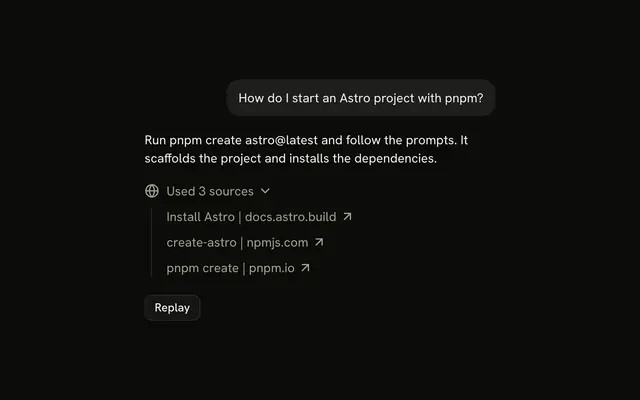
Use Sources to list every page under the reply, which suits a short answer drawn from a few pages. The two work together: the chips back single claims, and the list gathers every page the agent read, including the ones it never cited inline.
Is this the same as AI SDK Elements' Inline Citation?
It does the same job with fewer parts. In AI SDK Elements the trigger was a Badge and the card held a carousel of sources, and here a link with a Button's look opens the source and previews it in a Hover Card.
The Migrating from AI SDK Elements section has a prompt that rebuilds the old file on these parts and keeps its exports, so the code that imports it doesn't change.
API Reference
Inline Citation has no props of its own. Each chip is a link styled as a Button with variant secondary and size xs. It is the trigger of a Hover Card whose content holds the title, the description and a second link to the page.