shadcn.io is an independent project built on shadcn/ui
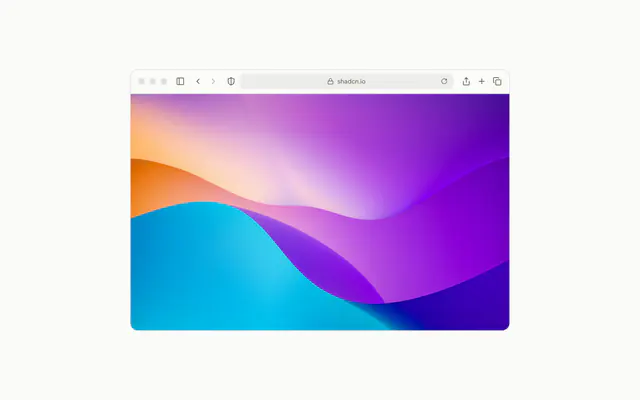
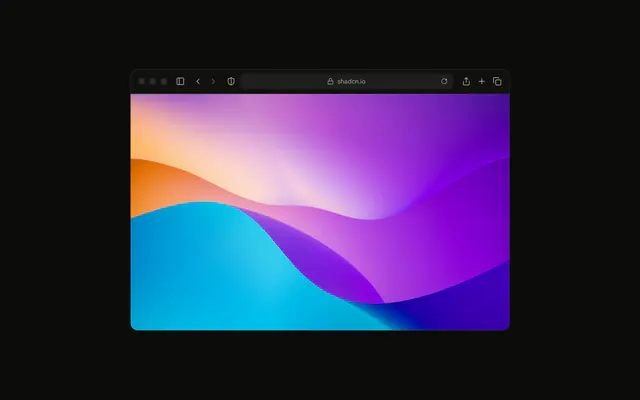
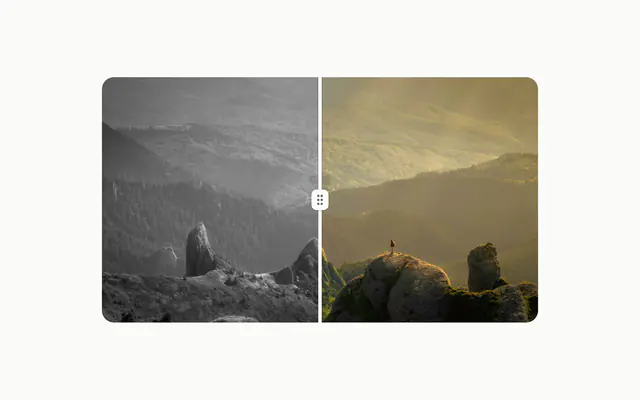
An image arrives as a grid of pieces, each fading in on its own beat, grey at first and then in colour.
Use it once on a page, where the picture itself is the moment: a hero shot, a portfolio piece, a cover. A gallery of them is a distraction, and a photo that only needs to load is an img. In Vue, the motion is CSS keyframes that start once the image has loaded, and with reduced motion the picture shows at once, in colour.
Installation
Anatomy
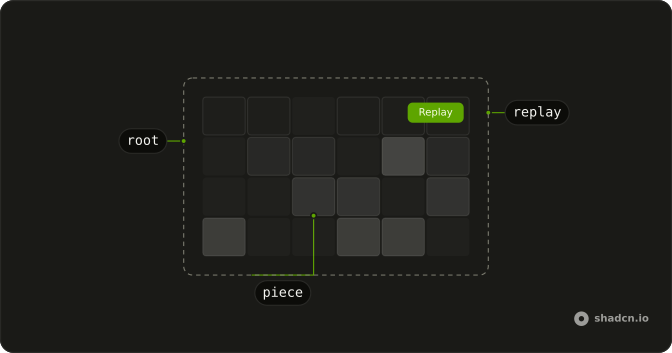
PixelImage
├── pieces (one img per grid cell, hidden from assistive tech)
└── Replay (a Button, with showReplayButton)
Usage
<script setup lang="ts">
import { PixelImage } from "@/components/ui/pixel-image";
</script>
<template>
  <PixelImage
    alt="Mountain peaks above a sea of clouds"
    grid="6x4"
    showReplayButton
    src="/peaks.jpg"
  />
</template>
Accessibility
The picture is one image to assistive tech (role="img", named by alt); the pieces are copies of it and stay hidden. With reduced motion there is no reveal: the picture shows at once, in colour, and the Replay button is gone since there's nothing to replay. The reveal waits for the image to load, so a slow connection doesn't play it to an empty frame.
Demos
Grids
grid names five splits, columns by rows: 6x4 (the default), 8x8, 8x3, 4x6 and 3x8. More pieces read as a finer mosaic, three columns as tall strips, three rows as bands. Each one here has its own Replay button.
Colour
With grayscaleAnimation off, the pieces arrive in colour and the only motion is the fade. Use it when the grey step would fight the picture, such as one that's already muted, or a brand image that must stay in its colours.
Custom Grid
customGrid takes any columns and rows from 1 to 16 each way, here 16 by 9 to match a wide frame. The timing props slow it into a longer reveal: each piece fades in 500 ms (pixelFadeInDuration), the starts spread over 2.4 s (maxAnimationDelay), and the colour arrives at 2.6 s (colorRevealDelay).
FAQ
How many pieces should Pixel Image use?
The default 6x4 suits most pictures. 8x8 makes a finer mosaic, and 3x8 or 8x3 make strips or bands. customGrid takes any size up to 16 by 16. Each piece is a copy of the image, so the browser loads it once, but hundreds of pieces cost more to draw than a few dozen.
How do I make the Pixel Image reveal faster or slower?
pixelFadeInDuration sets how long each piece fades (1000 ms by default), maxAnimationDelay how far apart the first and last pieces start (1200 ms), and colorRevealDelay when the colour arrives (1300 ms). The Custom Grid demo slows all three.
Can I skip the black and white step?
Yes: set grayscaleAnimation to false and the pieces arrive in full colour, as in the Colour demo. The fade and the scattered order stay the same.
How do people replay the Pixel Image animation in Vue?
Set showReplayButton and a Replay Button sits in the top-end corner; pressing it plays the reveal again from nothing. It hides under reduced motion, where there is no reveal to replay.
When does the Pixel Image reveal start?
When the image has loaded, so a slow connection doesn't play the reveal over an empty frame. An image the browser already has starts at once. The order of the pieces is fixed by their place in the grid, so the server and the browser draw the same thing.
API Reference
PixelImage
<div> data-slot="pixel-image"
altstring
What the picture shows, for assistive tech. The pieces themselves are hidden from it.
srcstring
The image's URL.
colorRevealDelay?number
The delay before the pieces turn from grey to colour, in milliseconds.
- Default
1300
customGrid?object
Any grid from 1 × 1 to 16 × 16; it replaces grid when it's valid.
- Type
{ cols: number; rows: number }
grayscaleAnimation?boolean
Whether the pieces arrive grey and turn to colour once assembled.
- Default
true
grid?PixelImageGrid
The grid the picture splits into, columns × rows.
- Default
"6x4"
maxAnimationDelay?number
The spread of the pieces' start times, in milliseconds: the last piece starts this long after the first.
- Default
1200
pixelFadeInDuration?number
How long each piece takes to fade in, in milliseconds.
- Default
1000
showReplayButton?boolean
Whether a Replay button sits in the top-end corner. It's hidden under reduced motion, where the picture shows at once.
- Default
false
class?string
Merged with the part's classes.
data-run?string
Mirrors run.
--pixel-image-clipstring--pixel-image-color-delaystring
When the colour arrives (colorRevealDelay).
--pixel-image-durationstring
How long each piece fades in (pixelFadeInDuration).