shadcn.io is an independent project built on shadcn/ui
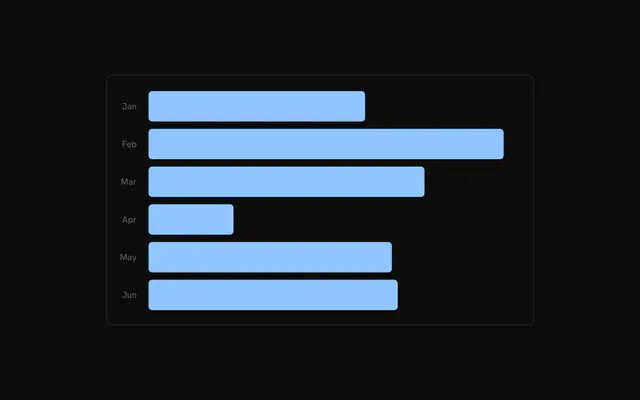
Horizontal bars, one per browser, each filled with that browser's color. The names come from the chart config. The value axis is hidden.
Use it when each category should be recognized by its own color, not one shared series color. A long ranking with more columns belongs in a Table. In React, Base UI maps each browser color to a variable. The row order is the bar order.
Installation
Anatomy

Usage
<div className="w-full max-w-xl rounded-md border bg-background p-4">
  <ChartContainer config={chartConfig}>
    <BarChart
      accessibilityLayer
      data={chartData}
      layout="vertical"
      margin={{
        left: 0,
      }}
    >
      <YAxis
        axisLine={false}
        dataKey="browser"
        tickFormatter={formatBrowser}
        tickLine={false}
        tickMargin={10}
        type="category"
      />
      <XAxis dataKey="visitors" hide type="number" />
      <ChartTooltip
        content={<ChartTooltipContent hideLabel />}
        cursor={false}
      />
      <Bar dataKey="visitors" radius={5} />
    </BarChart>
  </ChartContainer>
</div>
FAQ
How does each bar get a different color?
Each row sets fill to a variable such as var(--color-chrome). config maps chrome, safari, firefox, edge, and other to --chart-1 through --chart-5. Bar sets dataKey to visitors and radius to 5, and leaves fill to the row.
What makes the bars horizontal?
BarChart sets layout to vertical and margin to { left: 0 }. YAxis is type category with dataKey browser. XAxis is type number with dataKey visitors and hide.
How do the ticks get names like Chrome?
YAxis sets tickFormatter to formatBrowser, which returns chartConfig[value].label, or the raw key when that label is missing. axisLine and tickLine are false, and tickMargin is 10.
What does the tooltip show?
ChartTooltipContent sets hideLabel, and cursor is false. The name comes from the browser key in config, and the value is visitors. config also labels visitors as Visitors.
API Reference
Chart
Sets config={chartConfig} and hideLabel. The rest is on the Chart page.