shadcn.io is an independent project built on shadcn/ui
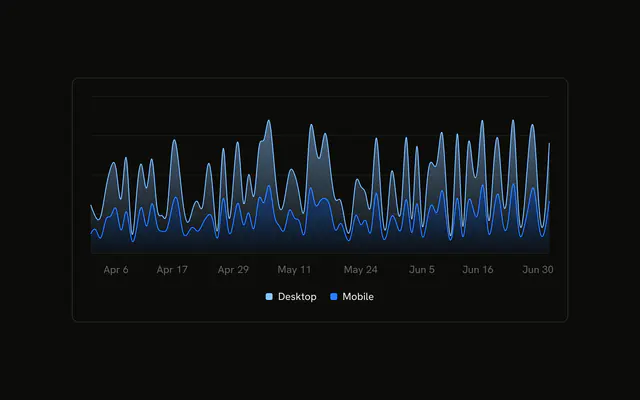
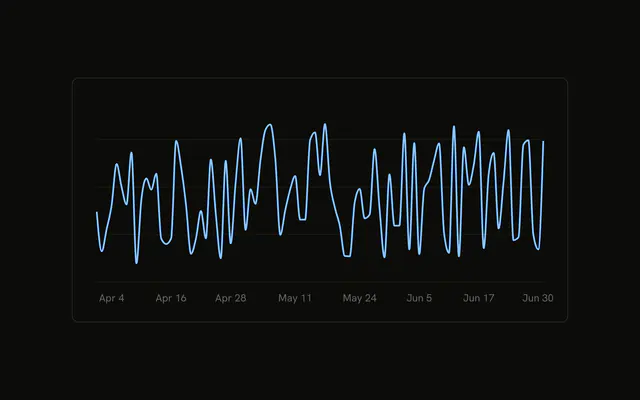
Three months of daily page views as bars, at a fixed height. The axis shows short dates, and the tooltip shows the full date with the year. Only desktop is drawn.
Use it for a long daily series where one metric is on screen at a time. Let people switch to mobile with Tabs. This demo does not. In React, Base UI does not choose desktop over mobile, and it does not fetch the days.
Installation
Anatomy

Usage
<div className="w-full max-w-xl rounded-md border bg-background p-4">
  <ChartContainer
    className="aspect-auto h-[250px] w-full"
    config={chartConfig}
  >
    <BarChart
      accessibilityLayer
      data={chartData}
      margin={{
        left: 12,
        right: 12,
      }}
    >
      <CartesianGrid vertical={false} />
      <XAxis
        axisLine={false}
        dataKey="date"
        minTickGap={32}
        tickFormatter={formatDateTick}
        tickLine={false}
        tickMargin={8}
      />
      <ChartTooltip
        content={
          <ChartTooltipContent
            className="w-[150px]"
            labelFormatter={formatDateLabel}
            nameKey="views"
          />
        }
      />
{/* The rest of the file is under Installation. */}
FAQ
How do I switch the chart to mobile?
activeChart is "desktop". Set it to "mobile". Bar uses dataKey={activeChart} and a fill of var(--color- plus that key, so the series and the color follow the constant. config maps desktop to var(--chart-2) and mobile to var(--chart-1).
Why does the tooltip say Page Views?
ChartTooltipContent sets nameKey="views". That looks up the views entry in config, whose label is Page Views, and uses it as the row name for whichever series is drawn.
Why does the tooltip include the year when the axis doesn't?
XAxis uses tickFormatter={formatDateTick}, a short month and day, and minTickGap={32} so daily labels stay 32 pixels apart. labelFormatter is formatDateLabel, which adds year: "numeric", so the tooltip title reads like Apr 1, 2024. The tooltip also sets className to a fixed w-[150px].
How is the height fixed?
ChartContainer sets aspect-auto h-[250px] w-full. aspect-auto clears the default 16:9 box so h-[250px] holds, and the width follows the max-w-xl frame. CartesianGrid sets vertical={false}.
API Reference
Chart
Sets config={chartConfig}, labelFormatter={formatDateLabel} and nameKey="views". The rest is on the Chart page.