shadcn.io is an independent project built on shadcn/ui
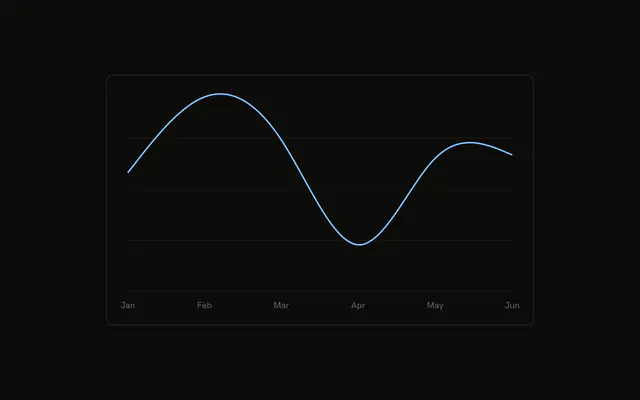
Two curves share the axes, desktop and mobile, and neither has dots. Hover a month and the tooltip lists both counts.
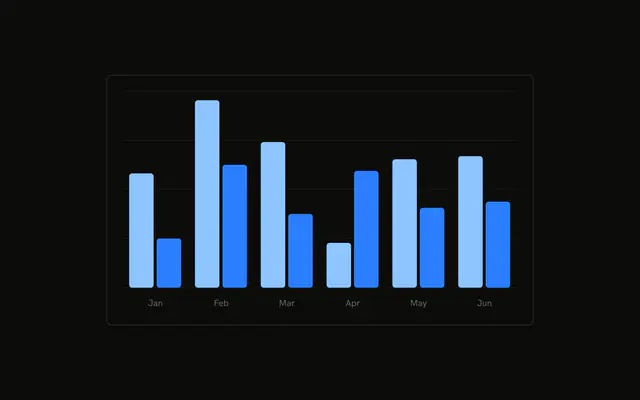
Use two lines when both trends share a scale and neither should hide the other. Stack areas if you care about the sum, or read both columns in a Table. In React, Base UI does not add the second line. You pass desktop and mobile yourself.
Installation
Anatomy

Usage
<div className="w-full max-w-xl rounded-md border bg-background p-4">
  <ChartContainer config={chartConfig}>
    <LineChart
      accessibilityLayer
      data={chartData}
      margin={{
        left: 12,
        right: 12,
      }}
    >
      <CartesianGrid vertical={false} />
      <XAxis
        axisLine={false}
        dataKey="month"
        tickFormatter={formatMonth}
        tickLine={false}
        tickMargin={8}
      />
      <ChartTooltip content={<ChartTooltipContent />} cursor={false} />
      <Line
        dataKey="desktop"
        dot={false}
        stroke="var(--color-desktop)"
        strokeWidth={2}
        type="monotone"
      />
      <Line
        dataKey="mobile"
        dot={false}
        stroke="var(--color-mobile)"
        strokeWidth={2}
{/* The rest of the file is under Installation. */}
FAQ
How are the two lines drawn?
The chart renders two Line components. Both set type to monotone, dot to false, and strokeWidth to 2. One uses dataKey desktop and stroke var(--color-desktop). The other uses dataKey mobile and stroke var(--color-mobile).
Where do the line colors come from?
config maps desktop to var(--chart-1) and the label Desktop, and mobile to var(--chart-2) and the label Mobile. ChartContainer exposes those as --color-desktop and --color-mobile.
How are the months abbreviated?
XAxis uses dataKey month and tickFormatter set to formatMonth, the first three characters. axisLine and tickLine are false, tickMargin is 8, and the side margins are 12.
Does the tooltip list both series?
Yes. ChartTooltip renders ChartTooltipContent with cursor set to false. The title is the month, and the rows are Desktop and Mobile from config.
API Reference
Chart
Sets config={chartConfig}. The rest is on the Chart page.