shadcn.io is an independent project built on shadcn/ui
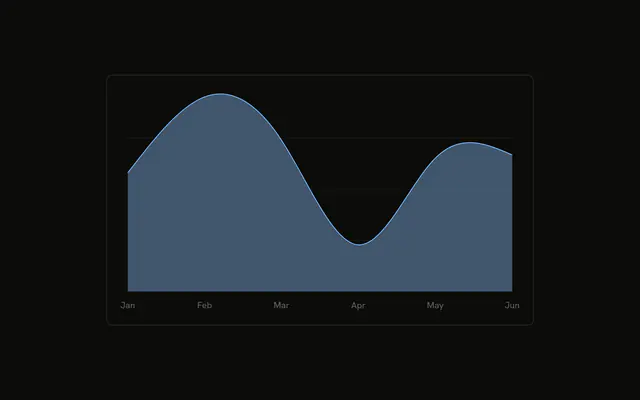
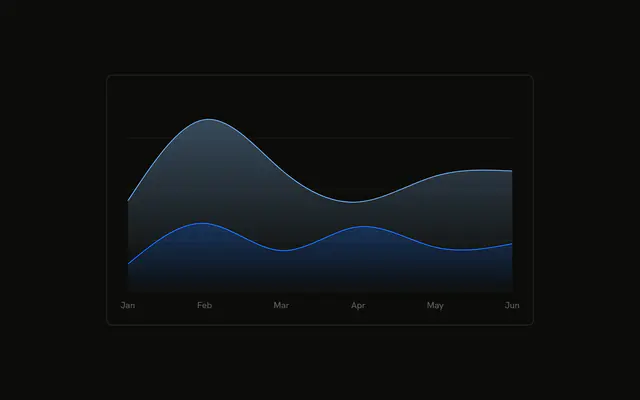
Mobile sits on the baseline and desktop sits on top of it. Both are smooth filled areas. The top edge is the monthly total, and the tooltip lists both.
Use a stack when both the parts and the total should be visible. A 100% stack shows share instead of the count. For the rows, use a Table. In React, Base UI does not put mobile under desktop. You stack both series.
Installation
Anatomy

Usage
<div className="w-full max-w-xl rounded-md border bg-background p-4">
  <ChartContainer config={chartConfig}>
    <AreaChart
      accessibilityLayer
      data={chartData}
      margin={{
        left: 12,
        right: 12,
      }}
    >
      <CartesianGrid vertical={false} />
      <XAxis
        axisLine={false}
        dataKey="month"
        tickFormatter={formatMonth}
        tickLine={false}
        tickMargin={8}
      />
      <ChartTooltip
        content={<ChartTooltipContent indicator="dot" />}
        cursor={false}
      />
      <Area
        dataKey="mobile"
        fill="var(--color-mobile)"
        fillOpacity={0.4}
        stackId="a"
        stroke="var(--color-mobile)"
        type="natural"
      />
      <Area
{/* The rest of the file is under Installation. */}
FAQ
How do the two areas stack?
Both Area components set stackId="a". Mobile is first, so it sits on the baseline. Desktop is second, so it sits on top of mobile. The top edge of the desktop band is the month's total. Each row in chartData has both mobile and desktop.
How is each band colored?
Mobile fills and strokes var(--color-mobile). Desktop fills and strokes var(--color-desktop). Both set fillOpacity={0.4} and type="natural". config maps the keys to var(--chart-2) and var(--chart-1), with the labels Mobile and Desktop.
What does the tooltip show for a month?
ChartTooltipContent sets indicator="dot". The title is the month, and the rows are Mobile and Desktop from config, each with its own value. cursor={false} on ChartTooltip turns the hover cursor off.
How are the month labels shortened?
XAxis uses dataKey="month" and tickFormatter={formatMonth}, which returns value.slice(0, 3). axisLine and tickLine are false, and tickMargin is 8. CartesianGrid sets vertical={false}.
API Reference
Chart
Sets config={chartConfig} and indicator="dot". The rest is on the Chart page.