shadcn.io is an independent project built on shadcn/ui
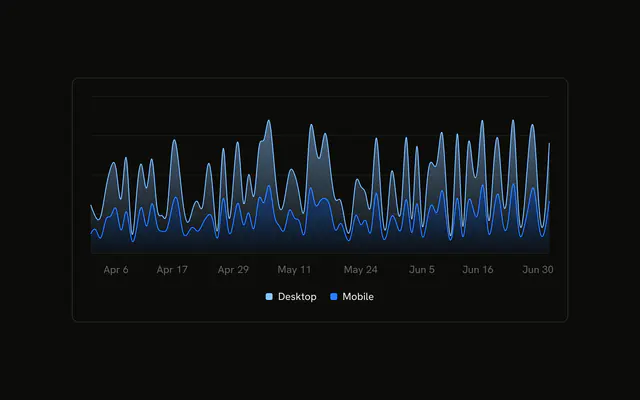
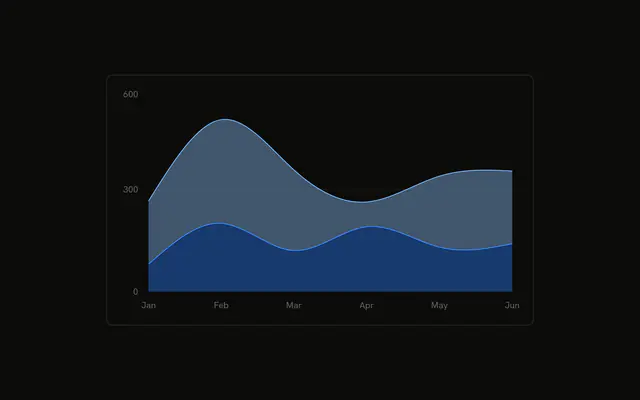
Desktop and mobile stacked as smooth areas. Each fill fades from the series color near the top of the band to a faint tint at the bottom.
Use a fade when a solid fill would bury the grid or the series underneath. A flat fill is fine for one series. A Table is better when people need the numbers, not the tint. In React, Base UI does not fade the fill. You define the gradient and point the area at it.
Installation
Anatomy

Usage
<div className="w-full max-w-xl rounded-md border bg-background p-4">
  <ChartContainer config={chartConfig}>
    <AreaChart
      accessibilityLayer
      data={chartData}
      margin={{
        left: 12,
        right: 12,
      }}
    >
      <CartesianGrid vertical={false} />
      <XAxis
        axisLine={false}
        dataKey="month"
        tickFormatter={formatMonth}
        tickLine={false}
        tickMargin={8}
      />
      <ChartTooltip content={<ChartTooltipContent />} cursor={false} />
      <defs>
        <linearGradient id="gradientFillDesktop" x1="0" x2="0" y1="0" y2="1">
          <stop
            offset="5%"
            stopColor="var(--color-desktop)"
            stopOpacity={0.8}
          />
          <stop
            offset="95%"
            stopColor="var(--color-desktop)"
            stopOpacity={0.1}
          />
{/* The rest of the file is under Installation. */}
FAQ
How is the gradient defined?
Each series has a linearGradient in defs. Desktop's id is gradientFillDesktop, mobile's is gradientFillMobile. Both set x1="0", x2="0", y1="0", and y2="1", so the fade runs from the top of the area to the bottom.
What do the two stops do?
The first stop is offset="5%" with stopOpacity={0.8}. The second is offset="95%" with stopOpacity={0.1}. stopColor is var(--color-desktop) or var(--color-mobile), the same variables the strokes use.
How does the area use that gradient?
Area sets fill to url(#gradientFillDesktop) or url(#gradientFillMobile). It also sets fillOpacity={0.4}, which fades the whole gradient again. stroke stays the solid series color, and type is natural.
How do the two gradients stack?
Both areas set stackId="a". Mobile is first, on the baseline. Desktop is second, on top. Their colors come from config: mobile is var(--chart-2), desktop is var(--chart-1).
API Reference
Chart
Sets config={chartConfig}. The rest is on the Chart page.