shadcn.io is an independent project built on shadcn/ui
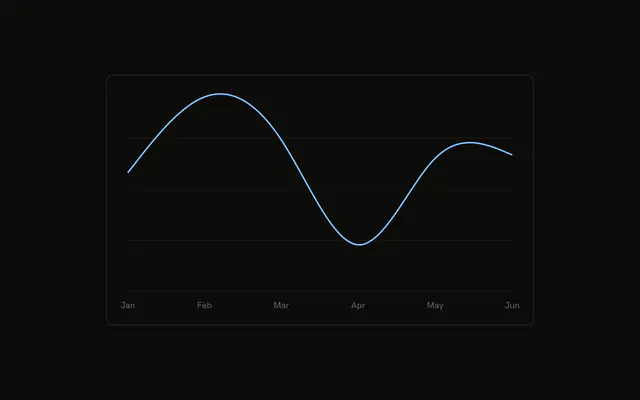
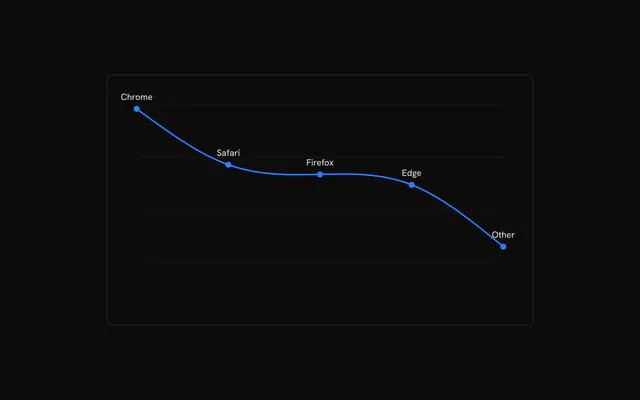
A smooth desktop line, a dot on each month, and the value printed above the dot. Extra space at the top keeps the highest label visible.
Use it when the chart has to be readable without a hover. Once there are more points than fit as labels, use a Table. In React, Ark UI does not place the numbers above the dots. They come from the row.
Installation
Anatomy

Usage
<div className="w-full max-w-xl rounded-md border bg-background p-4">
  <ChartContainer config={chartConfig}>
    <LineChart
      accessibilityLayer
      data={chartData}
      margin={{
        left: 12,
        right: 12,
        top: 20,
      }}
    >
      <CartesianGrid vertical={false} />
      <XAxis
        axisLine={false}
        dataKey="month"
        tickFormatter={formatMonth}
        tickLine={false}
        tickMargin={8}
      />
      <ChartTooltip content={renderTooltipContent} cursor={false} />
      <Line
        activeDot={{
          r: 6,
        }}
        dataKey="desktop"
        dot={{
          fill: "var(--color-desktop)",
        }}
        stroke="var(--color-desktop)"
        strokeWidth={2}
        type="natural"
{/* The rest of the file is under Installation. */}
FAQ
How is the number printed above each point?
Line wraps a LabelList with position top, offset 12, fontSize 12, and className fill-foreground. The list has no dataKey, so the text is the line's desktop value.
Why is there room above the line?
LineChart sets margin to { top: 20, left: 12, right: 12 }. The top inset keeps labels such as February's 305 inside the container.
How are the dots drawn?
Line sets dot to an object whose fill is var(--color-desktop), and activeDot to { r: 6 }. type is natural, stroke is var(--color-desktop), and strokeWidth is 2.
How are the months abbreviated?
XAxis uses dataKey month and tickFormatter set to formatMonth, which returns the first three characters. axisLine and tickLine are false, and tickMargin is 8.
API Reference
Chart
Sets config={chartConfig}, content={renderTooltipContent} and cursor={false}. The rest is on the Chart page.