shadcn.io is an independent project built on shadcn/ui
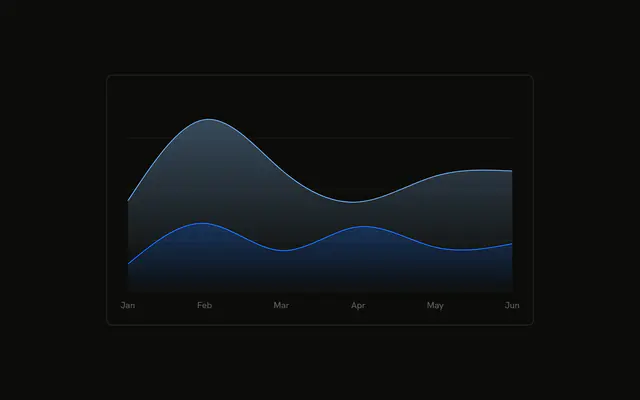
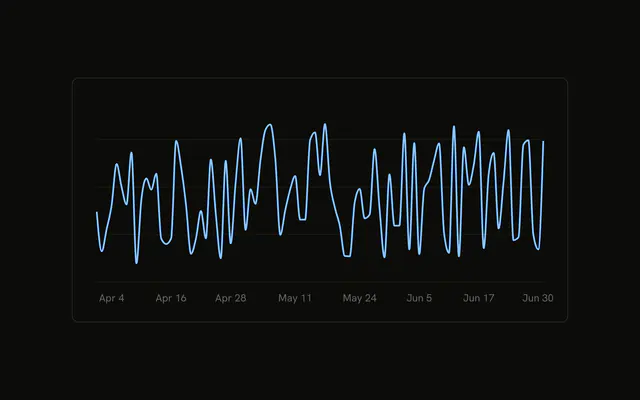
Three months of daily desktop and mobile visitors, stacked, with fills that fade. Date ticks are spaced so they do not collide. A legend names both series.
Use it for a daily series that runs for weeks, not six labeled months. This demo draws both series. To let people hide one, put that choice in Tabs. In React, Ark UI does not space the dates or load the days. The days are an array in the file.
Installation
Anatomy

Usage
<div className="w-full max-w-xl rounded-md border bg-background p-4">
  <ChartContainer
    className="aspect-auto h-[250px] w-full"
    config={chartConfig}
  >
    <AreaChart data={chartData}>
      <defs>
        <linearGradient
          id="interactiveFillDesktop"
          x1="0"
          x2="0"
          y1="0"
          y2="1"
        >
          <stop
            offset="5%"
            stopColor="var(--color-desktop)"
            stopOpacity={0.8}
          />
          <stop
            offset="95%"
            stopColor="var(--color-desktop)"
            stopOpacity={0.1}
          />
        </linearGradient>
        <linearGradient
          id="interactiveFillMobile"
          x1="0"
          x2="0"
          y1="0"
          y2="1"
{/* The rest of the file is under Installation. */}
FAQ
How does the axis skip dates?
XAxis sets minTickGap={32} and dataKey="date". Ticks closer than 32 pixels are skipped, so the daily rows from April through June don't pile up. tickFormatter is formatDateTick, which prints a short month and the day, like Apr 1.
How is the tooltip date formatted?
ChartTooltipContent sets labelFormatter to formatDateLabel. That calls toLocaleDateString with a short month and a numeric day, and it does not add the year. indicator is dot. cursor={false} turns the hover cursor off.
How do the fills fade?
Two linearGradient elements use the ids interactiveFillDesktop and interactiveFillMobile, from y1="0" to y2="1". Each fades from stopOpacity={0.8} at 5% to stopOpacity={0.1} at 95%. The areas set fill to url(#interactiveFillMobile) and url(#interactiveFillDesktop).
How are desktop and mobile stacked?
Both Area components set stackId="a" and type="natural". Mobile is first, on the baseline. Desktop is second, on top. Strokes are var(--color-mobile) and var(--color-desktop), from var(--chart-2) and var(--chart-1) in config.
API Reference
Chart
Sets config={chartConfig}, content={renderTooltipContent} and cursor={false}. The rest is on the Chart page.