shadcn.io is an independent project built on shadcn/ui
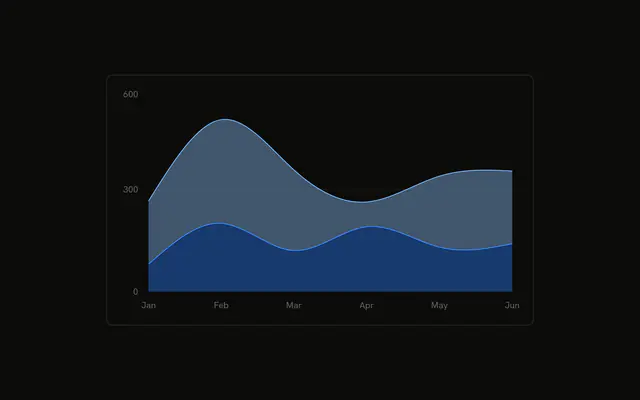
Desktop, mobile, and other are stacked so every month fills the chart height. The bands are each series' share of that month, not the absolute counts.
Use it when the mix matters more than the total, such as traffic share over time. A normal stack keeps the totals. A Table keeps the exact numbers. In React, Ark UI does not scale each month to full height. You set the stack offset, and you pass the three series.
Installation
Anatomy

Usage
<div className="w-full max-w-xl rounded-md border bg-background p-4">
  <ChartContainer config={chartConfig}>
    <AreaChart
      accessibilityLayer
      data={chartData}
      margin={{
        left: 12,
        right: 12,
        top: 12,
      }}
      stackOffset="expand"
    >
      <CartesianGrid vertical={false} />
      <XAxis
        axisLine={false}
        dataKey="month"
        tickFormatter={formatMonth}
        tickLine={false}
        tickMargin={8}
      />
      <ChartTooltip content={renderTooltipContent} cursor={false} />
      <Area
        dataKey="other"
        fill="var(--color-other)"
        fillOpacity={0.1}
        stackId="a"
        stroke="var(--color-other)"
        type="natural"
      />
      <Area
        dataKey="mobile"
{/* The rest of the file is under Installation. */}
FAQ
How does this chart show share of the month?
AreaChart sets stackOffset="expand". The three areas still use stackId="a", and each month is drawn as one full stack, so the bands are each series' share of that row. type="natural" curves every band.
Which series is on the bottom?
other is the first Area, then mobile, then desktop. With stackId="a", the first area sits on the baseline and the later ones stack above it. Other uses fillOpacity={0.1}. Mobile and desktop use fillOpacity={0.4}.
Where do the three colors come from?
Each Area fills and strokes var(--color-other), var(--color-mobile), or var(--color-desktop). config maps those keys to var(--chart-3), var(--chart-2), and var(--chart-1), with the labels Other, Mobile, and Desktop.
What does the tooltip list?
ChartTooltipContent sets indicator="line" and doesn't set a formatter, so each row is the series label from config and the tooltip's value for that series. cursor={false} turns the hover cursor off. The title is the month.
API Reference
Chart
Sets config={chartConfig}, content={renderTooltipContent} and cursor={false}. The rest is on the Chart page.