shadcn.io is an independent project built on shadcn/ui
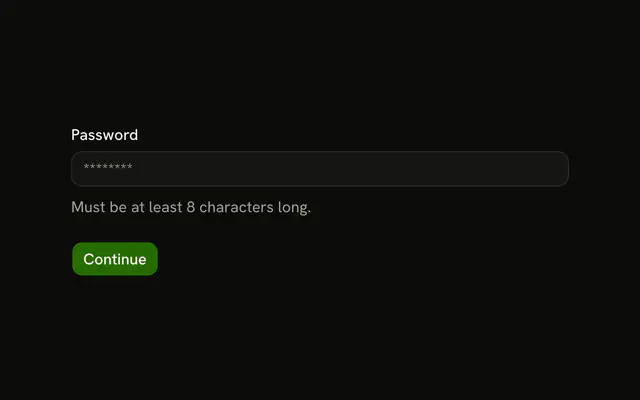
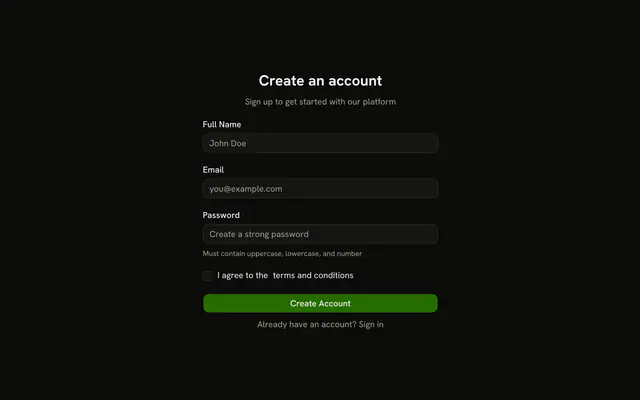
Password must be 8 characters with an uppercase letter, a lowercase letter, a number, and a symbol. Confirm Password has to match, or it shows Passwords don't match.
Use it when a new account needs a strong password. A length check alone fits a Password Input. In React, Ark UI does not score the password.
Installation
Usage
<form
  className="w-full max-w-md"
  noValidate
  onSubmit={form.handleSubmit(onSubmit)}
>
  <FieldGroup>
    <Controller
      control={form.control}
      name="password"
      render={({ field, fieldState }) => (
        <Field invalid={fieldState.invalid}>
          <FieldLabel>Password</FieldLabel>
          <Input {...field} placeholder="Enter password" type="password" />
          <FieldDescription>
            Must contain uppercase, lowercase, number, and special
            character.
          </FieldDescription>
          <FieldError>{fieldState.error?.message}</FieldError>
        </Field>
      )}
    />
    <Controller
      control={form.control}
      name="confirmPassword"
      render={({ field, fieldState }) => (
        <Field invalid={fieldState.invalid}>
          <FieldLabel>Confirm Password</FieldLabel>
          <Input
            {...field}
            placeholder="Confirm password"
            type="password"
{/* The rest of the file is under Installation. */}
FAQ
Which password rules run, and which message shows?
.min(8, "Password must be at least 8 characters"), then regexes for [A-Z], [a-z], [0-9] and [^A-Za-z0-9], each with its own message. The FieldError shows the first one that fails, in that order.
How are the two passwords compared?
The object's refine checks data.password === data.confirmPassword and fails with "Passwords don't match" on path: ["confirmPassword"], so it shows under Confirm Password. confirmPassword itself is just z.string().
Where are the rules written before an error?
The password's FieldDescription says "Must contain uppercase, lowercase, number, and special character." Confirm Password's says "Re-enter your password to confirm."
API Reference
Field
Sets invalid={fieldState.invalid} and orientation="horizontal". The rest is on the Field page.
Input
Sets field, placeholder="Enter password", type="password" and placeholder="Confirm password". The rest is on the Input page.
Button
Sets type="submit". The rest is on the Button page.