shadcn.io is an independent project built on shadcn/ui
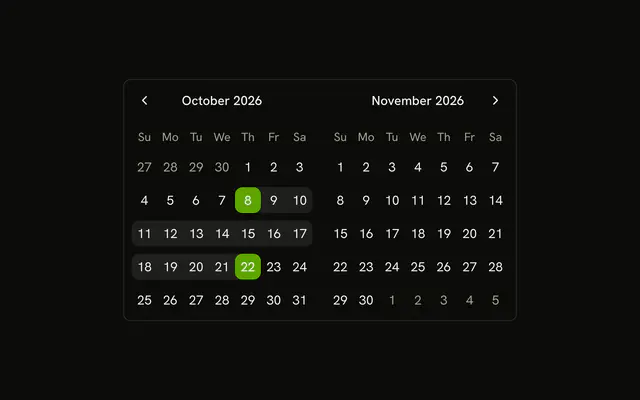
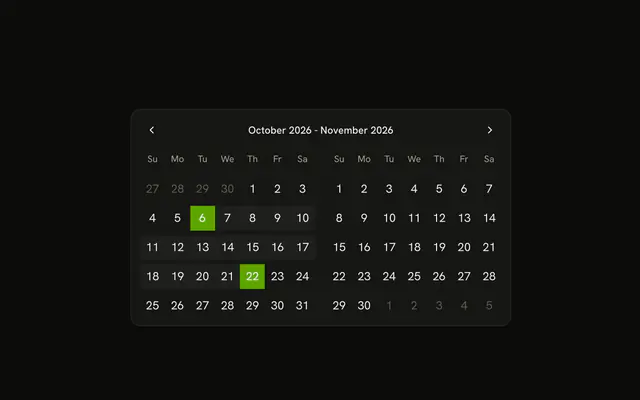
Select Date Range opens a dialog with that title. Two months are shown. The range starts on the 8th through the 22nd of this month, and the second grid is the next month.
Use it when a period is one step, not the whole page. Leave both months visible if people adjust the range often. A Date Picker hides them in a field. In React, Base UI does not name the start and end.
Installation
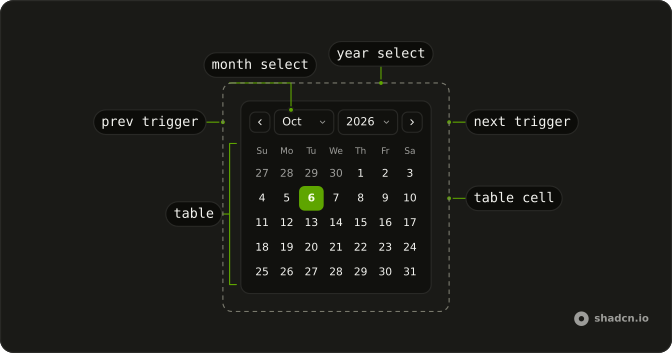
Anatomy
Usage
<Dialog>
  <DialogTrigger render={<Button variant="outline" />}>
    Select Date Range
  </DialogTrigger>
  <DialogContent className="sm:max-w-fit">
    <DialogHeader>
      <DialogTitle>Select Date Range</DialogTitle>
    </DialogHeader>
    <Calendar
      className="rounded-md border"
      defaultMonth={date?.from}
      mode="range"
      numberOfMonths={2}
      onSelect={setDate}
      selected={date}
    />
  </DialogContent>
</Dialog>
FAQ
How do I read the start and end dates?
mode="range" makes selected an object with from and to, and onSelect updates it. numberOfMonths={2} shows two months. This demo starts at the 8th through the 22nd of the current month.
Which month is shown first?
defaultMonth is selected.from, so the first grid is the month the range starts in.
How is the dialog opened?
DialogTrigger is a button reading Select Date Range. It opens DialogContent with sm:max-w-fit, and DialogTitle reads Select Date Range.
What range is selected at first?
The 8th through the 22nd of the current month. The dialog opens with that range already set, and the second grid shows the following month.
API Reference
Dialog
No extra props in this demo. The rest is on the Dialog page.
Button
Sets variant="outline". The rest is on the Button page.
Calendar
Sets defaultMonth={date?.from}, mode="range", numberOfMonths={2}, onSelect={setDate} and selected={date}. The rest is on the Calendar page.