shadcn.io is an independent project built on shadcn/ui
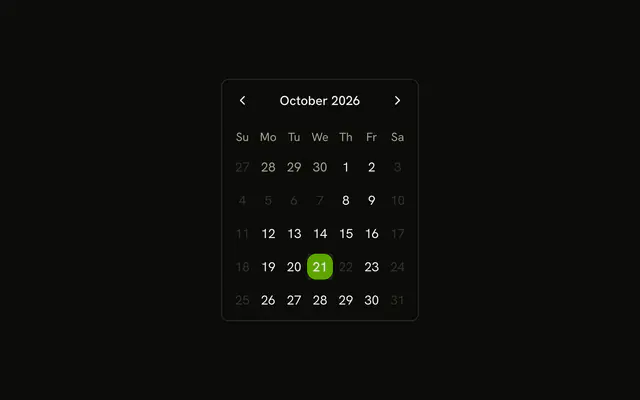
Select Date opens a dialog with that title. Weekends, the 3rd through the 7th, and the 22nd of this month cannot be picked.
Use it when closed days should be chosen inside a step. Keep the grid on the page if those days are the point of the screen. A Date Picker is the same choice as a field. In React, Base UI does not decide which days are closed.
Installation
Anatomy
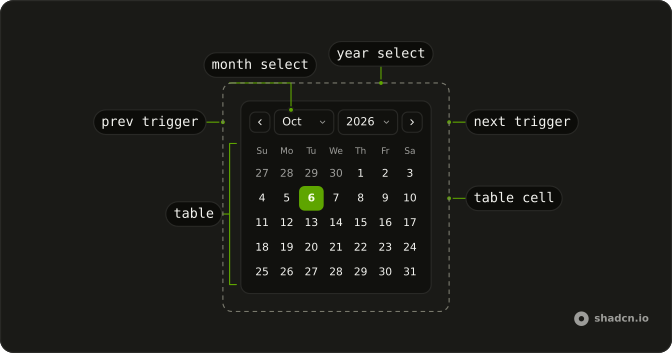
Usage
<Dialog>
  <DialogTrigger render={<Button variant="outline" />}>
    Select Date
  </DialogTrigger>
  <DialogContent className="sm:max-w-fit">
    <DialogHeader>
      <DialogTitle>Select Date</DialogTitle>
    </DialogHeader>
    <Calendar
      className="rounded-md border"
      disabled={disabledDays}
      mode="single"
      onSelect={setDate}
      selected={date}
    />
  </DialogContent>
</Dialog>
FAQ
Which days can't be picked?
disabled takes three matchers: { from, to } for the 3rd through the 7th, { dayOfWeek: [0, 6] } for Saturday and Sunday, and new Date(year, month, 22) for the 22nd.
Why are those dates built from year, month and day?
Those dates use new Date(year, month, day), which is local midnight. A date-only string such as 2025-06-01 is midnight UTC, still the previous day in time zones west of UTC.
How do I read the selected date?
mode="single" makes selected one date and onSelect the setter. This demo stores that date in state, starting from new Date().
What happens if someone clicks a disabled day?
That day can't be picked, so the selected date stays on the day already chosen. The rules cover weekends, the 3rd through the 7th, and the 22nd.
API Reference
Dialog
No extra props in this demo. The rest is on the Dialog page.
Button
Sets variant="outline". The rest is on the Button page.
Calendar
Sets disabled={disabledDays}, mode="single", onSelect={setDate} and selected={date}. The rest is on the Calendar page.