shadcn.io is an independent project built on shadcn/ui
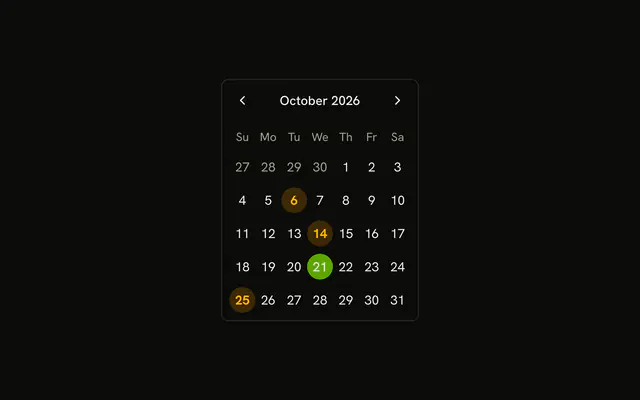
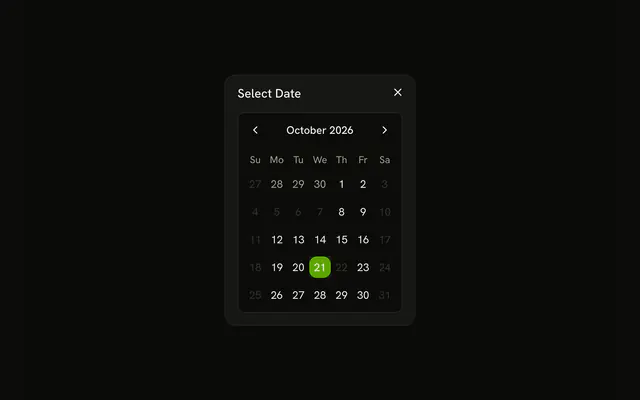
Select Date opens a dialog with the same title. The days are circles. The 6th, the 14th, and the 25th are bold and tinted, and they can still be picked.
Use it when the calendar is a step, not a fixture on the page. Leave the grid visible if people compare dates often. A Date Picker is the field version. In React, Base UI does not mark days booked on its own.
Installation
Anatomy
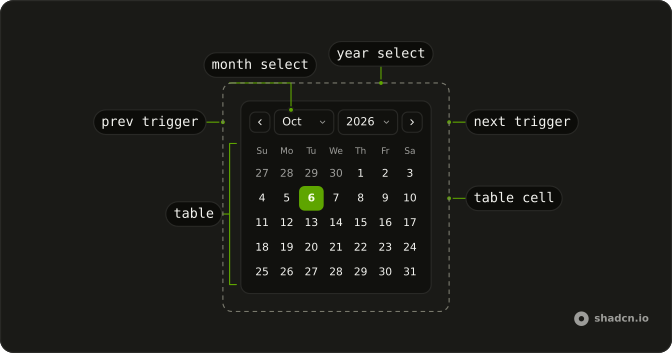
Usage
<Dialog>
  <DialogTrigger render={<Button variant="outline" />}>
    Select Date
  </DialogTrigger>
  <DialogContent className="sm:max-w-fit">
    <DialogHeader>
      <DialogTitle>Select Date</DialogTitle>
    </DialogHeader>
    <Calendar
      className="rounded-md border"
      classNames={classNames}
      mode="single"
      modifiers={modifiers}
      modifiersClassNames={modifiersClassNames}
      onSelect={setDate}
      selected={date}
    />
  </DialogContent>
</Dialog>
FAQ
Which days are highlighted as booked?
The 6th, the 14th and the 25th of the current month are the booked modifier. modifiersClassNames.booked paints the day button with bg-warning/20, font-bold and text-warning-foreground.
How do the days become circles?
classNames.day_button is rounded-full. classNames.today is rounded-full bg-muted text-foreground.
Can someone still pick a booked day?
Yes. The booked styling is a class on the day. The calendar still selects a single date, including the 6th, the 14th or the 25th.
How do I read the selected day?
mode="single" makes selected one date and onSelect the setter. This demo stores that date in state, starting from new Date().
API Reference
Dialog
No extra props in this demo. The rest is on the Dialog page.
Button
Sets variant="outline". The rest is on the Button page.
Calendar
Sets classNames={classNames}, mode="single", modifiers={modifiers}, modifiersClassNames={modifiersClassNames}, onSelect={setDate} and selected={date}. The rest is on the Calendar page.