Favicon brand color matcher.
Drop your favicon and replace its near-enough color with the exact hex from the brand guidelines. The icon in the tab matches the logo on the page.
Favicon brand color matcher.
Need the UI around it? With Pro, your AI agent builds the form, the result card and the rest of the page from a prompt.
Get ProHow it works
4 steps, no account. It runs in your browser and nothing is uploaded.
Drop the icon
Drop the ICO onto the pane; its largest frame is shown.
Choose from and to
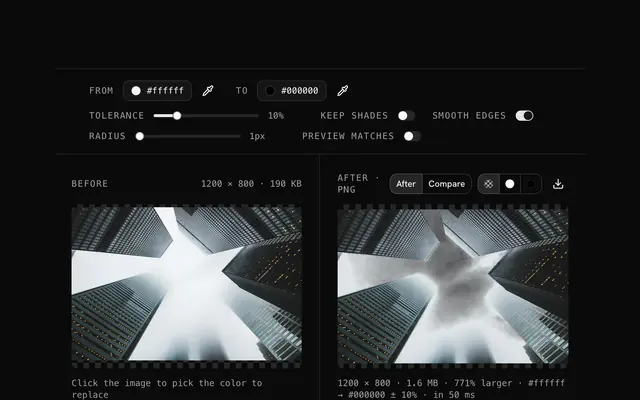
Pick the color to change in the preview, then the color it becomes, as a hex or from the picker.
Tune the match
Raise tolerance to catch anti-aliased edges, keep preserve shades on for shaded icons.
Download and repack
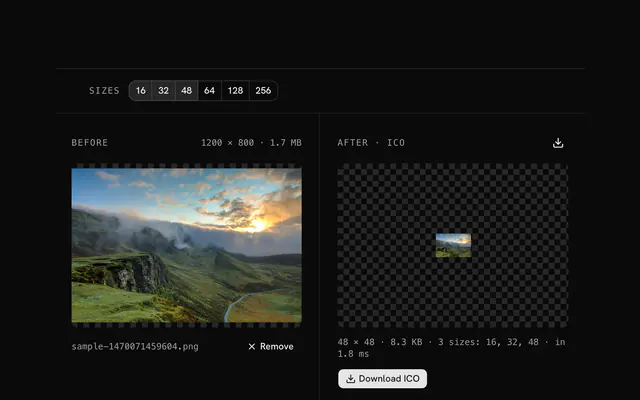
Download the PNG, and pack it as an ICO at every size with PNG to ICO.
Related tools
More ICO tools. Every one free, in the browser.


Pricing
Build it with Pro
The tool is free. Pro adds 6,000+ blocks, premium templates and the MCP server, so your AI editor builds the product around it.
4.9/5 out of 5 · 150+ reviewsfrom 150+ founders and developers.
- Secure checkout via Stripe
- Code lives in your repo
- Keep what you've shipped if you cancel
- License terms
Questions and answers
Before you trust the result: what to know about the format, the limits, your data and the tools next to it.
Drop the favicon, select its current color and paste the official hex from the brand guidelines as the new color. The favicon then uses the exact value, not a close one.
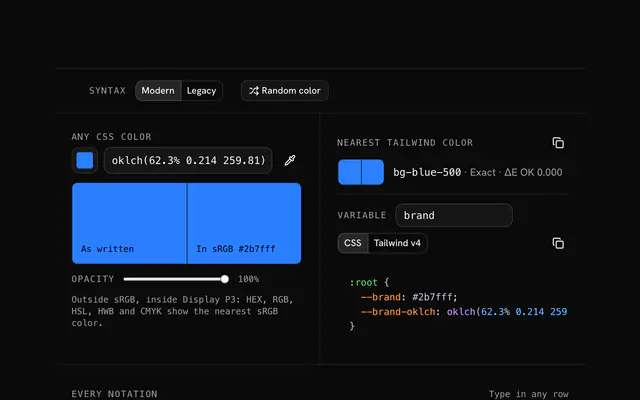
Convert the Pantone to hex first (the Color Converter tool, or Pantone's own bridge), then paste that hex.
Screens differ in their color profiles. The hex is the one reliable reference; each display renders it as well as it can.
Yes: copy the hex from your CSS variable (--primary or similar) and paste it as the new color.
This tool replaces flat colors. Make a gradient favicon in a design tool and export it; use this to correct flat colors.
Fix the color once, then repack every size (16, 32, 48) from the corrected PNG so all of them match. Note the old-to-new mapping for the other properties.
Drop the ICO, pick the color to change (click it in the preview or type its hex) and the color to change it to. Tolerance widens the match to nearby shades, which anti-aliased icon edges need: 10 to 20 is a good start.
Turn on preserve shades. The tool then keeps each pixel's lightness and swaps only its hue and saturation, so a folder keeps its shading and a gradient icon its depth.
The largest frame of the ICO is edited and the result is a PNG, which every editor opens and modern browsers accept as a favicon. For a classic favicon.ico, pack the PNG with the PNG to ICO tool.
No. The ICO is read and its frames decoded by JavaScript on your device; the page makes no request with your file. Load it, go offline and it still works.
No. The "Favicon brand color matcher" tool is free and opens without a sign-in, an account or an install.
Up to 100 MB per file, the limit the tool states under its drop area. A larger file is refused with a plain message instead of being decoded.
No, it takes one file at a time. If you drop or choose several, only the first is used; run the tool again for the next one.
The edit is written as a PNG because PNG stores every pixel exactly, with a full alpha channel, so the result can be edited again without a second round of loss.
No. The browser decodes the image and the tool writes a new file from its pixels, so camera EXIF, GPS position and text chunks in the original are not copied into the result. Keep the original file if you need them.
No. The result has the same width and height in pixels as the source.
Closest to the "Favicon brand color matcher" tool: ICO color replacer, Color converter, Change a favicon's color, Favicon mood styling. Each opens on its own page, free and in the browser.
The "Favicon brand color matcher" tool is one of 37 in its group. The group's page, /tools/ico, lists them all.
The tool is free. Its interface is built from shadcn.io's own components (Button, Input, Slider and the rest of the registry under /ui), which come in React, Vue, Svelte and Solid. Pro adds the blocks and templates for the product around it.
4.9 out of 5 from 150+ developers


Build the product around it
Every block, template and icon, installed by your AI agent in your theme. The tools stay free.
Get Pro