Remove EXIF data.
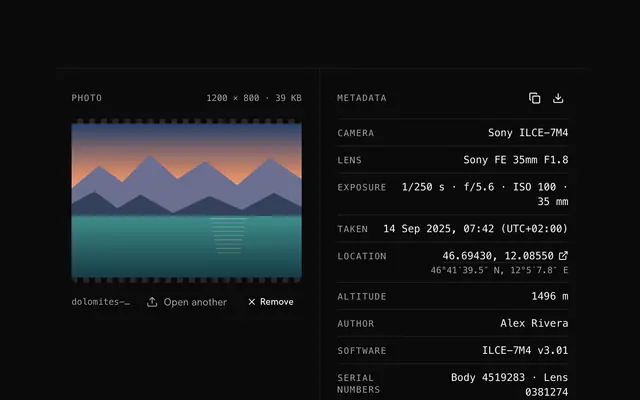
Take the camera, the date and the GPS position out of a photo before you share it. The picture itself is copied byte for byte, and nothing leaves your device.
Remove EXIF data.
Need the UI around it? With Pro, your AI agent builds the form, the result card and the rest of the page from a prompt.
Get ProHow it works
4 steps, no account. It runs in your browser and nothing is uploaded.
Add photos
Drop JPEG, PNG or WebP files, or press Sample photo to try one full of tags.
See what goes
Each metadata block is listed with its size, and what the original gave away is named.
Keep what you need
Keep the orientation and the color profile, or switch them off to remove them too.
Download
Save the clean file, read again for leftovers, or every file in one ZIP.
Related tools
More image tools. Every one free, in the browser.
Pricing
Build it with Pro
The tool is free. Pro adds 6,000+ blocks, premium templates and the MCP server, so your AI editor builds the product around it.
4.9/5 out of 5 · 150+ reviewsfrom 150+ founders and developers.
- Secure checkout via Stripe
- Code lives in your repo
- Keep what you've shipped if you cancel
- License terms
Questions and answers
Before you trust the result: what to know about the format, the limits, your data and the tools next to it.
In a JPEG, the EXIF and XMP segments, the Photoshop IPTC block, comments and any data after the image; in a PNG, its text, time and EXIF chunks; in a WebP, its EXIF and XMP chunks. The camera, the date and time, the GPS position, serial numbers, the author and the editing history go with them.
No. The file is walked block by block and only the metadata is dropped; the compressed picture is copied as it was, so nothing is decoded or re-encoded and the file only gets smaller.
Phones often store a photo sideways with a tag that says how to turn it. Without the tag the photo would show on its side, so the remover writes back an EXIF block holding that one tag and nothing else. Switch Keep orientation off to drop it too.
An ICC profile tells apps how to show the colors, for example Display P3 from an iPhone. It says nothing about who or where, so it's kept by default; without it, wide-gamut colors can look dull.
No. The file is read and rewritten in your browser, and the page makes no request with it.
The clean file is read again with the same metadata reader as the EXIF viewer, and the status line says nothing identifying is left, or names what is. Open the result in the EXIF viewer to see for yourself.
Yes. Drop several files at once or add more with Add images; the strip under the preview picks which one is shown, and Download all as ZIP writes every clean file into clean-photos.zip.
They're declined with a message, since they can't be cleaned here without re-encoding. Convert them to JPEG with the image converter, which writes no metadata at all.
No. The "Remove EXIF data" tool is free and opens without a sign-in, an account or an install.
JPEG, PNG and WebP, up to 100 MB each. HEIC, AVIF, GIF, BMP and TIFF are declined with a message: convert them with the image converter, which writes no metadata.
Keep orientation and Keep color profile are both on: the photo stays upright and its colors unchanged. A JPEG's JFIF and Adobe headers, which describe the pixels, always stay.
Your file's name with -clean added and its own extension, such as photo-clean.jpg. Several files come back as clean-photos.zip.
Yes. Drop several files at once or add more with Add images; the strip under the preview picks which one is shown, and Download all as ZIP cleans every file with the same settings, one after another.
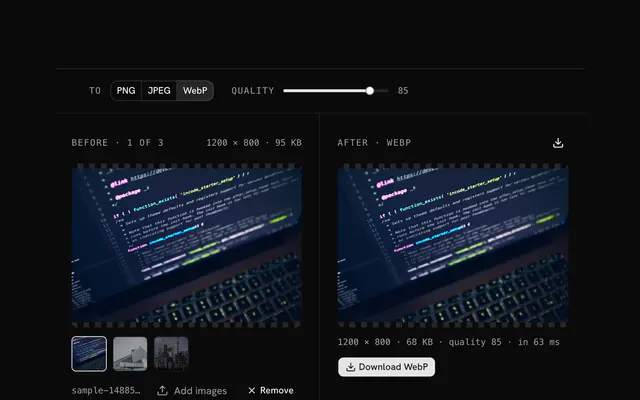
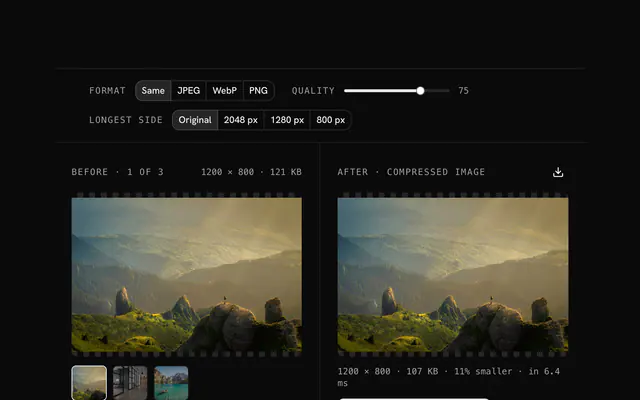
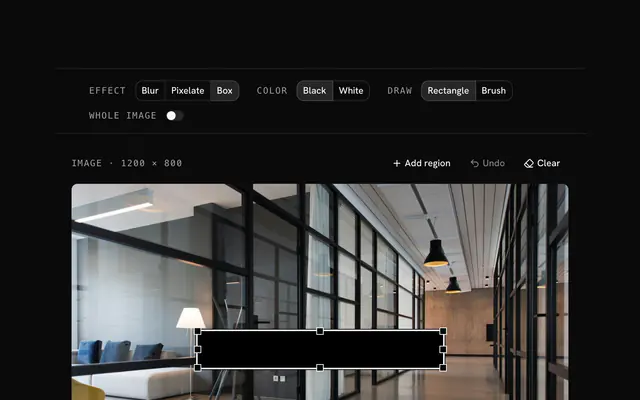
Closest to the "Remove EXIF data" tool: EXIF viewer, Image converter, Image compressor, Redact an image. Each opens on its own page, free and in the browser.
The "Remove EXIF data" tool is one of 18 in its group. The group's page, /tools/image, lists them all.
The tool is free. Its interface is built from shadcn.io's own components (Button, Input, Slider and the rest of the registry under /ui), which come in React, Vue, Svelte and Solid. Pro adds the blocks and templates for the product around it.
4.9 out of 5 from 150+ developers


Build the product around it
Every block, template and icon, installed by your AI agent in your theme. The tools stay free.
Get Pro