shadcn.io is an independent project built on shadcn/ui
A phone around your screen: a rounded body, a punch-hole camera, and the volume and power keys on its right edge.
Use it to show an Android app on a landing page or in store art, with a screenshot, a screen recording, or a screen built in markup. For iOS use iPhone, and for a website use Safari. In React the frame is plain markup and an SVG on every library, Base UI included, so nothing on the screen is simulated: what you put there is what shows.
Installation
Anatomy
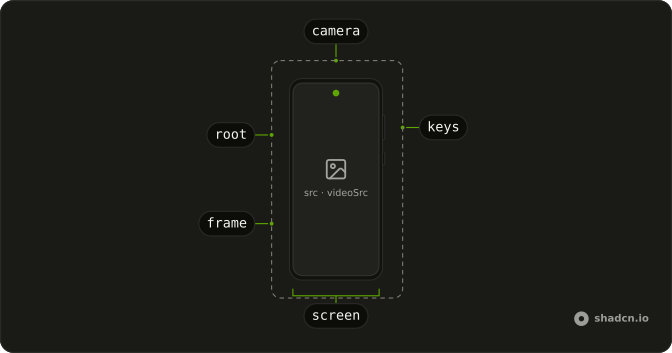
Android
├── frame      the body and its keys, an SVG
├── screen     src, videoSrc or children, clipped to its corners
└── camera     the punch hole, over the screen
Usage
import { Android } from "@/components/ui/android";<Android
alt="The home screen of the app"
className="w-64"
src="/screens/home.png"
/>Demos
Video
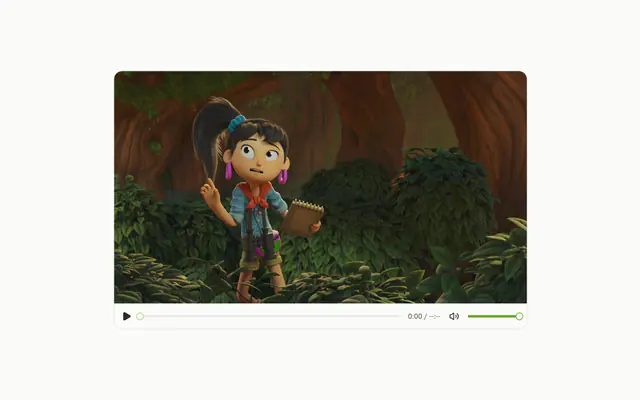
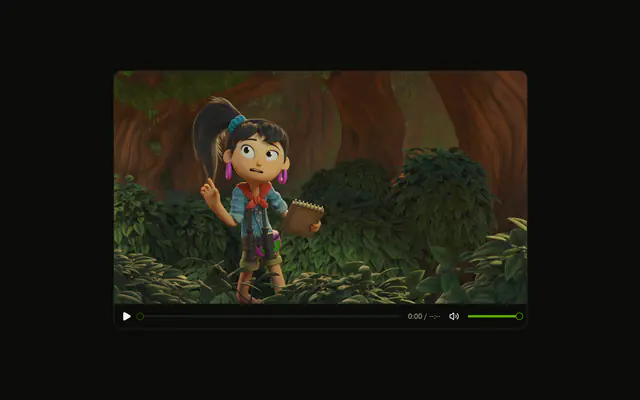
videoSrc fills the screen with a muted recording that loops and plays inline, cropped from the centre. It starts from an effect rather than autoplay, so under reduced motion it waits with its controls showing. Use it for a flow that a still can't show, such as a scroll or a checkout. Pass src as well and the image stands in until the video plays. Keep the file short and compressed, because the browser downloads it while it plays.
App
The screen is a real box, so children fill it: a status bar, a card for the next event, and a list, all in the theme's tokens. Give the root child h-full and lay it out like a page. Use this when the screen should be live text that follows the theme, the language and the direction, instead of a picture of it. The screen is laid out at the phone's drawn width, so a phone 288px wide gives its children about 280px.
Sizes
Three phones, each sized by a width class alone: w-24, w-36 and w-48. The height follows from the phone's shape, and the body, keys and camera scale with it. Size it by width, from a class or from its container. Setting a height as well bends the phone out of shape.
FAQ
How do I put a screenshot in the Android frame?
Pass the image's address as src and say what it shows in alt. The image covers the screen and is cropped from the centre, under the camera. Export it at the phone's shape, about 9 by 20, so nothing important is cut. For another crop, pass your own image as a child and set its object position there.
Can the Android screen play a video in React?
Yes. Pass videoSrc and the recording plays muted, looping and inline, cropped to the screen. It starts from an effect, not the autoplay attribute, so a visitor who asks for reduced motion sees it paused with its controls. Pass src too and that image shows until the video starts.
How do I size the Android mockup?
Give it a width, as a class such as w-64 or from its container. The height follows from the phone's shape, which stays 382 by 830. By default it fills its container up to 382px. Don't set a height as well, because two fixed sides override the shape and stretch the phone.
Can I build the Android screen in markup?
Yes. Anything you pass as children fills the screen and is clipped to its rounded corners, above src or videoSrc when you pass those too. Give the outer child a full height and lay it out like a small page.
Pass the screen as the component's children.
Does the Android frame follow dark mode?
Yes. The rim and keys use the border token, the body uses card, and an empty screen is muted, so the phone is light on a light page and dark on a dark one. The camera is the foreground color in light mode and the background in dark. Change those classes in the file to make every phone darker or lighter.
Is the Android mockup accessible?
The body and the camera are hidden from assistive tech, so only the screen is read. alt names the screenshot, or the video when there is one. An empty alt marks it as decoration. Children are read as ordinary content, so links and buttons on a live screen stay usable.
API Reference
Android
<div> data-slot="android"
alt?string
What the screenshot or video shows, read by screen readers. Leave it empty when the picture is decoration.
- Default
""
src?string
An image that fills the screen, cropped to it from the centre.
videoSrc?string
A video that fills the screen, muted and looping. It plays on its own, except under reduced motion, where it waits with its controls showing.
className?string
Merged with the part's classes.