shadcn.io is an independent project built on shadcn/ui
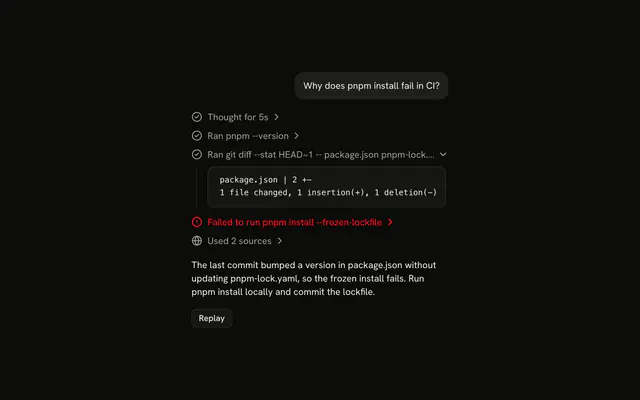
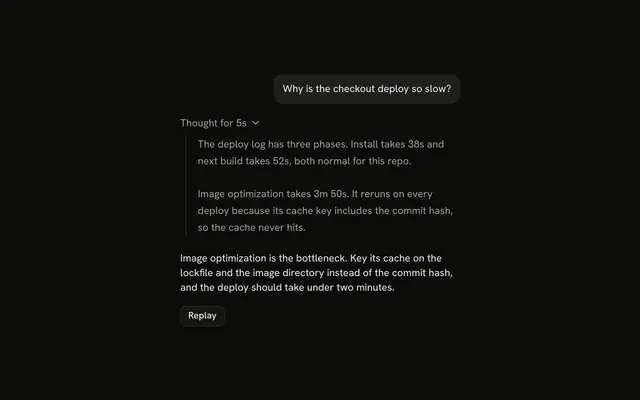
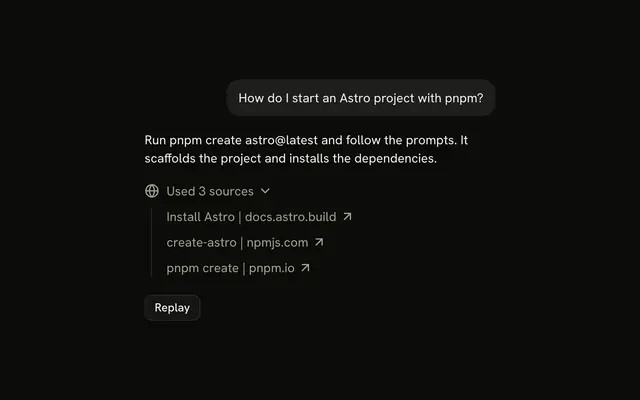
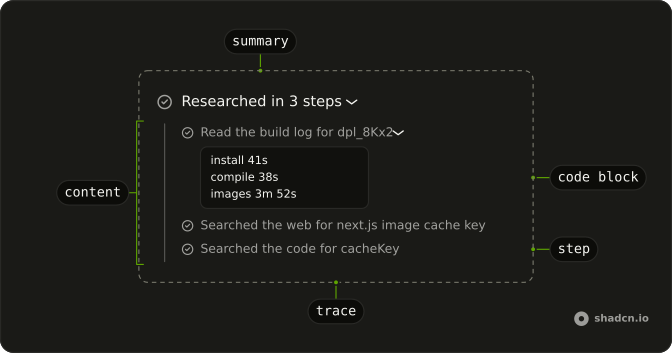
When an agent makes several tool calls before it answers, Chain of Thought folds them under one line that reads Researching while they run and Researched in 3 steps once the answer starts. Each call is a step of its own that opens onto what it returned, such as a build log, a list of search results or the files it matched.
For the model's own thinking as it streams, use Reasoning. A turn with a single call needs no summary, so show it as a Tool line.
Installation
Chain of Thought is a pattern. The command adds the parts it's built from, Trace, Code Block and Badge, and the code to copy is the demo's.
Anatomy
Usage
import { CircleCheckIcon } from "lucide-react";
import {
  Trace, TraceCollapsible, TraceCollapsibleContent,
  TraceCollapsibleTrigger, TraceIcon, TraceLine, TraceTitle,
} from "@/components/ui/trace";<Trace>
<TraceCollapsible>
<TraceCollapsibleTrigger>
<TraceLine>
<TraceIcon>
<CircleCheckIcon aria-hidden="true" />
</TraceIcon>
<TraceTitle>Researched in 2 steps</TraceTitle>
</TraceLine>
</TraceCollapsibleTrigger>
<TraceCollapsibleContent>
<Trace>
<TraceLine>
<TraceIcon>
<CircleCheckIcon aria-hidden="true" />
</TraceIcon>
<TraceTitle>Read the build log for dpl_8Kx2</TraceTitle>
</TraceLine>
<TraceLine>
<TraceIcon>
<CircleCheckIcon aria-hidden="true" />
</TraceIcon>
<TraceTitle>Searched the code for cacheKey</TraceTitle>
</TraceLine>
</Trace>
</TraceCollapsibleContent>
</TraceCollapsible>
</Trace>The outer line is the summary, and its content holds a second Trace with one line per step.
Add defaultOpen to the summary's TraceCollapsible to start with the steps showing.
Accessibility
The summary and each step with output are buttons with aria-expanded, so a screen reader hears the title and whether the line is open, and Enter or Space opens or closes it. A step that is still running is plain text and takes no focus, and whatever sits under a closed line is out of reach of Tab and of screen readers. The icons are hidden from assistive tech and the shimmer is only visual, so the tense of each title, Searching or Searched, is what tells people where the work stands. Trace adds no live region, so nothing announces a new step.
- Tab
- Moves focus to the next button or link: the summary, then each finished step and each search result inside an open line.
- Shift+Tab
- Moves focus to the previous button or link.
- Enter
- On the summary or a step, opens or closes what it holds. On a search result, opens the page in a new tab.
- Space
- On the summary or a step, opens or closes what it holds.
Demos
Failed step
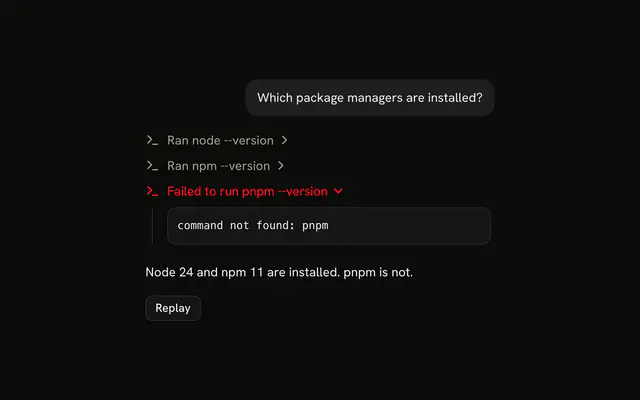
A finished turn whose web search failed on a rate limit. The summary reads Researched in 3 steps, 1 failed and shares the step's error status, so the failure shows even while the steps are folded. The failed step's title starts with Failed to, and it opens onto the error text in a Code Block. Use it for a tool call that errors while the agent carries on.
Steps
Each step is a TraceLine, and its status sets how it looks: running makes the title shimmer, error turns the whole line the destructive color and pending dims it. None of that reaches a screen reader, so write each title in the tense that matches its state.
| State | status | Title |
|---|---|---|
| Waiting to start | "pending" | Search the code for cacheKey |
| Running | "running" | Searching the code for cacheKey |
| Done | none | Searched the code for cacheKey |
| Failed | "error" | Failed to search the code for cacheKey |
A step becomes a TraceCollapsible once its output arrives and stays a plain line before that, so there is nothing to open while it runs. The Step in the demo at the top of the page makes that switch on its done flag.
Search results
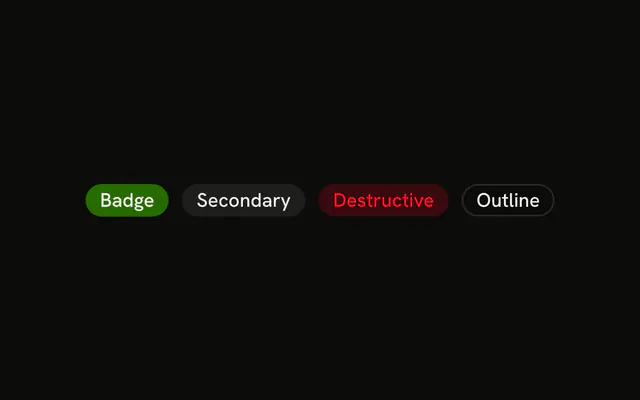
A web search step can show its results in two ways inside its TraceCollapsibleContent. The demo at the top of the page lists them as a Trace of links, one per page with its title, each opening in a new tab. When the titles add nothing, a row of Badge items with each result's hostname takes less room.
<TraceCollapsibleContent className="flex flex-wrap gap-1.5">
  {results.map((result) => (
    <Badge key={result.url} variant="secondary">
      {new URL(result.url).hostname}
    </Badge>
  ))}
</TraceCollapsibleContent>
AI SDK
With the AI SDK, the steps are the tool parts of the assistant's last message, and the answer starts with its first text part. The summary runs while the chat streams and no text has arrived, and its title and status come from the steps. Hold the open state as undefined until the reader clicks and fall back to the running flag, so the summary opens for the work and folds away when the answer starts.
With useChat, streaming is status === "streaming", steps are the last message's parts whose type starts with tool-, and answering is whether one of its parts has the type text.
const [open, setOpen] = useState<boolean>();
const running = streaming && !answering;
const failed = steps.filter((part) => part.state === "output-error").length;

<TraceCollapsible
  onOpenChange={(details) => setOpen(details.open)}
  open={open ?? running}
>
  <TraceCollapsibleTrigger>
    <TraceLine status={running ? "running" : failed > 0 ? "error" : undefined}>
      <TraceTitle>
        {running ? "Researching" : `Researched in ${steps.length} steps`}
      </TraceTitle>
    </TraceLine>
  </TraceCollapsibleTrigger>
  <TraceCollapsibleContent>
    <Trace>
      {steps.map((part) => (
        <StepLine key={part.toolCallId} part={part} streaming={streaming} />
      ))}
    </Trace>
  </TraceCollapsibleContent>
</TraceCollapsible>
StepLine renders one tool part as a TraceLine, as in Tool: running while its input streams, done with its output, failed with its error.
Migrating from AI SDK Elements
If you added ChainOfThought from AI SDK Elements (opens in a new tab), your project has a components/ai-elements/chain-of-thought.tsx wrapper. Paste this prompt into your coding agent to rebuild it on Trace and Badge. Every export keeps its name and props, so the code that uses it keeps working.
Migrate components/ai-elements/chain-of-thought.tsx from AI SDK Elements to the shadcn.io Trace and Badge components.

Keep every export, with the same name and props, so the code that imports it keeps working. Only change how each part renders.

1. Read https://www.shadcn.io/ui/ark/chain-of-thought.md and build Chain of Thought the same way. If the project hasn't got Trace and Badge, run the command in its Installation section.
2. Rebuild each part:
   - ChainOfThought renders a Trace with a TraceCollapsible. Pass open, defaultOpen and onOpenChange to the TraceCollapsible; its onOpenChange receives { open }, so call onOpenChange with details.open.
   - ChainOfThoughtHeader renders a TraceCollapsibleTrigger with a TraceLine, a TraceIcon and a TraceTitle, like "Researched in 3 steps".
   - ChainOfThoughtContent renders a TraceCollapsibleContent with a Trace for the steps.
   - ChainOfThoughtStep renders a TraceLine. Its icon goes in a TraceIcon, its label in a TraceTitle and its description in a TraceDescription. Map status "active" to "running", "pending" to "pending", and "complete" to no status.
   - ChainOfThoughtSearchResults renders a flex-wrap list, and ChainOfThoughtSearchResult a Badge with variant="secondary".
   - Keep ChainOfThoughtImage as it is.
3. Remove the imports the file no longer uses.
4. Run the type checker and fix any errors.
FAQ
When should I use Chain of Thought instead of Reasoning or Task?
Use Chain of Thought when the agent makes several tool calls before it answers and you want them folded under one summary line, with each call's output a click away. It suits a research turn: read a log, search the web, search the code, then answer.
Reasoning shows the model's own thinking text as it streams, with no tool calls in it. Task names a piece of work, such as updating the pricing page, and lists its steps under that title, so one reply can hold several tasks.
What should the Chain of Thought summary line say?
Say what the steps did, in one line: Researching while they run, then Researched in 3 steps once the answer starts. If a step failed, add the count, as in Researched in 3 steps, 1 failed, and give the summary's TraceLine the error status so the failure shows while the steps are folded away, as in the Failed step demo.
The status is only color and shimmer, so the words carry the state for screen readers. Keep each step's title to what it did, such as Read the build log, and leave the detail to its output.
How do I open the Chain of Thought while the agent works and close it when the answer starts?
Hold the open state yourself, as undefined until the reader clicks, and fall back to the running flag while it is unset. The summary opens for the steps and folds away once the answer starts, unless the reader opened or closed it first, in which case their choice stands.
Pass open={open ?? running} to the summary's TraceCollapsible and set your state from onOpenChange, which receives { open }.
Do Chain of Thought steps stay open when the summary closes?
Yes. A closed TraceCollapsibleContent stays in the page with the hidden attribute, so a step the reader opened is still open when the summary opens again. While it is hidden, nothing inside it can be reached with Tab or read by a screen reader.
Where does a Chain of Thought step show its output?
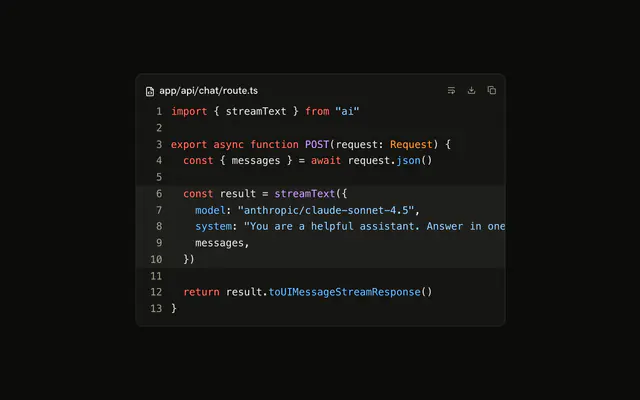
In the step's TraceCollapsibleContent, one level under its line. The demo at the top of the page puts the build log in a Code Block, the web search's results in a Trace of links and the files the code search matched in a row of Badge items, and Search results shows hostnames the same way.
A step with nothing to show stays a plain TraceLine, with no chevron and no tab stop. Wrapping it in a trigger would give readers a button that opens onto nothing.
How do I show a failed tool call in a Chain of Thought?
Give the step's TraceLine the error status and say it in the title, Failed to read the build log, since a screen reader doesn't hear the red. Put the error text in a Code Block under the line, so readers can open the step and see what went wrong, as the Failed step demo does.
The summary should say it too while the steps are folded. Set its status to error once any tool part reaches the output-error state, as the AI SDK code does when it counts the failed parts.
How do I build a Chain of Thought from AI SDK tool calls?
Take the assistant's last message and render each part whose type starts with tool- as a step, from its state: running while its input streams, done once its output is available, failed on output-error. The summary runs while the chat streams and no text part has arrived yet.
The AI SDK section has the summary's code, and Tool shows how a single tool part maps to a line and its output.
Is this the same as the AI SDK Elements Chain of Thought?
It does the same job without a wrapper of its own. Each ChainOfThought part maps to a Trace part, the search results to Badge items, and a step's active, pending or complete status to the line's status.
The Migrating from AI SDK Elements section has a prompt that rebuilds components/ai-elements/chain-of-thought.tsx on these parts and keeps its exports.
API Reference
Chain of Thought has no props of its own. The summary and each step are Trace lines, a step's output is a Code Block, and each file or hostname a Badge.