shadcn.io is an independent project built on shadcn/ui
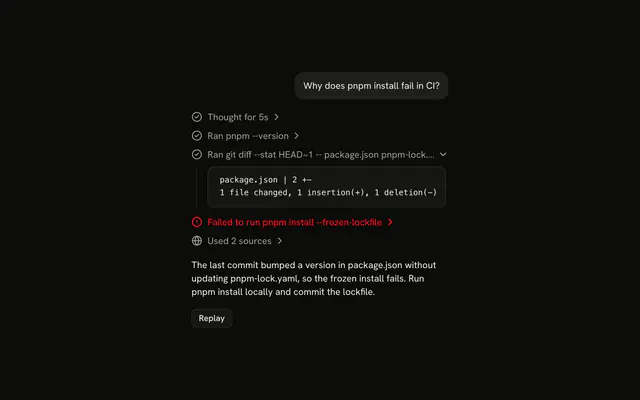
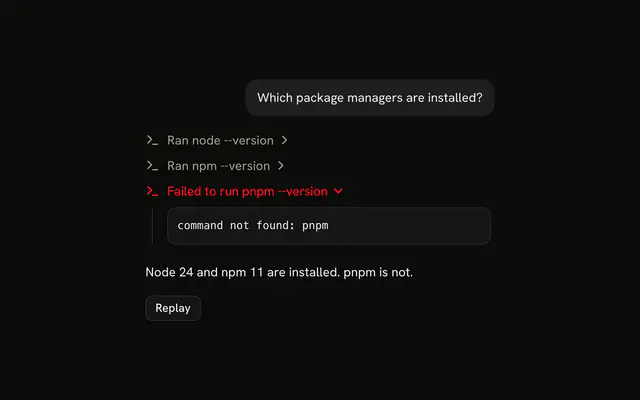
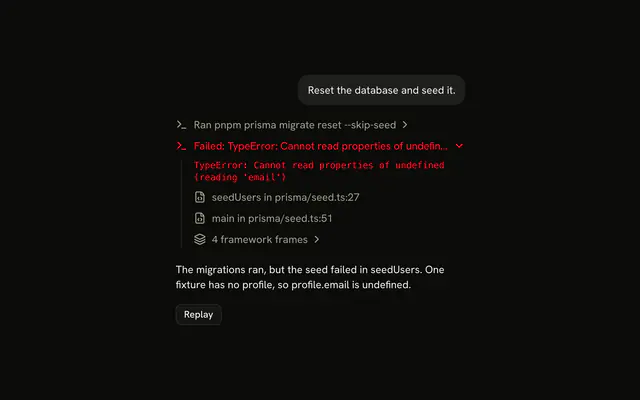
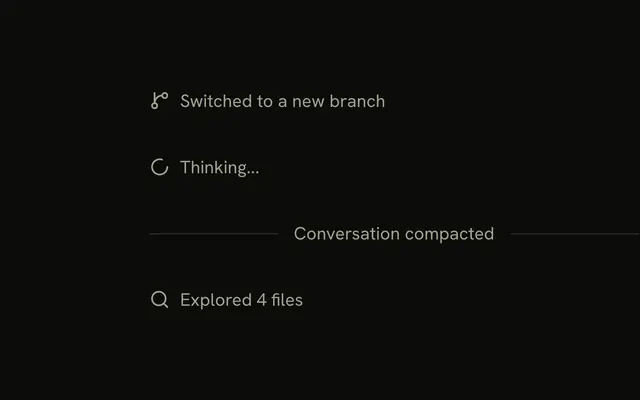
Terminal shows a shell command an agent runs, such as a lint, a test run or a build, as one line in its reply. The line opens on the output while it streams in, and its title says how the command ended: Ran pnpm build, or pnpm lint exited with code 1.
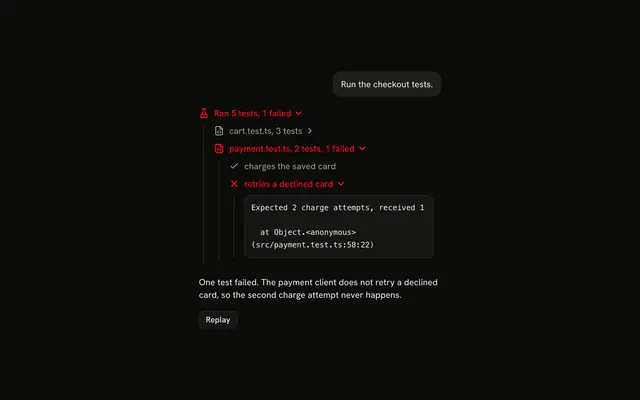
It is a pattern built from Trace and Code Block, so the code is yours. For a call whose result comes back at once, use Tool, and for a test run read suite by suite, use Test Results.
Installation
Terminal is a pattern. The command adds the parts it's built from, Trace and Code Block, and the code to copy is the demo's.
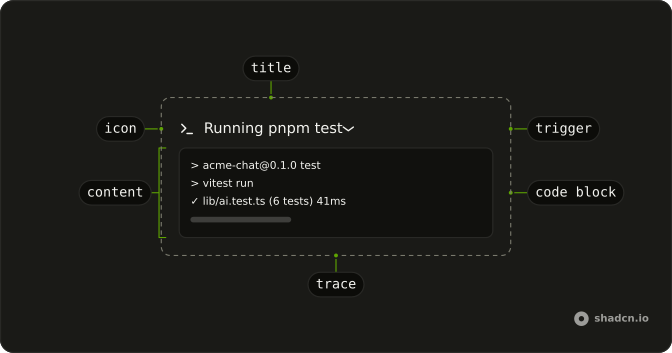
Anatomy
Usage
import { TerminalIcon } from "lucide-react";
import {
  CodeBlock, CodeBlockContent,
} from "@/components/ui/code-block";
import {
  Trace, TraceCollapsible, TraceCollapsibleContent,
  TraceCollapsibleTrigger, TraceIcon, TraceLine, TraceTitle,
} from "@/components/ui/trace";
export function TerminalCommand(props: { output: string }) {
return (
<Trace>
<TraceCollapsible>
<TraceCollapsibleTrigger>
<TraceLine>
<TraceIcon>
<TerminalIcon aria-hidden="true" />
</TraceIcon>
<TraceTitle>Ran pnpm build</TraceTitle>
</TraceLine>
</TraceCollapsibleTrigger>
<TraceCollapsibleContent>
<CodeBlock size="sm">
<CodeBlockContent className="max-h-64" wrap>
{props.output}
</CodeBlockContent>
</CodeBlock>
</TraceCollapsibleContent>
</TraceCollapsible>
</Trace>
);
}The whole line is the trigger, and the output sits under it in a small Code Block that wraps long lines and scrolls once it reaches max-h-64. Put one TraceCollapsible per command inside the same Trace.
Accessibility
Each command's line is a <button> with aria-expanded, named by its title, so a screen reader hears the command and whether its output is showing. A command shown without output, like the install in the Exit code demo, is plain text and takes no focus. The output is a pre in the tab order, so a long log scrolls from the keyboard. The icons and the chevron are hidden from screen readers and the shimmer is only visual, which leaves the title to say Running, Ran or exited with code 1 in words. Trace adds no live region, so new output isn't announced as it arrives.
- Tab
- Moves focus to the next command's line, or into the output of an open one.
- Shift+Tab
- Moves focus to the previous focusable element.
- Enter
- When focus is on a command's line, opens or closes its output.
- Space
- When focus is on a command's line, opens or closes its output.
- Arrow Down
- When the output has focus and runs past its height, scrolls it down.
- Arrow Up
- When the output has focus and runs past its height, scrolls it up.
Demos
Exit code
Two commands from one turn: Ran pnpm install as a plain line with nothing to open, and pnpm lint exited with code 1, open on its two lint errors. The failed line has status="error", which turns it and its chevron the destructive color, and it starts open through defaultOpen. Show a failure this way, so the errors are the first thing people read.
Follow output
pnpm test prints its verbose report a line every 150 ms, well past the max-h-64 of its output box, and the box keeps the newest line in view. Scroll up while it runs and the box stays where you put it, and once you scroll back to the end it follows again. Reach for it when a build or a test run prints more than the box holds.
Open while running
The demo at the top of the page opens each command's line once its first output arrives and folds it when the next command starts, so the reader watches the command that is running while the finished ones fold away. The last command stays open once the turn ends, the same as when the page loads with the turn already over. Hold the open state as undefined until the reader opens or closes a line, and from then on their choice wins.
Pass open={open ?? (latest && output.length > 0)} to TraceCollapsible, where latest is true on the turn's newest command, and set your state from onOpenChange, which receives the new boolean.
The output box grows with each line until it reaches max-h-64, then holds its height and scrolls inside, so a long build stops pushing the reply down.
AI SDK
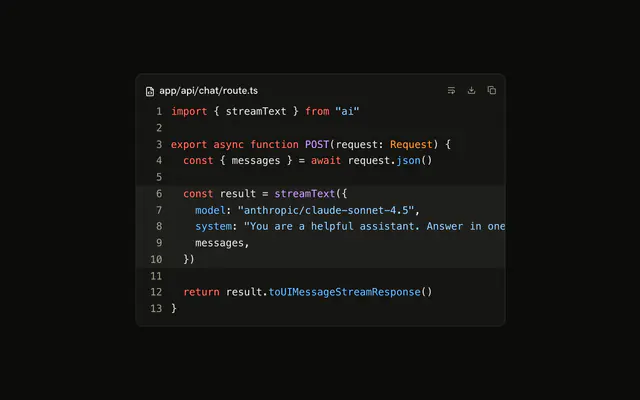
With the AI SDK, make the tool's execute an async generator and yield the output so far each time it grows. Every yield reaches the client as a preliminary result, a tool part in output-available with preliminary: true, and replaces the one before it, so the line fills in place. The last yield is the result the model reads.
import { spawn } from "node:child_process";
import { once } from "node:events";
import { tool } from "ai";
import { z } from "zod";

export const runCommand = tool({
  description: "Run a shell command in the project",
  inputSchema: z.object({ command: z.string() }),
  async *execute({ command }) {
    const child = spawn(`${command} 2>&1`, { shell: true });
    const closed = once(child, "close");
    let output = "";
    for await (const chunk of child.stdout.setEncoding("utf8")) {
      output += chunk;
      yield { exitCode: null, output };
    }
    const [exitCode] = await closed;
    yield { exitCode, output };
  },
});
The model writes the command, so run it somewhere it can do no harm, such as a sandbox. On the client, pass part.output?.output to CodeBlockContent and set each line from the part's state:
| Tool part | TraceLine status | Title |
|---|---|---|
input-streaming, input-available | "running" | Running pnpm build |
output-available with preliminary: true | "running" | Running pnpm build |
output-available, exitCode is 0 | none | Ran pnpm build |
output-available, any other exitCode | "error" | pnpm lint exited with code 1 |
output-error, or still running after the chat stops | "error" | Failed to run pnpm build |
When a log is too long to hand to the model, write it to the client as a data part whose id is the tool call's id, and return only the exit code and the last lines from execute. The AI SDK replaces a data part of the same type and id, so that output fills in place too.
Migrating from AI SDK Elements
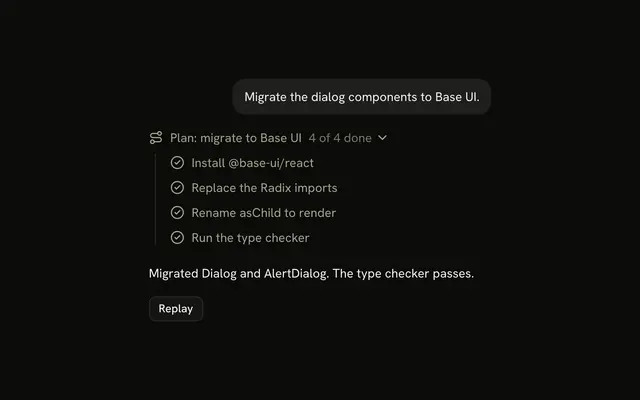
If you added Terminal from AI SDK Elements (opens in a new tab), your project has a components/ai-elements/terminal.tsx wrapper. Paste this prompt into your coding agent to rebuild it on Trace and Code Block. Every export keeps its name and props, so the code that uses it keeps working.
Migrate components/ai-elements/terminal.tsx from AI SDK Elements to the shadcn.io Trace and Code Block components.

Keep every export, with the same name and props, so the code that imports it keeps working. Only change how each part renders.

1. Read https://www.shadcn.io/ui/terminal.md and build Terminal the same way. If the project hasn't got Trace and Code Block, run the command in its Installation section.
2. Rebuild each part:
   - Import CodeBlock and CodeBlockContent from @/components/ui/code-block, not from ./code-block.
   - Terminal renders a Trace with a TraceCollapsible. Keep output, isStreaming, autoScroll and onClear.
   - TerminalHeader renders a TraceCollapsibleTrigger with a TraceLine. Set status="running" while isStreaming is true.
   - TerminalTitle renders a TraceIcon with a TerminalIcon and a TraceTitle, like "Ran pnpm build".
   - TerminalContent renders a TraceCollapsibleContent with a CodeBlock with size="sm", and a CodeBlockContent with wrap and className="max-h-64" for the output.
   - Open the line once output arrives while the command runs: pass open and onOpenChange to the TraceCollapsible.
   - When autoScroll is true, scroll the CodeBlockContent to its bottom after each update, unless the reader has scrolled up.
   - Buttons cannot sit inside a trigger. Render TerminalStatus, TerminalActions and the copy and clear buttons next to the TraceCollapsibleTrigger, not inside it.
3. Remove ansi-to-react from the dependencies if nothing else uses it.
4. Remove the imports the file no longer uses.
5. Run the type checker and fix any errors.
FAQ
How do I stream command output into a Terminal line?
Keep the output so far as one string and pass it to CodeBlockContent, which renders a string as a single text node, so each new chunk only changes that node. Open the line when the first chunk arrives, as Open while running describes.
With the AI SDK, make the tool's execute an async generator that yields the output so far. Each yield replaces the last one on the client, so all your code does is read the part, as the AI SDK section shows.
How do I show that a Terminal command failed?
Go by the exit code, where anything other than 0 is a failure. Set status="error" on the command's TraceLine, which turns the line and its chevron the destructive color, and put the code in the title, pnpm lint exited with code 1, since the color says nothing to a screen reader.
Start the failed line open on its output, as the Exit code demo does. A command that stopped without an exit code, because the chat was stopped while it ran, gets the same status and Failed to run in its title.
How do I keep the newest Terminal output in view as it streams?
CodeBlockContent doesn't scroll on its own. The box grows with each line until it reaches max-h-64, and after that new lines land below its bottom edge until the reader scrolls down.
To follow the log, find the pre that CodeBlockContent renders, whose data-slot is code-block-content, and after each update set its scrollTop to its scrollHeight. Do it only while the reader is already at the bottom, so someone who scrolled up to read an error isn't pulled away from it. The Follow output demo checks where the reader is before each new line and scrolls after it lands.
Can the Terminal show ANSI colors from command output?
Yes, through the Code Block's highlighter. Pass the output to useHighlightedCode with "ansi" as the language and put each line it returns in a CodeBlockLine, as the Code Block's Terminal output demo does. The 16 terminal colors become classes on your theme's variables, and bold, dim, italic and underline become classes as well.
Many tools color their output only when it goes to a terminal, those built on picocolors among them, so a command an agent runs through a pipe prints plain text. Run it with FORCE_COLOR=1 in its environment to bring the colors back.
Should I use Terminal or Tool for an agent's shell command?
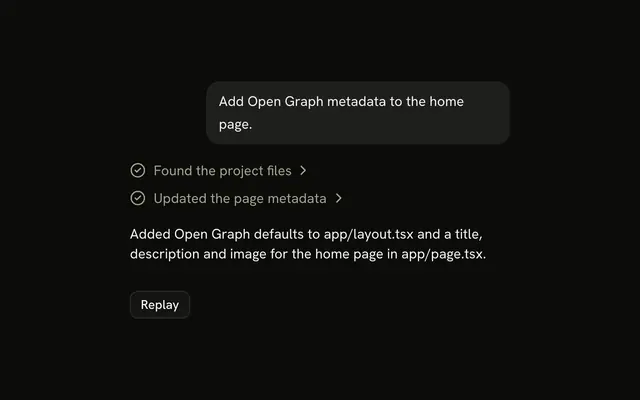
Use Terminal when the command runs long enough that people want to watch it, such as a build or a test run, and its output arrives as it goes. The line opens while the command runs, and its title carries the exit code.
Use Tool when the result comes back at once, such as git status or a file read, and a finished line that opens on its output is enough. A test run read suite by suite fits Test Results better, and a crash with its call stack fits Stack Trace.
Can people type commands into the Terminal?
No. Terminal shows what a command printed, as text in a Code Block, and takes no input: there is no prompt, no cursor and nothing that sends keystrokes to a process. The command comes from the model's tool call, as the AI SDK section shows.
For a shell people type into, use a terminal emulator such as xterm.js, connected to a process on your server.
Is this the same as AI SDK Elements' Terminal?
It does the same job without a component of its own. AI SDK Elements' Terminal is a box with its own header, ANSI rendering and copy and clear buttons, while here a command is a Trace line over a Code Block in your theme's colors, so it sits in the reply like every other step.
The Migrating from AI SDK Elements section has a prompt for your coding agent that rebuilds components/ai-elements/terminal.tsx on these parts and keeps its exports.
API Reference
Terminal has no props of its own. Each command is a Trace collapsible, and its output a Code Block with size="sm" and CodeBlockContent's wrap.