shadcn.io is an independent project built on shadcn/ui
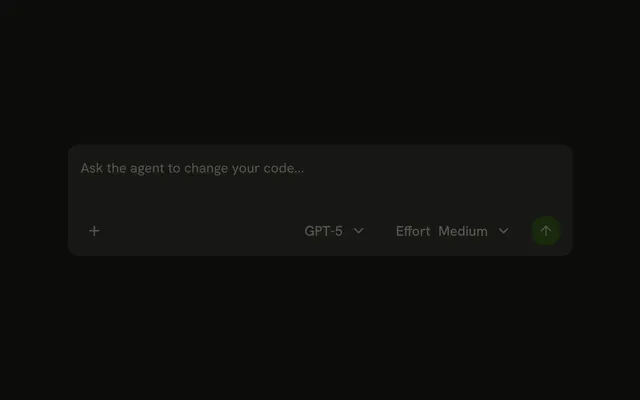
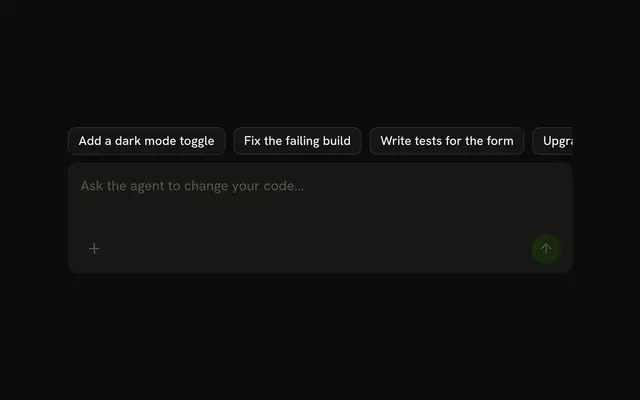
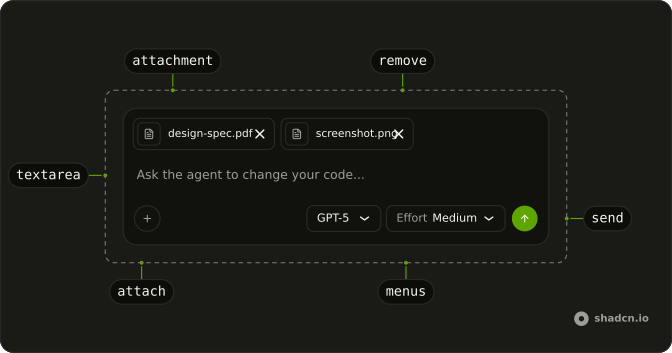
Prompt Input is the box at the bottom of a chat where people write to an agent: a textarea, a plus button that attaches files, menus for the model and the effort, and a send button that turns into a stop button while the reply streams. Enter sends and Shift+Enter starts a new line.
It's a pattern built from Input Group, Attachment and Dropdown Menu, so you copy the demo and own the form. For a comment box with no agent behind it, a Textarea is enough.
Installation
Prompt Input is a pattern, so no prompt-input file lands in your project. The command adds the three parts it's built from, Input Group, Attachment and Dropdown Menu, and the code to copy is the demo's.
Anatomy
Usage
import { ArrowUpIcon } from "lucide-react";
import { type FormEvent, useState } from "react";
import {
  InputGroup, InputGroupAddon, InputGroupButton, InputGroupTextarea,
} from "@/components/ui/input-group";
The smallest working composer is a form around an Input Group: the textarea, then a block-end addon with the send button. Enter submits through the form, so it passes the same empty-text check as the button.
export function PromptInput({ onSend }: { onSend: (text: string) => void }) {
  const [text, setText] = useState("");
  const canSend = text.trim().length > 0;

  const handleSubmit = (event: FormEvent<HTMLFormElement>) => {
    event.preventDefault();
    if (canSend) {
      onSend(text.trim());
      setText("");
    }
  };

  return (
    <form onSubmit={handleSubmit}>
      <InputGroup>
        <InputGroupTextarea
          aria-label="Message"
          className="p-3"
          onChange={(event) => setText(event.target.value)}
          onKeyDown={(event) => {
            if (
              event.key === "Enter" &&
              !event.shiftKey &&
              !event.nativeEvent.isComposing &&
              event.keyCode !== 229
            ) {
              event.preventDefault();
              event.currentTarget.form?.requestSubmit();
            }
          }}
          placeholder="Ask the agent to change your code..."
          value={text}
        />
        <InputGroupAddon align="block-end">
          <InputGroupButton
            aria-label="Send"
            className="ms-auto"
            disabled={!canSend}
            pill
            size="icon-sm"
            type="submit"
            variant="default"
          >
            <ArrowUpIcon aria-hidden="true" />
          </InputGroupButton>
        </InputGroupAddon>
      </InputGroup>
    </form>
  );
}
The snippet is the React version. The demo at the top of the page is the same form in Vue, with the attachments and menus added, and its code is the one to copy.
Accessibility
The demo names every control a screen reader would otherwise announce as a bare button or field. The textarea has aria-label set to Message, since a placeholder isn't a label, and each icon button says what it does: Attach files, Send or Stop, and Remove followed by the file's name. The model and effort triggers name the setting and its current value, such as Model: GPT-5. The file input carries the hidden attribute, so neither Tab nor a screen reader reaches it, and the plus button opens it. The menus' own keys are on the Dropdown Menu page.
- Enter
- In the textarea, sends the message through the form's submit handler, which does nothing while the text is empty. The demo's key handler does this, not Input Group, and it ignores Enter while a reply streams or an input method is composing a word.
- Shift+Enter
- In the textarea, starts a new line.
- Tab
- Moves focus through the remove buttons of attached files, the textarea, the plus button, both menu triggers and the send button, which Tab skips while it is disabled for want of text.
- Shift+Tab
- Moves focus back through the same controls.
Demos
Paste and drop
The composer with each file kept as a File object, so every chip shows its size and the line under the field totals them on send. A screenshot pasted into the textarea, a file dropped on the form and one picked with the plus button all join the same list, and files alone can be sent. Use it when people attach screenshots and logs to their questions.
Attachments
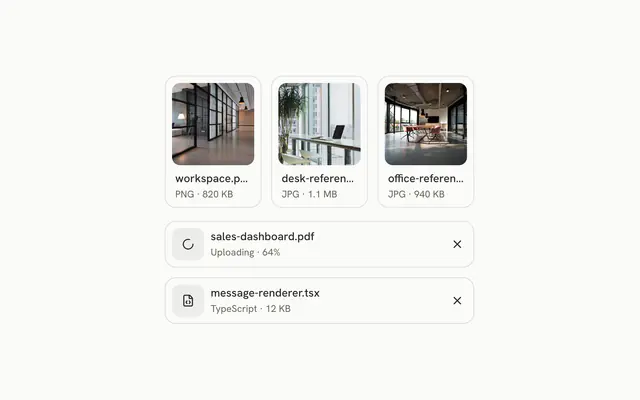
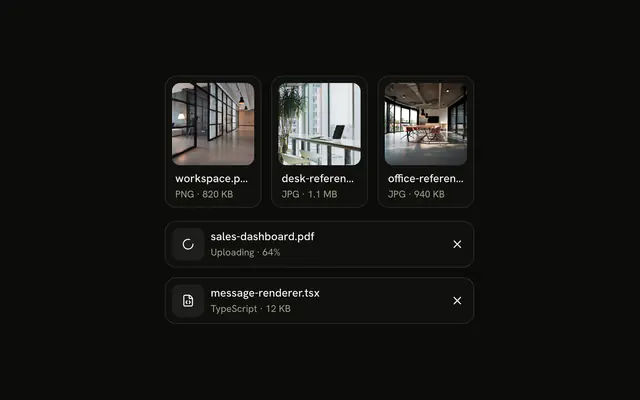
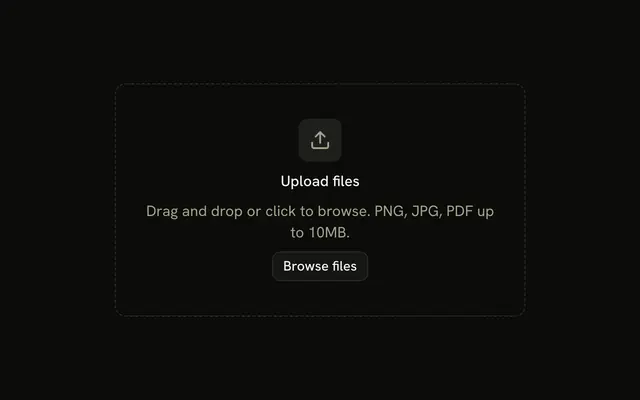
The plus button clicks a file input that takes several files and carries the hidden attribute. Each picked file becomes an Attachment with size="sm" in an InputGroupAddon aligned block-start, above the text, with a button that removes it. The demo resets the input's value after reading it, so picking the same file again still adds it, and empties the list when the message is sent.
The demo at the top keeps only each file's name. To send the files, keep the File objects in that state instead and pass them on submit, as Paste and drop does. That demo also reads the files of a paste event on the textarea, and of a drop event on the form after canceling the default on dragover.
Model and effort
The two menus sit in the block-end addon between the plus button and the send button, and ms-auto on the model trigger pushes them to the end of the row, next to send. Each is a single-choice Dropdown Menu, the model menu grouped by provider as on Model Selector. The choice lives in your state, so read it when the message is sent.
Stop
While the reply streams, the send button becomes the stop button. It is the same element and stays a submit button, with its label switched to Stop and a square in place of the arrow, and the form's submit handler ends the reply instead of sending. Switching its type to button for the stop state would not hold: the click re-renders it before the browser's default action runs, so that same click submits the form and sends whatever was typed meanwhile. Enter does nothing mid-reply, because the demo's key handler doesn't submit then. The demo streams for two seconds after each send.
AI SDK
With the AI SDK, send the text and the files together, and show the stop button while the chat's status is submitted or streaming. sendMessage takes the files as a FileList or as file parts, and a DataTransfer turns the File objects you kept into a FileList. A message with files and no text is allowed as well.
import { Chat } from "@ai-sdk/vue";

const chat = new Chat({});

const picked = new DataTransfer();
for (const file of files) {
  picked.items.add(file);
}
chat.sendMessage({ files: picked.files, text });
// While chat.status is "submitted" or "streaming", the submit handler calls chat.stop()
The route streams the reply with result.toUIMessageStreamResponse().
Migrating from AI SDK Elements
AI SDK Elements is for React. In Vue, start from the demo at the top of the page: its form is all there is to Prompt Input.
FAQ
How do I send a Prompt Input message with Enter and add a new line with Shift+Enter?
Handle keydown on the textarea yourself, since Input Group has no send-on-Enter of its own. When the key is Enter without Shift, cancel the default new line and call requestSubmit on the form, as the demo does. Shift+Enter falls through to the browser, which inserts a line break.
requestSubmit runs the form's submit handler, so Enter goes through the same empty-text check as the send button. While a reply streams, the demo's handler doesn't call it, because that submit would stop the reply. Calling the form's submit method instead would skip the handler and reload the page.
Why does Enter send my Prompt Input message while I'm still typing Japanese or Chinese?
Your key handler sends on any Enter, including the one that confirms a word. With an input method editor, Enter confirms the characters you picked, so a handler that only looks for Enter sends a half-written message. Korean input runs into the same thing, and the demo's handler guards against it.
It returns early when the keydown event's keyCode is 229, the code the browser gives a key the input method handled, and you can check its isComposing as well. Safari ends the composition before that Enter's keydown, so isComposing is already false there, and 229 is what still marks it.
How do I send the attached files with the Prompt Input message?
Keep the picked File objects in state, not only their names as the demo at the top does, and pass them with the text when the form submits. Empty the list after sending, and reset the file input's value after each pick so the same file can be chosen again.
Paste and drop keeps the files this way and lets them go out with no text, while the first demo's send button waits for text. With the AI SDK, sendMessage takes the files as a FileList, which the AI SDK section builds.
How do I paste screenshots or drop files into the Prompt Input?
Add both to your form, as the Paste and drop demo does, since Input Group handles neither. Listen for paste on the textarea, and when the clipboard holds files, cancel the paste and add them to the same list the file input fills. Text still pastes as usual when there are none.
For drag and drop, cancel the default on dragover so the browser allows a drop, then read the dropped files in a drop handler on the form. Each one shows as an Attachment chip like a picked file.
How do I turn the Prompt Input send button into a stop button while a reply streams?
Keep one submit button and let the form's submit handler decide. While the demo's reply streams, the button's label becomes Stop, a square replaces the arrow, and the submit handler ends the reply instead of sending. Because it stays the same element, a button that had focus as Send keeps it as Stop.
Leave its type at submit. A click that stops the reply re-renders the button before the browser's default action runs, so a type switched to button is submit again by then and the click sends the draft typed meanwhile. With the AI SDK, treat submitted and streaming as busy and call stop from the submit handler.
How do I make the Prompt Input textarea grow with the text?
It grows on its own in browsers that support the CSS field-sizing property, because the textarea has the field-sizing-content class with min-h-16 as its floor. Add a class such as max-h-48 to cap it, and past that height the textarea scrolls.
In a browser without field-sizing, it stays at the minimum height and scrolls. To get the same growth there, reset its height to auto on each input, then set it to its scroll height.
When should I use Prompt Input instead of a plain Textarea or Input Group?
Use Prompt Input for the composer of a chat with an agent: the message, the files that go with it, a model choice and a send button that becomes stop. It's an Input Group arranged for that job, so a search field or an amount with a unit stays a plain Input Group.
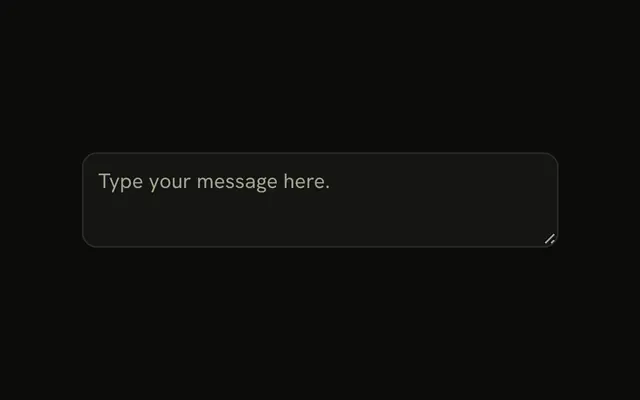
A Textarea on its own fits a comment or a description, where Enter adds a line and a separate button submits.
Is Prompt Input the same as AI SDK Elements' PromptInput?
AI SDK Elements is for React, so there is nothing to migrate in Vue. Prompt Input here is the demo's form, built from the Vue Input Group, Attachment and Dropdown Menu, and it covers the same ground: the field, the plus button, the file chips, the menus and a send button that becomes stop.
API Reference
Prompt Input has no props of its own. The field, its addons, the textarea and the buttons are Input Group's, each attached file is an Attachment, and the model and effort menus are Dropdown Menus, as on Model Selector.