shadcn.io is an independent project built on shadcn/ui
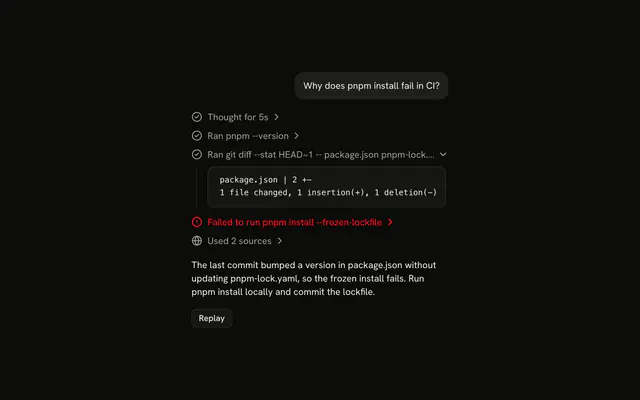
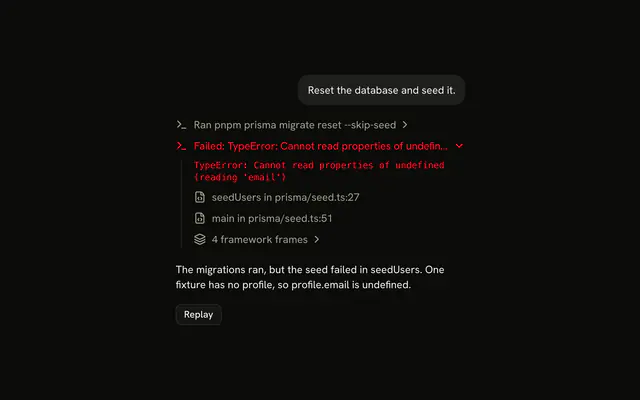
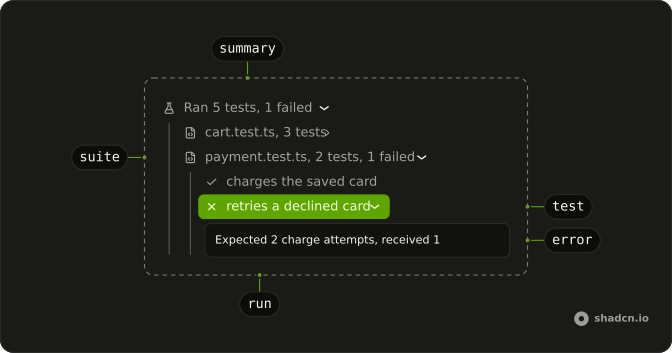
Test Results shows a test run an agent started as one line with its counts, Ran 5 tests, 1 failed, which opens on a line per suite. Each suite opens on its tests, and each failed test on its error in a Code Block, so the reader goes straight from the count to the assertion that broke.
It is a pattern built from Trace, so the code is yours. To watch a command's raw output as it runs, use Terminal, and for one crash with its call stack, Stack Trace.
Installation
Test Results is a pattern. The command adds the parts it's built from, Trace and Code Block, and the code to copy is the demo's.
Anatomy
Usage
<script setup lang="ts">
import { CheckIcon, FlaskConicalIcon, XIcon } from "lucide-vue-next";
import {
  CodeBlock, CodeBlockContent,
} from "@/components/ui/code-block";
import {
  Trace, TraceCollapsible, TraceCollapsibleContent,
  TraceCollapsibleTrigger, TraceIcon, TraceLine, TraceTitle,
} from "@/components/ui/trace";
</script>
<template>
  <Trace>
    <TraceCollapsible>
      <TraceCollapsibleTrigger>
        <TraceLine status="error">
          <TraceIcon>
            <FlaskConicalIcon aria-hidden="true" />
          </TraceIcon>
          <TraceTitle>Ran 2 tests, 1 failed</TraceTitle>
        </TraceLine>
      </TraceCollapsibleTrigger>
      <TraceCollapsibleContent>
        <Trace>
          <TraceLine>
            <TraceIcon>
              <CheckIcon aria-hidden="true" />
            </TraceIcon>
            <TraceTitle>creates a user</TraceTitle>
          </TraceLine>
          <TraceCollapsible>
            <TraceCollapsibleTrigger>
              <TraceLine status="error">
                <TraceIcon>
                  <XIcon aria-hidden="true" />
                </TraceIcon>
                <TraceTitle>Failed updates a user profile</TraceTitle>
              </TraceLine>
            </TraceCollapsibleTrigger>
            <TraceCollapsibleContent>
              <CodeBlock size="sm">
                <CodeBlockContent class="max-h-64" wrap>
                  Expected status 200, received 500
                </CodeBlockContent>
              </CodeBlock>
            </TraceCollapsibleContent>
          </TraceCollapsible>
        </Trace>
      </TraceCollapsibleContent>
    </TraceCollapsible>
  </Trace>
</template>
The outer line is the run, and its content holds a second Trace with a line per test. A test that passed is a plain TraceLine, and a failed one a TraceCollapsible that opens on its error. With several files, put a suite's collapsible between the two, as the demos do.
Accessibility
The run, each suite and each failed test are <button> elements with aria-expanded, named by their titles, while a test that passed or was skipped is plain text and takes no focus. An open test's error is a pre in the tab order, kept left to right on a right-to-left page. The icons are hidden from screen readers and the red is only visual, so the words carry the result: the counts in the run's and suites' titles, and Failed or Skipped at the start of a test's title when it didn't pass.
- Tab
- Moves focus to the next line that opens, the run, a suite or a failed test, or into the error of an open test.
- Shift+Tab
- Moves focus to the previous focusable element.
- Enter
- When focus is on a line, opens or closes what it holds.
- Space
- When focus is on a line, opens or closes what it holds.
Demos
Suites
Eight tests in three files, with the run open: auth.test.ts passed and stays shut, while user-api.test.ts and db.test.ts each have a failure and open on their tests. Each suite sets defaultOpen from its count of failures. The failed tests start closed, so a long run reads as a list of names before any error. Titles say Failed or Skipped where a test didn't pass.
AI SDK
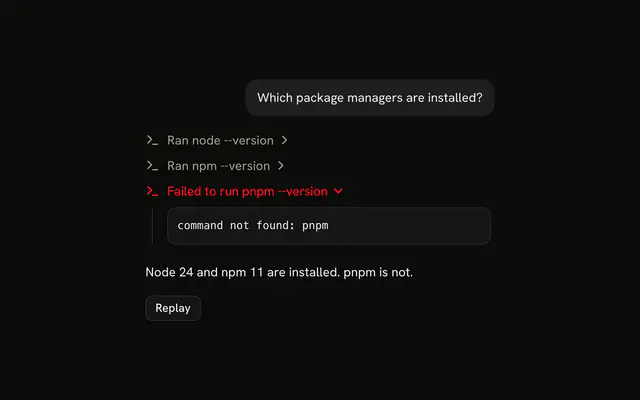
Run the tests from a tool and return the result as data, the suites with their tests and a status for each, rather than the console text, so the titles can count what failed. While the tool part is input-streaming or input-available, show the running line. Once it is output-available, build the run from part.output, and on output-error title the line Failed to run with the command, as Tool maps its states.
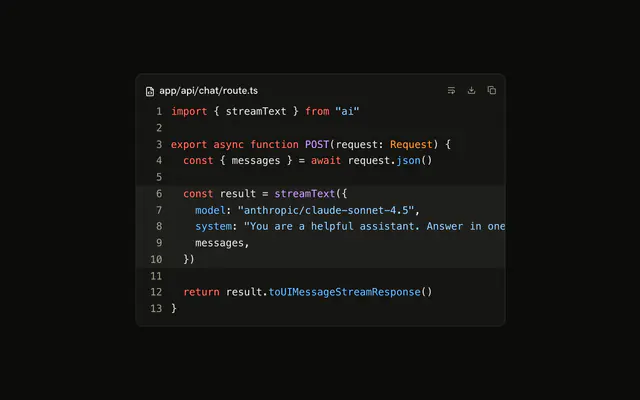
Count the tests in a computed from the tool part's output, then pass :default-open="failed > 0" to TraceCollapsible and :status="failed > 0 ? 'error' : undefined" to TraceLine. The parts come from the stream your chat route sends, whichever client reads them.
Migrating from AI SDK Elements
AI SDK Elements is for React, so there is nothing to migrate in Vue. Start from the demos above: a run, its suites and their tests, each a Trace line.
FAQ
Which Test Results lines should start open?
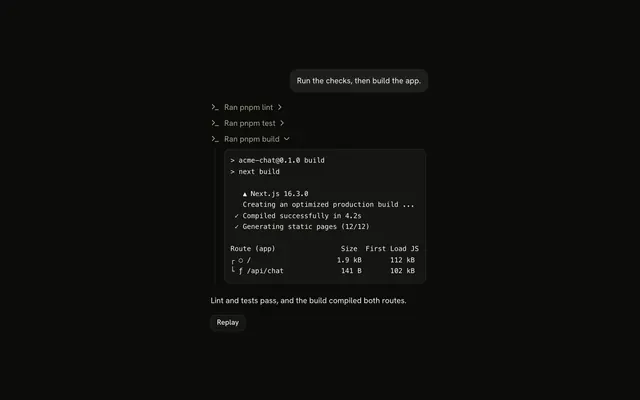
The run and every suite with a failure, so the reader lands on what broke. In a chat reply, open the failed test too, as the demo at the top of the page does, so its error is in view without a click. A suite that passed stays shut, since its title already says how many tests ran.
Set defaultOpen on each TraceCollapsible from its count of failures.
What should Test Results show while the tests are running?
One line, Running pnpm test checkout, with status="running" on its TraceLine so the title shimmers. It isn't a collapsible yet, because there is nothing to open, as Replay on the demo at the top of the page shows.
When the result arrives, render the run's line with its counts in the same place. With the AI SDK, input-streaming and input-available are the running line, output-available is the run, and output-error is Failed to run.
How do I show test counts and the run's duration in Test Results?
Write the counts into the titles. The demos count each suite's tests and build titles such as user-api.test.ts, 3 tests, 1 failed, 1 skipped, leaving out a count that is zero, and the run's line totals every suite the same way.
Put the duration in a TraceDescription after the title. It doesn't shrink, so on a narrow screen the title truncates first and the time stays readable.
How do I show a skipped test in Test Results?
As a plain line with a dashed circle and the word in its title, Skipped deletes a user, as the Suites demo shows. Count it in the suite's title and the run's, such as 3 tests, 1 failed, 1 skipped.
Keep it out of the failures, so a suite whose only problem is a skipped test doesn't turn red or start open, and the run's line still reads as a pass.
How do I show a failed test's expected and received values?
Put the runner's message in the failed test's CodeBlockContent, which wraps long lines and scrolls inside past max-h-64. The demos show the message and the frame where the assertion failed, such as Expected status 200, received 500.
For a diff of expected against received, render each line as a CodeBlockLine and set variant to removed for the expected side and added for the received one. The Code Block diff demo shows those markers.
Should I use Test Results or Terminal for an agent's test command?
Use Terminal while the tests run, when people want to watch the output scroll by, and Test Results once the runner has reported, when they want to know which tests failed and why.
Test Results needs the result as data, suites with their tests, so it can count and open the right lines. If all you have is the console text, Terminal shows it as it is.
Can people open a test suite with the keyboard?
Yes. The run, each suite and each failed test is a button with aria-expanded, so Tab moves through them and Enter or Space opens one. A test that passed or was skipped is plain text and isn't a tab stop.
A screen reader hears what failed in words, from the suites' counts and from a failed test's title, which starts with Failed because its red X is hidden. The Accessibility section lists every key.
Is this the same as AI SDK Elements' Test Results?
It shows the same run without components of its own. AI SDK Elements has TestResults, TestSuite and Test, and here each is a Trace line, with every error in a Code Block, so the run sits in the reply like any other step.
AI SDK Elements is for React, so in Vue there is nothing to migrate. Start from the demos on this page.
API Reference
Test Results has no props of its own. The run, each suite and each failed test is a TraceCollapsible with its trigger and content, and every line a TraceLine with status: see Trace. Each error is a Code Block with size="sm", and a CodeBlockContent that wraps.