shadcn.io is an independent project built on shadcn/ui
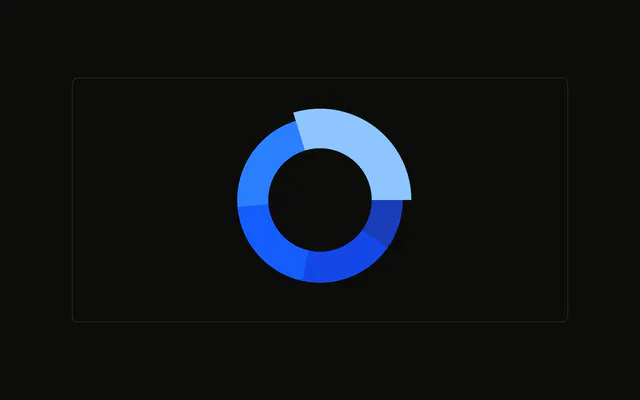
A donut of desktop visitors by month. January is pulled out and wrapped in a second ring. The center shows that slice's count and the word Visitors. The active slice is a constant.
Use it to feature one slice without hiding the rest. Wire the index to a real selection, such as Tabs, if it should change. In React, Base UI does not know that January is active.
Installation
Anatomy

Usage
<div className="w-full max-w-xl rounded-md border bg-background p-4">
  <ChartContainer
    className="mx-auto aspect-square w-full max-w-[300px]"
    config={chartConfig}
  >
    <PieChart>
      <ChartTooltip
        content={<ChartTooltipContent hideLabel />}
        cursor={false}
      />
      <Pie
        data={desktopData}
        dataKey="desktop"
        innerRadius={60}
        nameKey="month"
        shape={renderSector}
        strokeWidth={5}
      >
        <Label content={renderActiveValue} />
      </Pie>
    </PieChart>
  </ChartContainer>
</div>
FAQ
How do I choose which slice is active?
ACTIVE_INDEX is 0, the first row, January. Change that number. shape is renderSector, which checks index === ACTIVE_INDEX. This file doesn't wire the index to a click or a hover.
What does the active slice look like?
For that index, renderSector draws one Sector with outerRadius plus 10, then a second Sector from outerRadius + 12 to outerRadius + 25. Every other index is a single Sector at the normal outerRadius.
How does the center get the active value?
Label uses content={renderActiveValue} inside Pie. It prints desktopData[ACTIVE_INDEX].desktop with toLocaleString, and the caption Visitors. The number uses text-3xl. The caption sits at viewBox.cy + 24.
How is the hole sized?
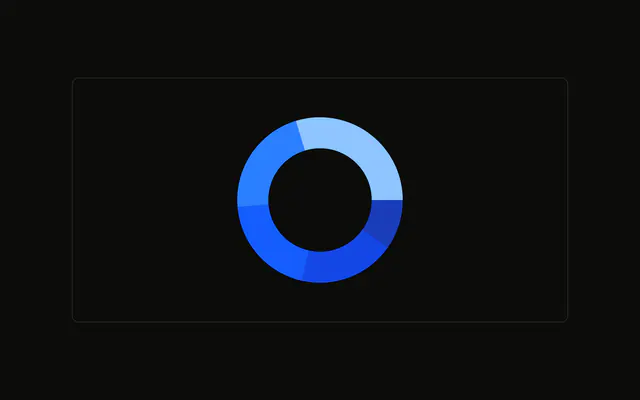
Pie sets innerRadius={60}, dataKey="desktop", nameKey="month", and strokeWidth={5}. The stroke separates the slices. The rows are january through may, and each fill is var(--color-january) and the same pattern for the other months.
API Reference
Chart
Sets config={chartConfig} and hideLabel. The rest is on the Chart page.