shadcn.io is an independent project built on shadcn/ui
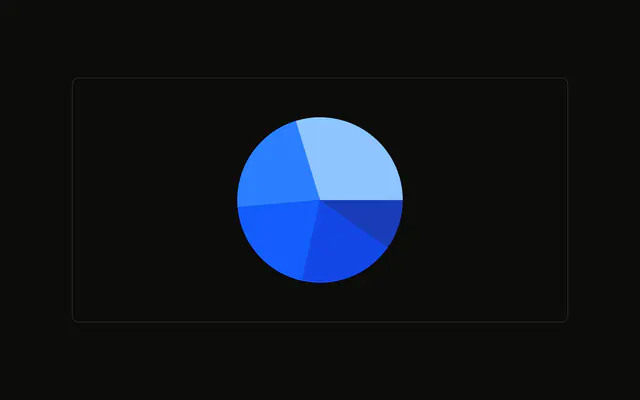
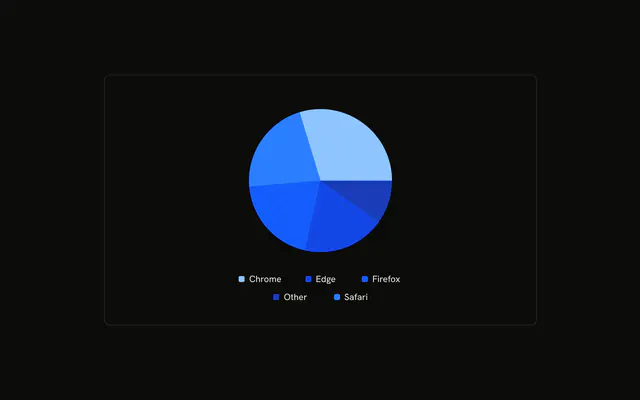
The slices sit flush against each other. Nothing is drawn in the cracks. Colors still come from the chart config, and the tooltip still names the browser.
Use it for a flatter pie, when the gaps read as decoration. Keep the stroke if similar colors need a boundary. For exact counts, use a Table. In React, Ark UI does not remove the gaps. You turn the stroke off, and you pass the rows.
Installation
Anatomy

Usage
<div className="w-full max-w-xl rounded-md border bg-background p-4">
  <ChartContainer
    className="mx-auto aspect-square max-h-[250px]"
    config={chartConfig}
  >
    <PieChart>
      <ChartTooltip content={renderTooltipContent} cursor={false} />
      <Pie data={chartData} dataKey="visitors" nameKey="browser" stroke="0" />
    </PieChart>
  </ChartContainer>
</div>
FAQ
How are the gaps between slices removed?
Pie sets stroke to "0". dataKey is visitors and nameKey is browser, so the slices still split by visitor count and keep their browser names.
How does each slice get its color?
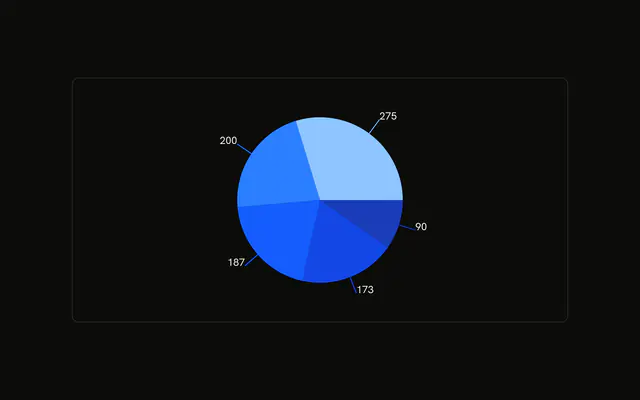
Each row sets fill to a variable such as var(--color-chrome). config maps chrome, safari, firefox, edge, and other to --chart-1 through --chart-5, with labels Chrome, Safari, Firefox, Edge, and Other.
What does the tooltip show?
ChartTooltipContent sets hideLabel, and cursor is false. The slice name comes from nameKey browser, looked up in config, and the value is visitors.
Which counts are in the pie?
Chrome is 275, Safari 200, Firefox 187, Edge 173, and Other 90. The data keys are lowercase. config supplies the words in the tooltip.
API Reference
Chart
Sets config={chartConfig}, content={renderTooltipContent} and cursor={false}. The rest is on the Chart page.