shadcn.io is an independent project built on shadcn/ui
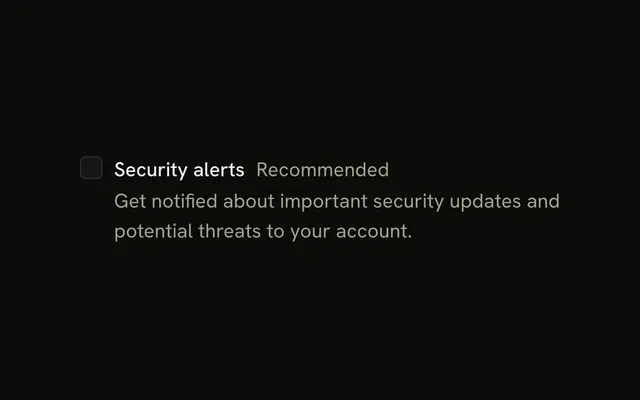
Enable notifications sits next to its box, with Recommended in muted text on the same line. There is no description under the label.
Use the short word for recommended, beta or paid, when a full sentence is too much. A Badge can carry that word beside a heading instead. In React, Base UI treats Recommended as ordinary text.
Installation
Anatomy
Usage
<Field className="w-fit" orientation="horizontal">
  <Checkbox id="notifications" name="notifications" />
  <div className="flex items-baseline gap-2">
    <FieldLabel htmlFor="notifications">Enable notifications</FieldLabel>
    <span className="text-muted-foreground text-sm">Recommended</span>
  </div>
</Field>
FAQ
When should I add subtitles to checkboxes?
For a one- or two-word hint that helps the decision: Recommended, Optional, Required, Beta, Pro. Anything longer is an explanation and belongs in a FieldDescription under the label.
How do I style subtitle badges differently?
Change the span's classes: text-primary to make it stand out, or text-destructive for a warning. For a pill, swap the span for a Badge with variant="secondary". Stick to the theme's colors so it works in dark mode.
Why use gap-2 between label and subtitle?
gap-2 (8px) separates the two without making the subtitle look unrelated. items-baseline lines the smaller muted text up with the label's text rather than its box, so the pair reads as one line.
Can some checkboxes have subtitles while others don't?
Yes. In a list, render the span only when the item has a subtitle. Rows without one simply end at the label, and the checkboxes still line up because they come first in each row.
Are subtitle badges announced by screen readers?
The subtitle sits outside the label, so the checkbox's name is just "Enable notifications"; the subtitle is read as nearby text. If the qualifier matters to the choice, move it inside the FieldLabel so it becomes part of the name, and spell it out: "Recommended", not "Rec".
API Reference
Field
Sets orientation="horizontal" and htmlFor="notifications". The rest is on the Field page.
Checkbox
Sets id="notifications" and name="notifications". The rest is on the Checkbox page.