shadcn.io is an independent project built on shadcn/ui
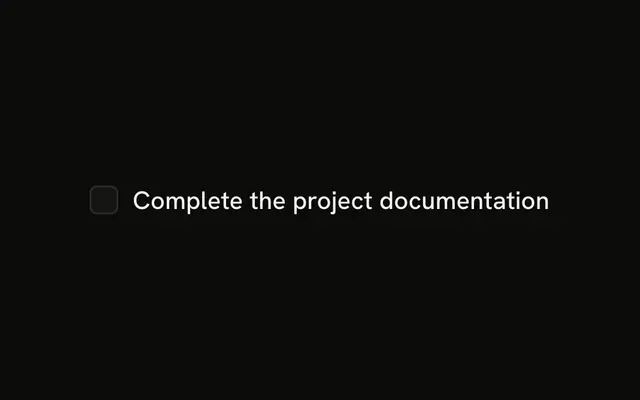
One box and one label, Accept terms and conditions, on the same line.
Use it for a single agreement that goes out with a form. If the choice should apply immediately, use a Switch. Base UI on React does not submit the agreement.
Installation
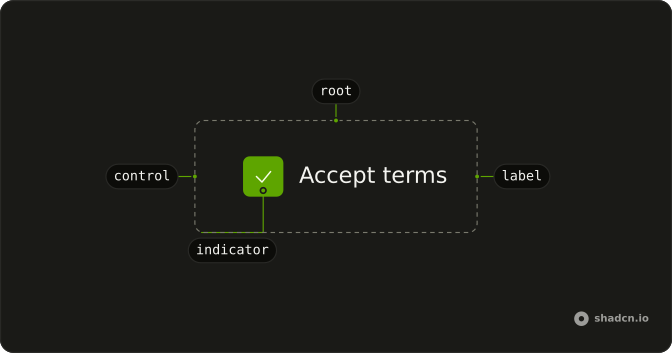
Anatomy
Usage
<Field className="w-fit" orientation="horizontal">
  <Checkbox id="terms" name="terms" />
  <FieldLabel htmlFor="terms">Accept terms and conditions</FieldLabel>
</Field>
FAQ
When should I use checkboxes vs radio buttons?
Use checkboxes for independent choices, where people can pick none, one or several: preferences, features, filters. Use a Radio Group when exactly one option of several must be picked, like a payment method. A single checkbox fits a yes-or-no that takes effect on submit. A Switch fits a setting that applies the moment it changes.
Why pair the checkbox with a label?
The box alone is a 16px target. A label makes the words clickable too, which gives a much larger tap area, and it is the checkbox's accessible name. The horizontal Field keeps the two on one line with the right gap.
Give the checkbox an id and point the label's htmlFor at it.
How do I control checkbox state in React?
This example is uncontrolled: the box keeps its own state. To own it, hold the checked value yourself and update it on every change.
Pass checked and update it in onCheckedChange, which receives the new boolean. Use defaultChecked for a starting value.
Can I customize checkbox colors and size?
Yes. Add classes on the Checkbox, and put colors for the checked state behind the checked variant. To change every checkbox at once, edit the checkbox file in your components/ui folder.
Is the checkbox accessible by default?
Yes. Base UI gives it the checkbox role and its checked state, Space toggles it, and it shows a focus ring for keyboard users. The label gives it a name, so write one that makes sense on its own: "Accept terms and conditions", not "Yes".
How do I add validation to checkboxes?
For a required box like this one, check it on submit. If it is empty, set invalid on the Field, which marks the checkbox invalid and turns the box and label destructive, and add a FieldError with the message. The Checkbox docs show the invalid state.
With React Hook Form, TanStack Form or Formisch, connect the field to the checked state.
API Reference
Field
Sets orientation="horizontal" and htmlFor="terms". The rest is on the Field page.
Checkbox
Sets id="terms" and name="terms". The rest is on the Checkbox page.