shadcn.io is an independent project built on shadcn/ui
One checkbox labeled Indeterminate state. It opens on the dash, not a check and not an empty box.
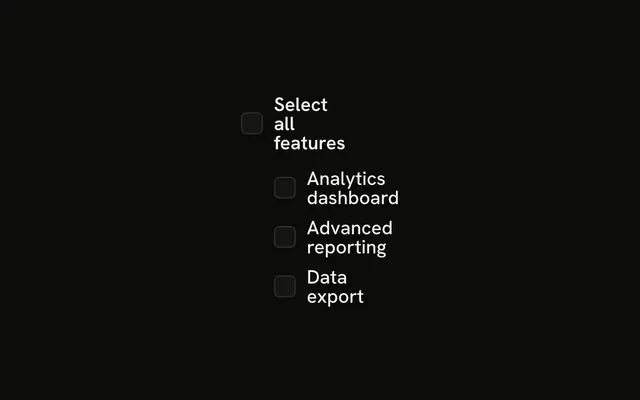
Use the dash for a select-all that covers only some rows. A Table of selectable rows is the usual place for it. On React, Base UI does not decide what the dash means.
Installation
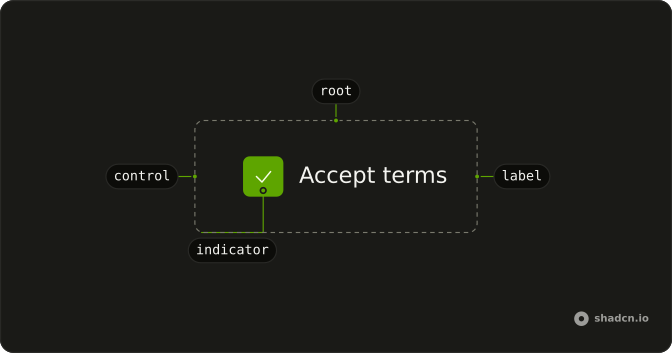
Anatomy
Usage
<Field className="w-fit" orientation="horizontal">
  <Checkbox
    checked={checked === true}
    id="indeterminate"
    indeterminate={checked === "indeterminate"}
    name="indeterminate"
    onCheckedChange={handleCheckedChange}
  />
  <FieldLabel htmlFor="indeterminate">Indeterminate state</FieldLabel>
</Field>
FAQ
When should I use indeterminate state?
On a parent checkbox when only some of its children are checked: a select-all over a list, a permission group partly granted, a table with a few rows selected. A plain yes-or-no never needs it.
How do I manage indeterminate state in React?
This demo holds the state and starts it at indeterminate. The first change stores the next checked value.
Pass indeterminate while the dash should show, and checked as a boolean. onCheckedChange receives the next boolean.
What does indeterminate look like visually?
Base UI marks the box indeterminate, but the indicator in the checkbox file only holds a CheckIcon: render a MinusIcon there for the indeterminate state to show a dash.
What happens when users click an indeterminate checkbox?
The first click stores the next boolean, so the dash becomes a check. The click after that clears it. The box is controlled, so both moves go through the same handler.
API Reference
Field
Sets orientation="horizontal" and htmlFor="indeterminate". The rest is on the Field page.
Checkbox
Sets checked={checked === true}, id="indeterminate", indeterminate={checked === "indeterminate"}, name="indeterminate" and onCheckedChange={handleCheckedChange}. The rest is on the Checkbox page.