shadcn.io is an independent project built on shadcn/ui
Five checkboxes stacked in a column: JavaScript, TypeScript, Python, Java and C#. Each has its own box and label.
Stack options when people weigh them one at a time, such as skills or permissions. For a single choice, use a Radio Group. On React, Base UI does not cap how many boxes can be checked.
Installation
Anatomy
Usage
<FieldGroup className="w-fit gap-3">
  {languages.map((language) => (
    <Field key={language.id} orientation="horizontal">
      <Checkbox id={language.id} name={language.id} />
      <FieldLabel htmlFor={language.id}>{language.label}</FieldLabel>
    </Field>
  ))}
</FieldGroup>
FAQ
How do I adjust spacing between vertical checkboxes?
Change the gap-3 on the FieldGroup: gap-2 for a dense list, gap-4 or more for a relaxed form. The gap sits between the fields, so the first and last rows have no extra space.
How is each language wired to its checkbox?
A languages list maps to one horizontal Field per entry: JavaScript, TypeScript, Python, Java and C#. Each checkbox's name is the language id, so the checked ones are what the form submits.
The checkbox's id is the language id too, and the label's htmlFor points at it.
Are these checkboxes controlled?
No. None of them is given a checked value, so each box keeps its own state and the form reads them on submit. Hold the selected ids in state when something else on the page has to react to the choice.
Do vertical lists work on mobile?
Yes: one option per line is the layout that needs no adjusting on a narrow screen. Each label is clickable, so the whole row text is a tap target; raise the gap if rows sit too close for fingers.
How do I add a select-all box?
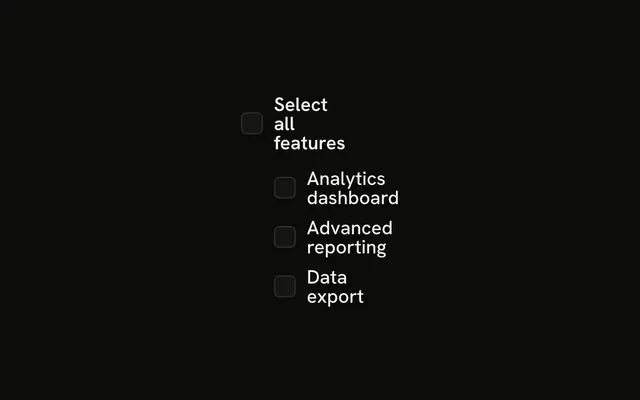
Put a parent checkbox above the list whose state is derived from the children: checked when all are, indeterminate when some are. The nested list shows the pattern.
API Reference
Field
Sets orientation="horizontal" and htmlFor={language.id}. The rest is on the Field page.
Checkbox
Sets id={language.id} and name={language.id}. The rest is on the Checkbox page.